If you spend any time managing websites, APIs, or internal business applications, sooner or later you’ll run into an HTTP status code that stops users cold: the 401 error. It’s short, it’s blunt, and it usually shows up at the worst possible moment — during a product launch, a client demo, or a critical system integration.
But a 401 error isn’t just an annoyance. In many cases, it’s your system doing exactly what it’s supposed to do: protecting sensitive resources from anyone who hasn’t proven they belong there. Understanding what triggers a 401, how to fix it, and how to use it as part of a broader IT security strategy can save your team hours of troubleshooting and help close off real attack surfaces.
This guide breaks down everything IT teams, developers, and security professionals need to know about the 401 error — what it means, why it happens, how to resolve it, and how to use proper authentication practices to keep your systems secure.
What is a 401 Error?
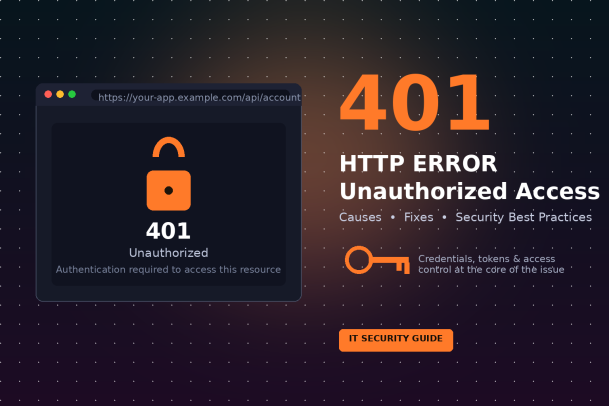
A 401 Unauthorized error is an HTTP status code returned by a web server when a client — a browser, an app, or an API consumer — tries to access a resource without providing valid authentication credentials, or when the credentials provided are incorrect, expired, or missing entirely.
In simple terms: the server understands the request, but it doesn’t know who is making it, or it doesn’t trust the identity being presented. Until proper credentials are supplied, access is denied.
It’s important to note that despite its name, the 401 status technically refers to “unauthenticated” rather than “unauthorized” in the strictest sense. Authentication confirms who you are; authorization confirms what you’re allowed to do. A 401 says the server can’t verify your identity at all. A related error, 403 Forbidden, means the server knows who you are but has decided you don’t have permission to proceed — that’s a distinct issue from a 401 and requires a different fix.
Why the 401 Error Matters for IT Security
At first glance, a 401 error might look like a minor technical hiccup. But from a security standpoint, it plays an important role:
- It’s a gatekeeper. Every properly functioning 401 response represents a moment where an unauthenticated request was blocked before it could reach protected data.
- It’s a signal. A spike in 401 errors across your logs can indicate credential stuffing attacks, brute-force login attempts, misconfigured API integrations, or expired certificates across your fleet of devices.
- It’s a diagnostic tool. For legitimate users and developers, repeated 401s often point to deeper configuration issues — broken token refresh logic, misaligned time zones affecting token expiry, or outdated client credentials.
In other words, the 401 error sits right at the intersection of user experience and cybersecurity. Getting it right protects your systems; getting it wrong either locks out legitimate users or, worse, signals a vulnerability that attackers can exploit.
Common Causes of the 401 Error
There isn’t a single cause behind every 401 response. Here are the most frequent culprits IT teams encounter:
1. Missing or Incorrect Login Credentials
The most straightforward cause: a user enters the wrong username or password, or an application fails to send credentials with its request at all.
2. Expired or Invalid Authentication Tokens
Modern applications rely heavily on tokens (like OAuth 2.0 access tokens or JSON Web Tokens) instead of raw passwords. If a token has expired, been revoked, or was issued for the wrong scope, the server will reject the request with a 401.
3. Misconfigured Authentication Headers
APIs typically require credentials to be passed in an Authorization header, often as a Bearer token or Basic Auth string. A missing header, a malformed token, or an incorrect authentication scheme (e.g., sending Basic when the server expects Bearer) will trigger a 401.
4. Clock Skew Between Client and Server
Many token-based authentication systems are time-sensitive. If a client’s system clock is out of sync with the server, tokens can appear expired or “not yet valid,” resulting in unauthorized errors even when credentials are technically correct.
5. Session Timeout
Web applications often log users out automatically after a period of inactivity for security reasons. Attempting to continue an expired session results in a 401 until the user re-authenticates.
6. Server-Side Configuration Errors
Sometimes the fault lies with the server itself — incorrect authentication middleware, misconfigured identity providers, broken single sign-on (SSO) integrations, or firewall rules that strip authentication headers before they reach the application.
7. Revoked API Keys or User Access
If an administrator revokes a user’s access, deactivates an account, or rotates an API key without updating dependent systems, every subsequent request using the old credentials will return a 401.
8. Browser Cache and Cookie Issues
Occasionally, stale cached credentials or corrupted cookies stored by the browser can cause a server to reject requests that would otherwise succeed with a clean session.
How to Fix a 401 Error
The right fix depends on whether you’re a website visitor, a developer, or an administrator managing backend systems.
For End Users
- Double-check your login details. Re-enter your username and password carefully, watching for caps lock or autofill errors.
- Clear your browser cache and cookies. Stale session data is a common, easily fixed cause.
- Log out and log back in. This forces the system to issue a fresh, valid session or token.
- Check your system clock. If you’re using an app that relies on time-sensitive tokens, an inaccurate device clock can cause authentication failures.
For Developers and API Consumers
- Verify the Authorization header. Confirm the token or credentials are being sent correctly, using the expected authentication scheme.
- Check token expiry and refresh logic. Ensure your application automatically refreshes access tokens before they expire, rather than waiting for a failure.
- Confirm scopes and permissions. Make sure the token being used actually has the scope required for the endpoint being called.
- Test with a known-good credential. Isolate whether the issue is with your code, the credential itself, or the server configuration.
- Review API documentation. Authentication requirements can change between API versions; confirm you’re following the current spec.
For IT Administrators and Security Teams
- Audit authentication logs regularly. Unusual patterns of 401 errors, especially from unfamiliar IP addresses, can indicate an attack in progress.
- Review identity provider and SSO configurations. Broken federation between your identity provider and applications is a common enterprise-level cause of mass 401 errors.
- Ensure server clocks are synchronized. Use NTP (Network Time Protocol) across all servers to prevent time-based token validation failures.
- Confirm firewall and proxy rules aren’t stripping headers. Some network security appliances inadvertently remove authentication headers, causing legitimate requests to fail.
- Rotate and communicate credential changes properly. When API keys or certificates are rotated, make sure every dependent system and team is notified in advance.
Best Practices to Prevent 401 Errors and Strengthen IT Security
Beyond simply fixing individual 401 errors as they arise, organizations should treat authentication as a core pillar of their security posture. A few best practices go a long way:
1. Implement Multi-Factor Authentication (MFA). Adding a second verification layer significantly reduces the risk of unauthorized access, even if a password is compromised.
2. Use Short-Lived Tokens with Automatic Refresh. Short expiry windows limit the damage of a leaked token while automatic refresh keeps the user experience smooth.
3. Monitor Authentication Logs with Real-Time Alerts. Set up alerting for abnormal spikes in 401 responses, which can be an early warning sign of credential stuffing or brute-force attacks.
4. Apply the Principle of Least Privilege. Ensure users and applications only have access to the resources they genuinely need, reducing the impact of any single compromised credential.
5. Keep Authentication Systems and Libraries Updated. Outdated authentication libraries or identity provider software can carry unpatched vulnerabilities that attackers actively target.
6. Educate Users on Credential Hygiene. Encourage strong, unique passwords and caution against credential reuse across multiple platforms.
7. Use a Centralized Identity and Access Management (IAM) Solution. Centralizing authentication makes it easier to enforce consistent policies, monitor access patterns, and quickly revoke compromised credentials across every connected system.
The Bigger Picture: 401 Errors as Part of a Layered Security Strategy
A 401 error, when it fires correctly, is a small victory for your security posture — it means an unauthenticated request was stopped before doing any damage. But relying on authentication checks alone isn’t enough. Modern threats increasingly involve stolen credentials, session hijacking, and sophisticated attempts to bypass authentication entirely.
That’s why authentication controls need to be paired with broader endpoint protection, threat detection, and zero-trust security principles. Organizations that only react to 401 errors after they happen are always one step behind attackers who are actively probing for weak points. Proactive monitoring, strong endpoint defenses, and a security-first architecture ensure that even if an attacker gets past one layer, they don’t get far.
Final Thoughts
The 401 error is more than a frustrating pop-up — it’s a checkpoint that reflects the health of your authentication systems and, by extension, your broader IT security posture. By understanding its common causes, applying the right fixes for your role, and adopting proactive best practices like MFA, least privilege access, and centralized identity management, your organization can turn a routine error code into a meaningful line of defense.
Strong authentication is only one layer of a resilient security strategy, though. To truly protect your endpoints, networks, and users from evolving threats, you need comprehensive, proactive cybersecurity built for the modern threat landscape.
Ready to strengthen your organization’s security posture?
Request a Demo with Xcitium and see how proactive, zero-trust endpoint protection can help your team stay ahead of authentication-based attacks and other emerging threats.
Please give us a star rating based on your experience.


 (18 votes, average: 2.33 out of 5, rated)


