Best Free Virus Protection Software: The Complete 2026 Guide
Updated on November 27, 2025, by Xcitium
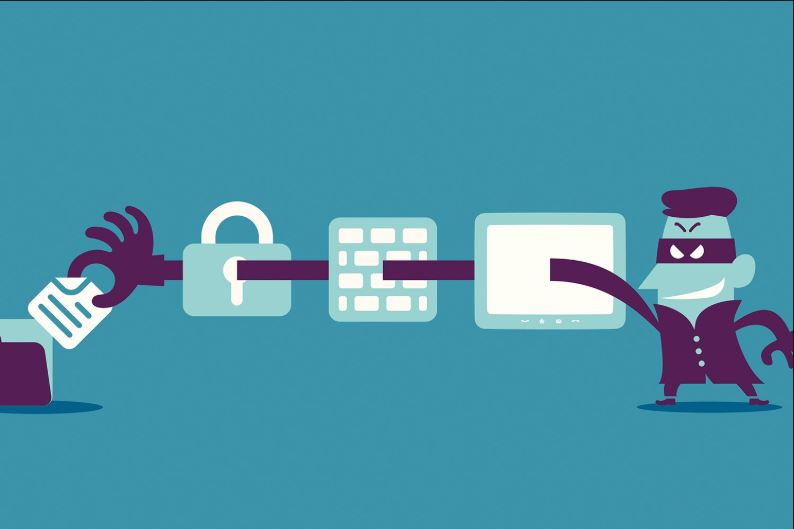
Cyberattacks are more aggressive, more sophisticated, and more frequent than ever before. From phishing attempts and ransomware to spyware and zero-day exploits, every device connected to the internet is a potential target. Yet many individuals and even small businesses still struggle with the cost of cybersecurity tools. That’s where the best free virus protection software plays a powerful role—offering essential protection without the price tag.
With the right free antivirus tools, users can block malware, secure their devices, detect threats early, and ensure safer browsing. Whether you’re an IT manager supporting remote employees, a cybersecurity professional evaluating baseline protection, or an everyday user looking to secure your laptop or phone, this guide breaks down everything you need to know about the best free antivirus solutions available today.
What Is Free Virus Protection Software?
Free virus protection software—commonly called free antivirus—is a security tool designed to detect, block, and remove malware without requiring a paid subscription. These tools often include core features such as:
-
Real-time virus scanning
-
Malware removal
-
Ransomware detection
-
Safe browsing alerts
-
Spyware detection
-
Email threat protection
While paid antivirus suites offer more advanced features, the best free virus protection software provides strong baseline security that can stop many common threats.
Why Free Antivirus Is Still Important in 2026
Today’s threat landscape is evolving at an alarming pace. Cybercriminals exploit:
-
Social engineering weaknesses
-
Software vulnerabilities
-
Misconfigured systems
-
User errors
-
Public Wi-Fi connections
-
Outdated operating systems
-
Credential reuse
According to global cybersecurity reports:
-
Malware attacks increased by over 30% in the past two years.
-
Ransomware damages are expected to exceed $25 billion by 2025.
-
Over 80% of breaches start with simple malware or phishing.
Even basic malware infection can lead to:
-
Lost files
-
Identity theft
-
Fraudulent charges
-
Data encryption
-
Account takeover
-
Device slowdowns
This makes free antivirus software a key first layer of defense.
How Free Antivirus Works
Free antivirus tools rely on several technologies to detect threats:
✔ 1. Signature-Based Detection
Matches known malware patterns.
✔ 2. Heuristic Analysis
Identifies suspicious behavior—even without known signatures.
✔ 3. Real-Time Protection
Scans files and activity as they happen.
✔ 4. Cloud-Based Scanning
Uses global databases to detect emerging threats.
✔ 5. Behavioral Monitoring
Flags zero-day threats through abnormal activity.
Key Features to Look for in the Best Free Virus Protection Software
Not all free tools are equal. A strong antivirus option should offer:
✔ Real-Time Protection
Prevents malware before it executes.
✔ Ransomware Detection
Stops encryption attacks before data is locked.
✔ Spyware & Adware Removal
Protects privacy and browsing activity.
✔ Phishing Protection
Alerts you about fake websites and malicious links.
✔ Email Threat Scanning
Detects harmful attachments or messages.
✔ System Optimization Tools
Many antiviruses also clean junk files & speed up devices.
✔ Automatic Updates
Essential to respond to new threats.
✔ Lightweight Performance
Should not slow down your device.
The 10 Best Free Virus Protection Software Tools in 2026
Here is a detailed breakdown of the top free antivirus solutions available this year:
⭐ 1. Windows Defender Antivirus (Microsoft Defender)
The built-in Windows Antivirus continues to improve and is now one of the best free options.
Features:
-
Real-time malware protection
-
Firewall integration
-
Parental controls
-
Cloud-based threat analysis
Best For: Everyday Windows users
⭐ 2. Avast Free Antivirus
A powerful all-around free antivirus with excellent detection rates.
Features:
-
Ransomware shield
-
Wi-Fi inspector
-
Behavior monitoring
-
Safe browser
Best For: Users who want feature-rich protection
⭐ 3. AVG Free Antivirus
Reliable, fast, and lightweight.
Features:
-
Web & email protection
-
Malware blocking
-
Real-time updates
Best For: Older or low-performance devices
⭐ 4. Bitdefender Antivirus Free Edition
Known for its excellent malware detection and minimal impact on system resources.
Features:
-
Real-time threat detection
-
Anti-phishing
-
Cloud scanning
Best For: Set-and-forget users
⭐ 5. Avira Free Security
Feature-packed with privacy and optimization tools.
Features:
-
Free VPN (limited)
-
Password manager
-
System optimizer
Best For: Users wanting extra utilities
⭐ 6. Xcitium Free Antivirus
Xcitium delivers an advanced, zero-trust-based free antivirus solution designed to block unknown and known threats in real time. Unlike traditional antivirus tools, Xcitium isolates suspicious files using Auto-Containment—preventing malware from ever touching your system.
Key Features:
-
Zero-Trust Architecture
-
Auto-Containment™ for unknown threats
-
Cloud-based threat detection
-
Real-time antivirus scanning
-
Host Intrusion Prevention System (HIPS)
-
Secure browsing
Best For: Users needing enterprise-grade protection at no cost
⭐ 7. Malwarebytes Free
Specializes in malware and spyware removal.
Features:
-
On-demand scanning
-
Zero-day exploitation removal
Best For: Cleaning infected PCs (on-demand only)
⭐ 8. Sophos Home Free
Enterprise-grade protection for home use.
Features:
-
AI threat detection
-
Web filtering
-
Remote management
Best For: Families & multi-device users
⭐ 9. Panda Free Antivirus
Simple, lightweight cloud-driven detection.
Features:
-
Firewall
-
USB vaccination
-
Real-time monitoring
Best For: Users who want cloud-first security
⭐ 10. ZoneAlarm Free Antivirus + Firewall
Provides integrated firewall protection.
Features:
-
Virus scanning
-
Two-way firewall
-
Wireless security
Best For: Users needing stronger network control
Free vs Paid Antivirus: Which Do You Need?
While free antivirus is excellent for everyday protection, paid versions offer additional security layers.
Free Antivirus Provides:
-
Basic malware protection
-
Real-time scanning
-
Phishing protection
-
Occasional ads
Paid Antivirus Provides:
-
Advanced ransomware protection
-
Identity theft monitoring
-
VPN
-
Password manager
-
Parental controls
-
Zero-day attack prevention
-
Priority support
Who Should Use Free Antivirus?
Free antivirus is ideal for:
-
Students
-
Home users
-
Basic browsing
-
Low-risk devices
-
People on a budget
Who Should Upgrade to Paid Antivirus?
Paid antivirus is better for:
-
Remote workers
-
Small business owners
-
Executives handling sensitive data
-
Cybersecurity teams
-
Anyone managing financial data
Tips for Getting the Most Out of Free Virus Protection Software
✔ Update the antivirus frequently
This ensures protection from new threats.
✔ Add a firewall if not included
Many free options lack advanced firewall controls.
✔ Enable browser protection
Stops phishing and malicious sites.
✔ Avoid downloading pirated software
A major source of malware infections.
✔ Use strong passwords
Combine antivirus with password security.
✔ Combine antivirus with a VPN
For safer browsing on public or shared networks.
Frequently Asked Questions (FAQ)
1. Is free antivirus enough to protect my computer?
For basic use, yes. But high-risk users should consider upgrading.
2. Does free antivirus slow down my computer?
Top solutions are lightweight and optimized for performance.
3. Is free antivirus safe to use?
Yes—if downloaded from reputable providers.
4. Can free antivirus detect ransomware?
Most can detect ransomware, but paid tools offer stronger defenses.
5. Should businesses use free antivirus?
Not recommended—business environments require advanced threat protection.
Final Thoughts: Free Antivirus Is Good, but Defense-in-Depth Wins
The best free virus protection software provides an excellent foundation for cybersecurity, especially for individual users and low-risk devices. But as threats evolve, relying on a single layer of protection is never enough. Combine antivirus with modern endpoint protection, zero-trust frameworks, and proactive monitoring to stay fully secure.
🚀 Want stronger protection than free antivirus can offer?
Get enterprise-grade Zero Trust endpoint security with Xcitium.
👉 Register here: https://openedr.platform.xcitium.com/register/