What Is CAPTCHA? The Human Gatekeeper of the Internet
Updated on June 26, 2025, by Xcitium
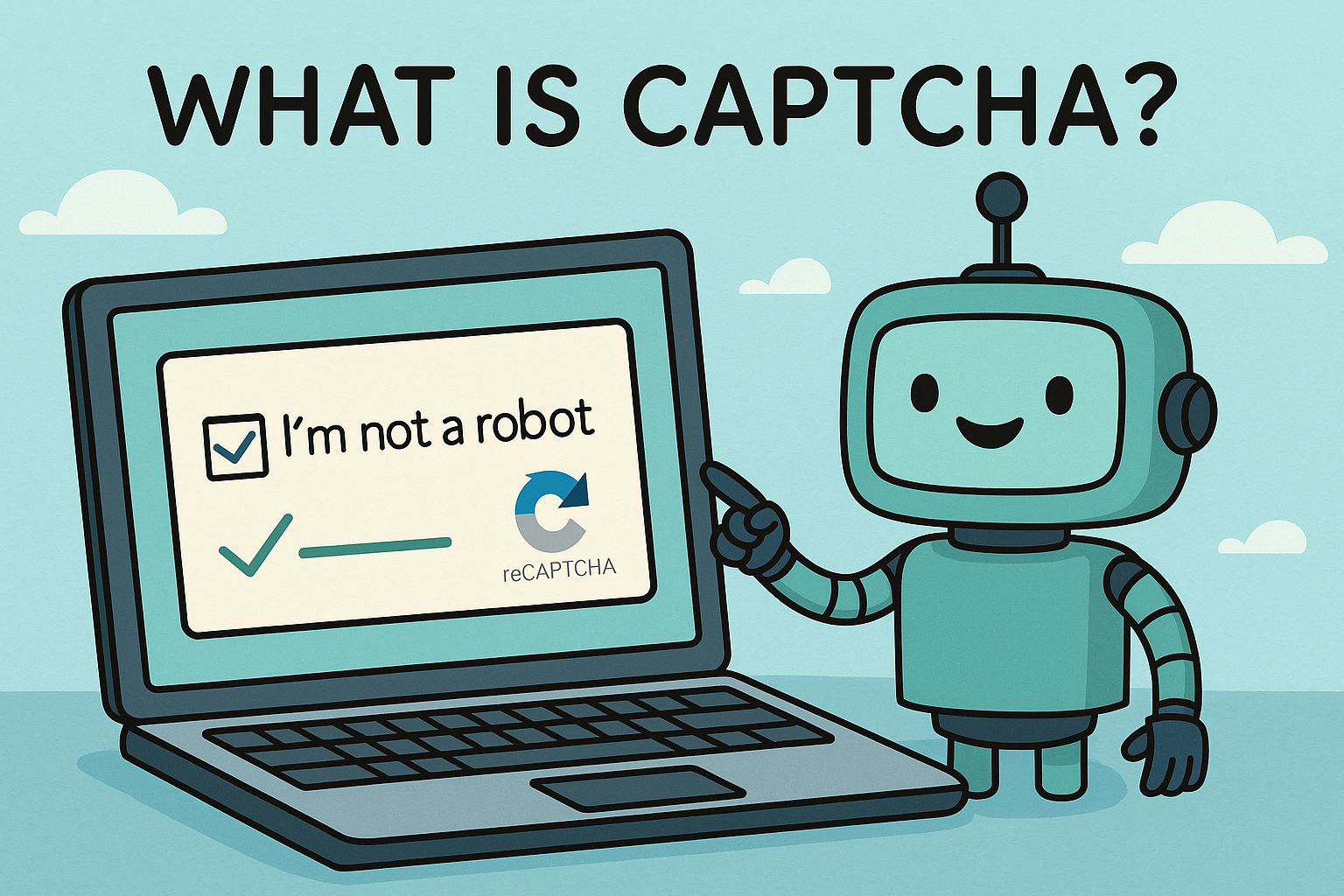
If you’ve ever clicked on images of buses, typed distorted letters, or clicked a box saying “I’m not a robot,” then you’ve encountered a CAPTCHA. But what is CAPTCHA, really?
Captcha Meaning
CAPTCHA is a tool that websites use to separate humans from bots. It protects websites from spam, abuse, and brute-force attacks. It’s a key line of defense in today’s cybersecurity landscape.
Whether you’re tired of CAPTCHA tests or curious about how CAPTCHA works behind the scenes, this article will decode its purpose, its types, and even how to solve common errors like “There was an error generating the CAPTCHA: 600010.”
🔍 CAPTCHA Meaning & Acronym Explained
What Does CAPTCHA Stand For?
CAPTCHA acronym: CAPTCHA stands for Completely Automated Public Turing test to tell Computers and Humans Apart. It’s a challenge-response system that confirms whether a user is a real human or an automated bot.
The Purpose of CAPTCHA
- Prevent automated form submissions (spam)
- Block credential stuffing and brute-force login attempts
- Secure online polls and voting systems
- Avoid ticket scalping and fake sign-ups
🧪 How Does CAPTCHA Work?
- User Interaction: CAPTCHA presents a task (image recognition, text input, etc.)
- Human Validation: The task is designed to be easy for humans but difficult for bots.
- Verification: If solved correctly, the user can proceed. If not, they’re asked again.
CAPTCHA helps prevent automation-based attacks without burdening users too much—though it can sometimes feel frustrating!
🔄 Types of CAPTCHA You’ll Encounter
1. Text-Based CAPTCHA
Users enter distorted letters or numbers (commonly used as captcha number image tasks).
2. Image Recognition CAPTCHA
Click on images containing specific items (e.g., traffic lights, bridges).
3. Audio CAPTCHA
Alternative for visually impaired users: Listen to distorted audio and type what you hear.
4. Invisible CAPTCHA
Uses behavioral patterns to detect bots without user interaction.
5. reCAPTCHA
Google’s advanced CAPTCHA—often includes a checkbox or image test.
⚙️ Common CAPTCHA Errors and Fixes
🚫 “There Was an Error Generating the CAPTCHA: 600010”
This is a server-side error, often caused by:
- Misconfigured API keys
- Incorrect integration of CAPTCHA service
- Rate-limiting or firewall blocks
Fixes:
- Clear browser cache and cookies
- Try a different browser
- Disable conflicting extensions
- Contact the website’s support if issue persists
🔐 CAPTCHA for Cybersecurity: Why It Matters
CAPTCHA serves as a first-line defense against:
- Credential stuffing attacks
- Fake registrations
- Scraping bots stealing content
- Automated spam in forms and forums
Captcha Meaning – It’s a simple but powerful security tool, especially when combined with tools like firewalls and endpoint detection.
🔎 CAPTCHA Solvers: Use With Caution
Some users try to bypass CAPTCHAs using captcha solvers—automated tools or services that break CAPTCHA codes.
Important Note: Using solvers is often against the terms of service of websites. In cybersecurity environments, such tools are discouraged due to legal and ethical concerns.
📥 CAPTCHA Extensions and Tools
For developers and security admins, these browser extensions and APIs help manage CAPTCHA better:
- reCAPTCHA API by Google
- hCaptcha integration
- CAPTCHA plugins for WordPress and Shopify
- Browser extensions for solving repetitive tests (with caution!)
📶 CAPTCHA and Accessibility
Modern CAPTCHA systems also take accessibility seriously:
- Offer audio alternatives
- Comply with WCAG standards
- Integrate with screen readers
If your site uses CAPTCHA, make sure it’s accessible to everyone.
⚡ Bonus: CAPTCHA vs Honeypots vs Bot Management
| Tool | What It Does | User Impact |
| CAPTCHA | Verifies human interaction | Medium |
| Honeypot | Hidden fields that trap bots | None |
| Bot Manager | Advanced behavior analytics + mitigation | None to low |
For robust security, combine all three when possible.
📈 Benefits of Using CAPTCHA
- Enhances web security
- Reduces server load by blocking fake traffic
- Improves data quality from forms
- Protects online services from automation abuse
✅ Ready to Level Up Your Website Security?
CAPTCHA is just the beginning. Discover enterprise-grade security, endpoint protection, and automated threat detection with Xcitium.
❓ FAQ: What Is CAPTCHA?
1. What is CAPTCHA used for?
CAPTCHA is used to block bots and verify that a user is human before allowing access to forms, login screens, or other sensitive web elements.
2. Why do I keep getting CAPTCHA tests?
You may trigger CAPTCHA repeatedly due to VPN use, suspicious behavior, or browser settings that block cookies.
3. What does the CAPTCHA error 600010 mean?
It usually indicates a server error in CAPTCHA integration. Try clearing your cache or contacting site support.
4. Is it safe to use a CAPTCHA solver?
Not recommended. While they may automate CAPTCHA solving, many violate terms of service and can expose users to security risks.
5. Can I install a CAPTCHA extension on my website?
Yes. Many platforms like WordPress, Magento, and Shopify offer CAPTCHA plugins for login, registration, and contact forms.