Open any inbox, scroll any comment section, or glance at your phone’s text messages, and you will almost certainly run into it: unwanted, unsolicited, and often suspicious content. That is spam. But what does spam mean beyond being an everyday annoyance? For individuals and businesses alike, spam has grown into one of the most common entry points for phishing, malware, and fraud.
In this guide, we will break down what spam means, where the term came from, the different forms it takes, why it is dangerous, and, most importantly, how you can prevent it from putting your data and devices at risk.
What Does Spam Mean
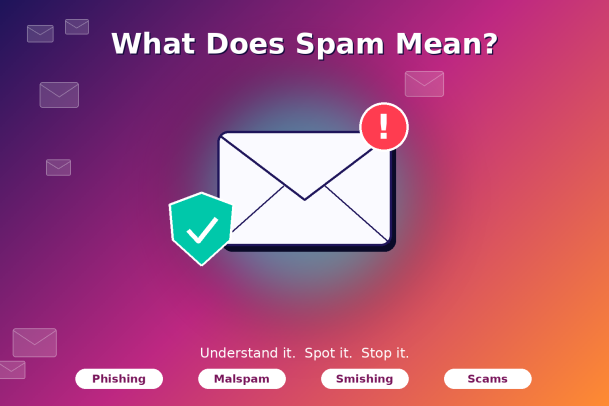
In the digital world, spam refers to unsolicited, irrelevant, or unwanted messages sent in bulk, usually to a large number of recipients at once. Spam is most commonly associated with email, but it also appears in text messages, social media, phone calls, website comments, search results, and messaging apps.
The defining traits of spam are simple:
- It is unsolicited. You never asked for it or agreed to receive it.
- It is sent in bulk. The same or similar message is pushed out to thousands or even millions of people.
- It serves the sender, not you. The goal might be selling a product, harvesting your data, spreading malware, or tricking you into a scam.
Not all spam is malicious. Some of it is just aggressive marketing. However, a significant share of spam is designed to deceive, and that is where the real danger lies.
Where Did the Term “Spam” Come From
The word originally referred to SPAM, the canned meat product introduced by Hormel Foods in 1937. Its jump into internet slang came from a 1970 Monty Python’s Flying Circus sketch, in which a café menu features SPAM in nearly every dish and a group of Vikings drowns out all conversation by repeatedly chanting the word.
Early internet users in the 1980s and 1990s borrowed the joke to describe repetitive, unwanted messages that drowned out real discussion in chat rooms and Usenet newsgroups. One of the first widely recognized examples of commercial email spam dates back to 1978, when a marketer sent an unsolicited message to several hundred ARPANET users. By the 1990s, as email went mainstream, the term “spam” was firmly established.
Common Types of Digital Spam
Spam has evolved far beyond the classic junk email. Here are the forms you are most likely to encounter today.
Email spam. The most familiar form. It includes unsolicited advertisements, fake invoices, “you’ve won” messages, and phishing emails that impersonate banks, delivery services, or software vendors.
Phishing spam. A dangerous subset of spam designed to steal credentials, financial details, or personal information. These messages often create urgency, such as “Your account will be suspended in 24 hours,” to pressure you into clicking a malicious link.
Malspam. Short for malicious spam, these messages carry infected attachments or links that install malware, ransomware, or spyware the moment they are opened.
SMS spam (smishing). Text messages claiming to be from couriers, banks, or government agencies that push you toward fake websites or ask you to reply with sensitive details.
Social media spam. Fake accounts, bot comments, misleading direct messages, and scam giveaways that spread across platforms like Facebook, Instagram, X, and LinkedIn.
Comment and forum spam. Automated posts stuffed with links, often used to manipulate search rankings or redirect users to shady websites.
Robocalls and voice spam (vishing). Automated or fraudulent phone calls that attempt to extract money or personal data.
SEO spam. Low-quality or hijacked web pages designed to game search engines and lure visitors to scam or malware-laden sites.
Why Spam Is More Dangerous Than It Looks
It is easy to dismiss spam as harmless clutter, but treating it lightly is a mistake. Spam remains one of the primary delivery methods for cyberattacks because it is cheap to send, easy to automate, and only needs a small percentage of recipients to fall for it.
Credential theft. Phishing spam tricks users into entering usernames and passwords on fake login pages. Stolen credentials can give attackers access to email accounts, cloud apps, and corporate networks.
Malware and ransomware infections. A single click on a malicious attachment can install ransomware that encrypts files and halts business operations until a ransom is paid.
Financial fraud. Business email compromise (BEC) scams use spoofed messages to convince employees to wire funds or change payment details, often costing organizations large sums.
Identity theft. Personal details collected through spam can be used to open accounts, apply for loans, or commit fraud in the victim’s name.
Lost productivity. Even harmless spam wastes time. Employees sorting through junk mail lose focus, and IT teams spend hours investigating suspicious messages.
Reputational damage. If an organization’s email domain is spoofed or its systems are hijacked to send spam, customers and partners may lose trust in the brand.
How to Recognize Spam: Key Warning Signs
Spammers are getting more sophisticated, with polished designs, convincing logos, and AI-written text. Still, most spam shares telltale signs. Watch for these red flags:
- Unknown or mismatched sender addresses. The display name says “PayPal Support,” but the actual address is a random string or an unrelated domain.
- Urgent or threatening language. Phrases like “act now,” “final warning,” or “your account is locked” are designed to make you react before you think.
- Too-good-to-be-true offers. Lottery wins, unexpected inheritances, huge discounts, or free gadgets are classic bait.
- Generic greetings. “Dear Customer” or “Dear User” instead of your actual name can indicate a mass-mailed message.
- Suspicious links. Hover over a link before clicking. If the URL does not match the claimed destination or uses odd spellings, do not click.
- Unexpected attachments. Be especially cautious with .zip, .exe, .js, or macro-enabled Office files you were not expecting.
- Requests for sensitive information. Legitimate organizations rarely ask for passwords, PINs, or full card numbers by email or text.
- Poor grammar and formatting. While less common in AI-assisted scams, awkward phrasing and inconsistent branding are still frequent clues.
How to Prevent Spam: Best Practices
You cannot stop spammers from trying, but you can dramatically reduce how much spam reaches you and how much damage it can do.
For Individuals
- Guard your email address. Avoid posting it publicly on websites or social media. Use a secondary address for newsletters, shopping, and sign-ups.
- Never reply to spam. Replying, even to say “unsubscribe me,” confirms your address is active and can lead to more spam.
- Be careful with unsubscribe links. Only use them for legitimate brands you recognize. In suspicious emails, the link may be a trap.
- Turn on spam filters. Use the built-in filtering in your email client and mark junk messages as spam so the filter learns.
- Enable multi-factor authentication (MFA). Even if a phishing email captures your password, MFA adds a second barrier.
- Keep software updated. Patches close the vulnerabilities that malicious attachments and links try to exploit.
- Verify before you act. If a message claims to be from your bank or employer, contact them directly through an official channel.
For Businesses
Organizations face higher stakes because one compromised employee can expose the entire network. A layered defense is essential:
- Deploy advanced email security. Modern gateways go beyond keyword filters, using reputation analysis, sandboxing, and machine learning to catch phishing and malspam.
- Implement email authentication protocols. SPF, DKIM, and DMARC help prevent attackers from spoofing your domain.
- Train employees regularly. Security awareness training and simulated phishing exercises turn staff into a strong line of defense.
- Adopt a Zero Trust approach. Assume no file, link, or user is trusted by default, and verify everything before granting access.
- Protect endpoints. Because spam often delivers malware to laptops and desktops, strong endpoint protection is critical. Solutions that isolate unknown files can stop threats even when they slip past the inbox.
- Have an incident response plan. Know exactly how to report, contain, and recover from a successful phishing or malware attack.
Stopping Spam Threats at the Endpoint
Email filters are your first checkpoint, but no filter catches everything. When a malicious attachment or link gets through, what happens next depends on your endpoint defenses. Traditional antivirus relies on recognizing known threats, which leaves gaps against brand-new malware.
This is where a Zero Trust endpoint strategy makes the difference. Xcitium’s approach uses patented containment technology that automatically runs unknown files in a secure, isolated environment. Even if an employee opens a malicious attachment from a spam email, the file cannot harm the device or spread across the network, while the user keeps working without interruption.
Final Thoughts: Don’t Let Spam Become a Breach
So, what does spam mean today? It is no longer just junk mail clogging your inbox. Spam is a high-volume delivery system for phishing, malware, ransomware, and fraud, and it targets everyone from individual users to global enterprises. Understanding how spam works and recognizing its warning signs is the first step. Pairing that awareness with strong email security, employee training, and Zero Trust endpoint protection is how you stay ahead of it.
Attackers only need one click to succeed. Your security should be built to make sure that one click never turns into a breach.
Ready to stop spam-borne threats before they cause damage? See how Xcitium’s Zero Trust protection isolates unknown files, neutralizes malware delivered through spam, and keeps your business running securely.
Please give us a star rating based on your experience.

 (146 votes, average: 1.14 out of 5, rated)