What is a CI? A Complete Guide for IT and Cybersecurity Leaders
Updated on August 22, 2025, by Xcitium
In modern IT and software development, you’ve likely heard the term CI tossed around. But what is a CI, and why should CEOs, IT managers, and cybersecurity leaders care?
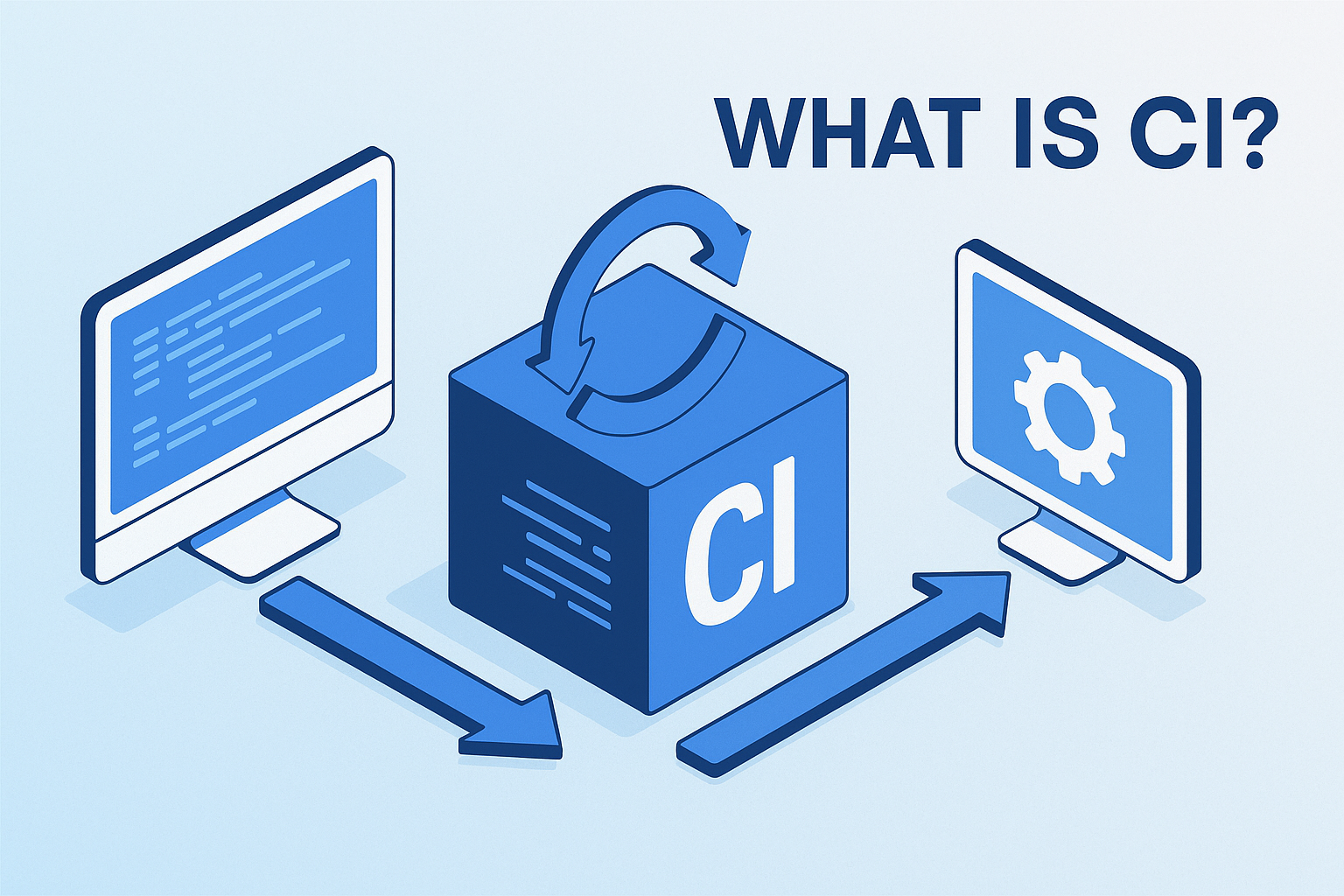
CI, short for Continuous Integration, is a software development practice where developers frequently merge code changes into a shared repository, followed by automated builds and testing. It ensures that code is always in a deployable, secure, and reliable state.
According to a recent GitLab DevOps survey, teams practicing CI/CD pipelines deploy 200 times more frequently and recover from failures faster than traditional teams. For businesses, CI is no longer just a developer concern—it’s a strategic advantage that drives innovation, security, and resilience.
What is a CI?
Continuous Integration (CI) is a development practice designed to detect issues early by automating code integration and testing. Instead of waiting for big updates, CI encourages small, frequent code changes that are automatically validated.
Key Elements of CI:
- Version Control Integration: Developers push changes to Git repositories (GitHub, GitLab, Bitbucket).
- Automated Build & Test: Every change triggers build and test pipelines.
- Feedback Loop: Developers get instant feedback on errors or vulnerabilities.
- Deployment Readiness: Code remains in a stable, production-ready state.
✅ In simple terms: CI helps businesses ship faster, safer, and smarter.
CI vs. CD: What’s the Difference?
When asking what is a CI, many confuse it with CD.
- CI (Continuous Integration): Focuses on integrating and testing code regularly.
- CD (Continuous Delivery/Deployment): Extends CI by automatically deploying tested code to production or staging environments.
Together, CI/CD forms the backbone of DevOps pipelines that power modern IT operations.
How Does CI Work?
Understanding what is a CI also means seeing its workflow.
CI Workflow:
- Code Commit: Developers push changes to a shared repository.
- Build Trigger: CI server (like Jenkins, GitLab CI, or CircleCI) initiates a build.
- Automated Tests: Unit, integration, and security tests run automatically.
- Feedback: Developers get alerts on success or failure.
- Artifact Creation: If successful, build artifacts are stored for deployment.
Benefits of CI for Businesses and IT Leaders
CI is not just for developers—it’s a business enabler.
1. Improved Code Quality
Frequent testing ensures bugs are caught early.
2. Faster Delivery
Automated pipelines speed up feature releases.
3. Reduced Costs
Fixing bugs early is cheaper than fixing them in production.
4. Enhanced Security
Integrating security scans into CI pipelines (DevSecOps) detects vulnerabilities instantly.
5. Better Collaboration
CI encourages teamwork across developers, testers, and operations staff.
CI in Cybersecurity: Why It Matters
When asking what is a CI in cybersecurity, the answer lies in DevSecOps—embedding security into every stage of CI/CD.
Cybersecurity Applications of CI:
- Automated Security Testing: Scan dependencies for vulnerabilities (e.g., OWASP Dependency-Check).
- Static Application Security Testing (SAST): Analyze source code for security flaws.
- Dynamic Testing (DAST): Test running applications against attack simulations.
- Compliance Checks: Ensure adherence to GDPR, HIPAA, PCI-DSS within pipelines.
✅ For IT managers, CI means fewer vulnerabilities, faster patching, and stronger compliance.
Popular CI Tools
Understanding what is a CI also means knowing the tools that power it.
Top CI Tools in 2025:
- Jenkins: Open-source, highly customizable.
- GitLab CI/CD: Integrated directly into GitLab repos.
- CircleCI: Cloud-native, fast pipelines.
- Travis CI: Popular for open-source projects.
- Azure DevOps Pipelines: Enterprise-ready with strong Microsoft integration.
Each tool offers automation, scalability, and security features tailored for businesses.
CI Use Cases Across Industries
CI isn’t just for software companies—it impacts multiple industries.
- Finance: Automating secure deployments for banking apps.
- Healthcare: Ensuring HIPAA compliance in telehealth platforms.
- Retail: Rapid feature delivery in e-commerce systems.
- Cybersecurity: Faster patching of vulnerabilities in security products.
- Government: Deploying secure, compliant applications at scale.
Challenges of Implementing CI
While CI provides clear benefits, it comes with challenges.
- Cultural Resistance: Teams may resist new workflows.
- Tool Complexity: Requires expertise to set up pipelines.
- Security Risks: Poorly designed pipelines can introduce vulnerabilities.
- Resource Usage: Automated testing and builds can strain infrastructure.
✅ Overcoming these challenges requires strong leadership and skilled consultants.
Best Practices for Successful CI
For executives and IT managers, adopting CI requires planning.
- Start Small: Begin with core applications before scaling.
- Integrate Security Early: Apply “shift left” security—test early in the pipeline.
- Automate Everything: Builds, tests, deployments, and compliance.
- Monitor Pipelines: Use dashboards to track build health.
- Invest in Training: Ensure teams understand tools and practices.
The Future of CI
As enterprises modernize, CI is evolving.
- AI-Driven Pipelines: Machine learning will optimize build/test workflows.
- Zero-Trust CI/CD: Security-first designs for pipelines.
- Cloud-Native CI: Tools optimized for containers and Kubernetes.
- Policy as Code: Automating compliance in CI pipelines.
✅ The future of CI is about speed, automation, and security.
FAQ: What is a CI?
Q1: What is a CI in simple terms?
CI, or Continuous Integration, is the practice of merging code frequently with automated testing to ensure stability.
Q2: How is CI different from DevOps?
CI is part of DevOps. DevOps covers culture, tools, and processes; CI is a technical practice within it.
Q3: Why is CI important for cybersecurity?
CI integrates security scans into pipelines, preventing vulnerabilities from reaching production.
Q4: What tools are best for CI?
Jenkins, GitLab CI, CircleCI, and Azure DevOps are among the most popular.
Q5: Is CI only for developers?
No. IT managers, security teams, and executives benefit from CI through faster delivery, compliance, and reduced risks.
Conclusion: CI as a Business and Security Enabler
So, what is a CI? It’s not just a developer workflow—it’s a strategic practice that ensures faster innovation, stronger security, and smoother operations.
For IT managers, CI means better visibility and control. For cybersecurity leaders, it’s proactive defense. And for CEOs, CI is a competitive edge in a digital-first economy.
👉 Ready to integrate CI securely into your enterprise? Request a demo with Xcitium today and see how automation and cybersecurity work together.