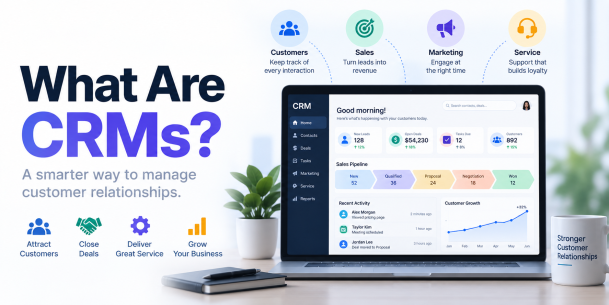
What Are CRMs?
CRMs, or Customer Relationship Management systems, are software platforms that help businesses organize customer and prospect information, track interactions, manage sales opportunities, automate workflows, and support marketing and customer service. A CRM creates a centralized record of customer relationships so teams can work from consistent, up-to-date information.
In simple terms, a CRM helps a business remember who its customers are, what interactions have occurred, what they need, and what should happen next.
What Does CRM Stand For?
CRM stands for Customer Relationship Management.
The term can refer to both:
- A business strategy for managing customer relationships
- Software used to organize and manage those relationships
When someone says “a CRM,” they usually mean a CRM software platform or CRM system.
For example, instead of keeping customer details across spreadsheets, inboxes, notebooks, and separate applications, a company can use a CRM to bring relevant information together.
What Does a CRM Do?
A CRM collects and organizes information about prospects and customers throughout their relationship with a business.
A typical CRM can help teams:
- Store contact information
- Track leads and prospects
- Record emails, calls, and meetings
- Manage sales opportunities
- Monitor the sales pipeline
- Schedule follow-ups
- Automate repetitive tasks
- Manage customer-service interactions
- Run or support marketing activities
- Generate reports and forecasts
- Track customer history
- Share customer information across authorized teams
The exact capabilities depend on the CRM platform.
How Does a CRM Work?
A CRM typically works by collecting customer information from different interactions and organizing it into centralized records.
For example:
Website visitor → Lead captured → Sales follow-up → Opportunity → Customer → Support → Retention
Here’s how that might work.
Step 1: Capture a Lead
Someone submits a form, contacts sales, signs up for a service, or otherwise interacts with the company.
Step 2: Create a Customer Record
The CRM records information such as the person’s name, company, contact details, and source.
Step 3: Track Interactions
Calls, emails, meetings, purchases, support interactions, and other activities can be associated with the record.
Step 4: Manage the Opportunity
Sales teams can track the prospect through stages of the sales pipeline.
Step 5: Automate Follow-Ups
The CRM can create tasks, reminders, notifications, or automated workflows.
Step 6: Complete the Sale
If the prospect becomes a customer, the CRM retains the history of the relationship.
Step 7: Continue Managing the Relationship
Customer service, account management, sales, and marketing teams can use appropriate CRM information to support retention and future interactions.
What Information Does a CRM Store?
CRM systems can contain a wide range of customer and business information.
| CRM Data | Examples |
|---|---|
| Contact information | Name, email, phone number |
| Company information | Organization, industry, location |
| Lead information | Lead source, status, score |
| Communication history | Emails, calls, meetings |
| Sales data | Opportunities, deal value, sales stage |
| Purchase history | Products, subscriptions, previous orders |
| Support history | Tickets, questions, service interactions |
| Marketing activity | Campaign interactions and responses |
| Tasks | Follow-ups, meetings, reminders |
| Preferences | Communication or product preferences |
Because this information can include sensitive business and personal data, CRM access and security need careful management.
What Are the Main Features of a CRM?
Modern CRM platforms vary, but common capabilities include the following.
1. Contact Management
CRM software stores information about customers, prospects, and organizations in searchable records.
2. Lead Management
Teams can capture, qualify, assign, and track leads.
3. Sales Pipeline Management
CRM platforms can show where opportunities are within the sales process.
Common stages might include:
New lead → Qualified → Proposal → Negotiation → Won/Lost
4. Task and Activity Tracking
Users can schedule:
- Calls
- Meetings
- Emails
- Follow-ups
- Reminders
5. Workflow Automation
CRMs can automate repetitive processes such as lead assignment, notifications, task creation, and follow-up sequences.
6. Reporting and Analytics
Dashboards can help organizations understand:
- Sales performance
- Pipeline value
- Conversion rates
- Customer activity
- Team performance
- Forecasts
7. Customer Service
Some CRM platforms integrate support tickets, service histories, knowledge bases, and customer communications.
8. Marketing Integration
CRM systems may connect with email marketing, forms, websites, advertising, and campaign-management tools.
9. AI Capabilities
Modern CRM platforms increasingly use AI for functions such as summarization, forecasting, recommendations, data analysis, automation, and customer engagement.
What Are the Different Types of CRM?
CRM systems are commonly grouped into three primary functional categories.
| CRM Type | Main Purpose | Best For |
|---|---|---|
| Operational CRM | Automates customer-facing processes | Sales, marketing and service |
| Analytical CRM | Analyzes customer information | Reporting and decision-making |
| Collaborative CRM | Shares relevant customer information | Cross-team coordination |
Some CRM platforms combine capabilities from all three categories.
What Is an Operational CRM?
An operational CRM helps automate routine customer-facing processes.
Examples include:
- Lead capture
- Lead assignment
- Sales workflows
- Follow-up reminders
- Marketing activities
- Customer-service workflows
The objective is to make recurring processes more efficient and consistent.
What Is an Analytical CRM?
An analytical CRM focuses on using customer information to generate useful insights.
It may help organizations analyze:
- Customer behavior
- Sales trends
- Conversion rates
- Customer segments
- Pipeline performance
- Campaign performance
- Retention patterns
These insights can support business decisions and forecasting.
What Is a Collaborative CRM?
A collaborative CRM helps different departments share appropriate customer information.
For example, sales may know what a customer purchased while support can see relevant account and interaction history.
This can reduce information silos between:
- Sales
- Marketing
- Customer support
- Customer success
- Account management
Cloud CRM vs. On-Premises CRM
CRM platforms can also be categorized by how they are deployed.
| Cloud CRM | On-Premises CRM |
|---|---|
| Hosted by a service provider | Hosted on company-controlled infrastructure |
| Usually accessed through the internet | Managed within the organization’s environment |
| Provider handles much of the platform maintenance | Organization has greater infrastructure responsibility |
| Subscription pricing is common | Licensing/infrastructure costs vary |
| Easier remote accessibility | Greater direct infrastructure control |
| Updates are often provider-managed | Updates may require internal administration |
Neither approach is automatically best for every organization.
The choice depends on security requirements, IT resources, compliance obligations, customization needs, budget, and operational goals.
What Are the Benefits of CRM Software?
Centralized Customer Information
Instead of customer information being scattered across different systems, a CRM can provide a more unified record.
Better Sales Organization
Sales representatives can see leads, opportunities, previous interactions, and required follow-ups.
Improved Customer Service
Support teams can access relevant history before responding to a customer.
Automation
Repetitive tasks can be automated, reducing manual work.
Better Collaboration
Authorized teams can work from shared customer information.
Improved Reporting
CRM dashboards can make it easier to understand pipeline activity and performance.
More Consistent Customer Experiences
Teams with appropriate access to customer context can provide more informed interactions.
Who Uses CRM Software?
CRM software isn’t only for sales representatives.
Sales Teams
Sales teams use CRMs to manage:
- Leads
- Contacts
- Opportunities
- Follow-ups
- Forecasts
Marketing Teams
Marketing teams can use CRM information for:
- Segmentation
- Lead nurturing
- Campaigns
- Attribution
- Customer journeys
Customer Service Teams
Service teams may use CRMs to view:
- Customer history
- Support interactions
- Account information
- Previous issues
Managers
Managers use CRM dashboards to understand performance, forecasts, and pipeline activity.
Executives
Executives can use aggregated CRM data to support strategic decision-making.
IT and Security Teams
IT and cybersecurity teams help manage integrations, permissions, authentication, security, data governance, and system risk.
What Are Some Examples of CRM Software?
Well-known CRM platforms include:
- Salesforce
- HubSpot CRM
- Microsoft Dynamics 365
- Zoho CRM
- Pipedrive
- Freshsales
Different products target different company sizes, industries, workflows, and budgets.
The right CRM is therefore not necessarily the platform with the largest number of features. It is the one that appropriately fits the organization’s requirements.
CRM vs. Spreadsheet
Small businesses often begin by managing customer information in spreadsheets.
As the number of customers and interactions increases, this can become difficult.
| CRM | Spreadsheet |
|---|---|
| Built for relationship management | General-purpose data tool |
| Tracks interaction histories | Requires manual organization |
| Supports workflow automation | Limited native automation |
| Supports pipeline management | Pipeline must be created manually |
| Multi-user permissions available | Access control may be more limited |
| Integrates with business applications | Integrations vary |
| Generates CRM-specific reports | Reports usually require manual setup |
A spreadsheet may be sufficient for a very small operation, but a CRM becomes more useful as customer relationships and workflows become more complex.
CRM vs. ERP
CRM and ERP systems serve different primary purposes.
CRM focuses primarily on customer relationships and customer-facing processes.
ERP, or Enterprise Resource Planning, focuses primarily on internal business processes and resources.
| CRM | ERP |
|---|---|
| Customer relationships | Business resources |
| Leads and sales | Finance and accounting |
| Customer interactions | Procurement |
| Marketing | Inventory |
| Service activities | Supply chain |
| Sales forecasting | Operational planning |
Organizations frequently integrate CRM and ERP platforms so customer-facing and back-office information can work together.
CRM vs. CDP
A CRM and Customer Data Platform (CDP) are related but should not be treated as the same category.
A CRM primarily helps teams manage customer relationships and interactions.
A CDP is generally designed to collect and unify customer data from multiple sources to create persistent customer profiles for analysis and activation.
| CRM | CDP |
|---|---|
| Relationship management | Customer data unification |
| Sales/service workflows | Cross-source customer profiles |
| Often contains identified contacts and accounts | Can combine broader behavioral data |
| Used heavily by sales/service teams | Often used by marketing/data teams |
Some modern platforms blur the boundaries by offering capabilities from both categories.
CRM vs. Marketing Automation
CRM and marketing automation also overlap but have different primary goals.
A CRM manages customer and prospect relationships across the lifecycle.
Marketing automation focuses more specifically on automating marketing activities such as:
- Email campaigns
- Lead nurturing
- Audience segmentation
- Campaign workflows
- Marketing engagement
Many businesses integrate the two systems.
Do Small Businesses Need a CRM?
Not every small business needs complex CRM software.
However, a CRM may become useful when:
- Customer information is scattered
- Leads are being forgotten
- Employees cannot see previous interactions
- Sales opportunities are difficult to track
- Follow-ups are missed
- Reporting requires manual work
- Multiple employees communicate with the same customers
- Spreadsheets become difficult to manage
A small business can start with a relatively simple CRM and expand as its needs grow.
How Do You Know When You Need a CRM?
Consider a CRM if your team regularly experiences problems such as:
- Customer information is spread across multiple systems.
- Sales representatives forget follow-ups.
- Leads have no clear owner.
- Management cannot see the sales pipeline.
- Teams duplicate work.
- Customer histories are incomplete.
- Reports take hours to create.
- Marketing and sales information is disconnected.
- Customer-service teams lack context.
- Business growth makes spreadsheets difficult to maintain.
These are signs that centralized relationship management may improve operations.
How to Choose a CRM
Choosing CRM software should start with business requirements rather than feature count.
Consider:
1. Business Goals
Determine whether the priority is sales, marketing, customer service, reporting, or a combination.
2. Ease of Use
A powerful CRM provides little value if employees do not use it consistently.
3. Integrations
Check compatibility with:
- Calendars
- Websites
- Marketing platforms
- Helpdesk tools
- ERP systems
- Communication applications
4. Automation
Determine which repetitive processes can be automated.
5. Reporting
Ensure the CRM provides the dashboards and metrics the organization needs.
6. Scalability
Consider whether the platform can support future users, data volumes, and workflows.
7. Security
Evaluate authentication, permissions, encryption, logging, integrations, and vendor security practices.
8. Cost
Consider the total cost, including licenses, implementation, integrations, customization, training, and administration.
How to Implement a CRM
A CRM implementation should be treated as a business-process project, not simply a software installation.
Step 1: Define Goals
Identify what problems the CRM should solve.
Step 2: Map Customer Processes
Document how leads and customers move through sales, service, and marketing workflows.
Step 3: Clean Existing Data
Remove duplicates and correct inaccurate information before migration.
Step 4: Configure the CRM
Set up fields, pipelines, permissions, workflows, and integrations.
Step 5: Migrate Data
Transfer required customer and business information securely.
Step 6: Configure Security
Apply MFA, role-based access, least privilege, logging, and other appropriate controls.
Step 7: Train Users
Employees should understand both how and why to use the CRM.
Step 8: Measure Adoption
Monitor data quality, usage, workflow effectiveness, and business outcomes.
What Are the Security Risks of CRM Systems?
CRM platforms can contain valuable customer and business information.
Potential security risks include:
- Stolen credentials
- Phishing
- Excessive permissions
- Malicious or compromised accounts
- Insecure third-party integrations
- Data leakage
- Misconfiguration
- Unmanaged API access
- Poorly controlled exports
- Weak account recovery processes
Because a CRM can become a central repository for sensitive information, security should be part of CRM planning from the beginning.
How Can Businesses Secure CRM Systems?
Organizations can reduce CRM risk by applying layered security controls.
Use Multi-Factor Authentication
MFA adds another authentication requirement beyond a password.
Apply Least Privilege
Users should receive only the access needed for their responsibilities.
Use Role-Based Access
Permissions can be assigned according to job function.
Review Accounts Regularly
Disable accounts that are no longer required and review privileged access.
Monitor Activity
Audit logs can help teams identify unusual logins, configuration changes, exports, and other suspicious activity.
Secure Integrations
Third-party applications and APIs should receive only necessary permissions.
Protect Endpoints
A secure CRM account can still be compromised if the employee’s device is infected or controlled by an attacker.
Train Employees
Users should recognize phishing, credential theft, malicious attachments, and suspicious authentication requests.
Why Is Endpoint Security Important for CRM Security?
CRM security does not stop at the CRM login page.
Employees access CRM platforms from:
- Laptops
- Desktops
- Browsers
- Mobile devices
- Remote work environments
If an endpoint is compromised, attackers may be able to steal credentials, hijack authenticated sessions, or access information through an authorized user’s device.
Organizations should therefore combine CRM controls with endpoint protection, identity security, patch management, threat detection, and user awareness.
What Is AI-Powered CRM?
Modern CRM platforms increasingly incorporate artificial intelligence.
AI-powered CRM capabilities can include:
- Lead prioritization
- Sales forecasting
- Conversation summaries
- Suggested responses
- Customer segmentation
- Data analysis
- Workflow automation
- Recommendations
AI does not eliminate the need for accurate CRM data.
Poor-quality or incomplete customer information can reduce the usefulness of automated analysis and recommendations.
Organizations should also consider privacy, permissions, data governance, and security when enabling AI features.
Frequently Asked Questions
What does CRM stand for?
CRM stands for Customer Relationship Management.
What is a CRM in simple terms?
A CRM is software that helps businesses organize and manage customer relationships.
What does a CRM do?
It stores customer data, tracks interactions, manages leads and sales, and supports business workflows.
Who uses CRM software?
Sales, marketing, customer service, management, IT, and other teams can use CRM systems.
What are the three main types of CRM?
They are operational, analytical, and collaborative CRM.
What are examples of CRM software?
Examples include Salesforce, HubSpot, Microsoft Dynamics 365, Zoho CRM, Pipedrive, and Freshsales.
Is CRM only for sales?
No. Marketing, service, management, IT, and other teams can also use CRM information.
Is CRM the same as ERP?
No. CRM focuses primarily on customer relationships, while ERP focuses primarily on internal resources and operations.
Do small businesses need CRM?
A CRM can help when customer data, leads, and follow-ups become difficult to manage manually.
Are CRM systems secure?
They can be securely deployed, but organizations must manage authentication, permissions, integrations, endpoints, monitoring, and data protection.
Please give us a star rating based on your experience.


 (24 votes, average: 2.25 out of 5, rated)


