Runtime Application Self-Protection (RASP) Explained: A Complete Guide for Modern Enterprises
Updated on February 26, 2026, by Xcitium
Runtime Application Self-Protection (RASP) Explained is a topic every cybersecurity leader should understand. As web applications become the primary interface between businesses and customers, they also become prime targets for attackers. Traditional perimeter defenses are no longer enough. Organizations need protection that works from inside the application itself.
According to industry data, application-layer attacks continue to rise each year. Attackers exploit vulnerabilities in web applications, APIs, and cloud workloads faster than many security teams can respond. That is where RASP comes in. In this comprehensive guide, we will break down Runtime Application Self-Protection (RASP) Explained, explore how it works, compare it to other application security tools, and provide practical steps for implementation.
What Is Runtime Application Self-Protection (RASP)?
Runtime Application Self-Protection (RASP) is a security technology embedded within an application that monitors and protects it during execution. Unlike traditional firewalls or web application firewalls (WAFs), RASP operates from inside the application runtime environment.
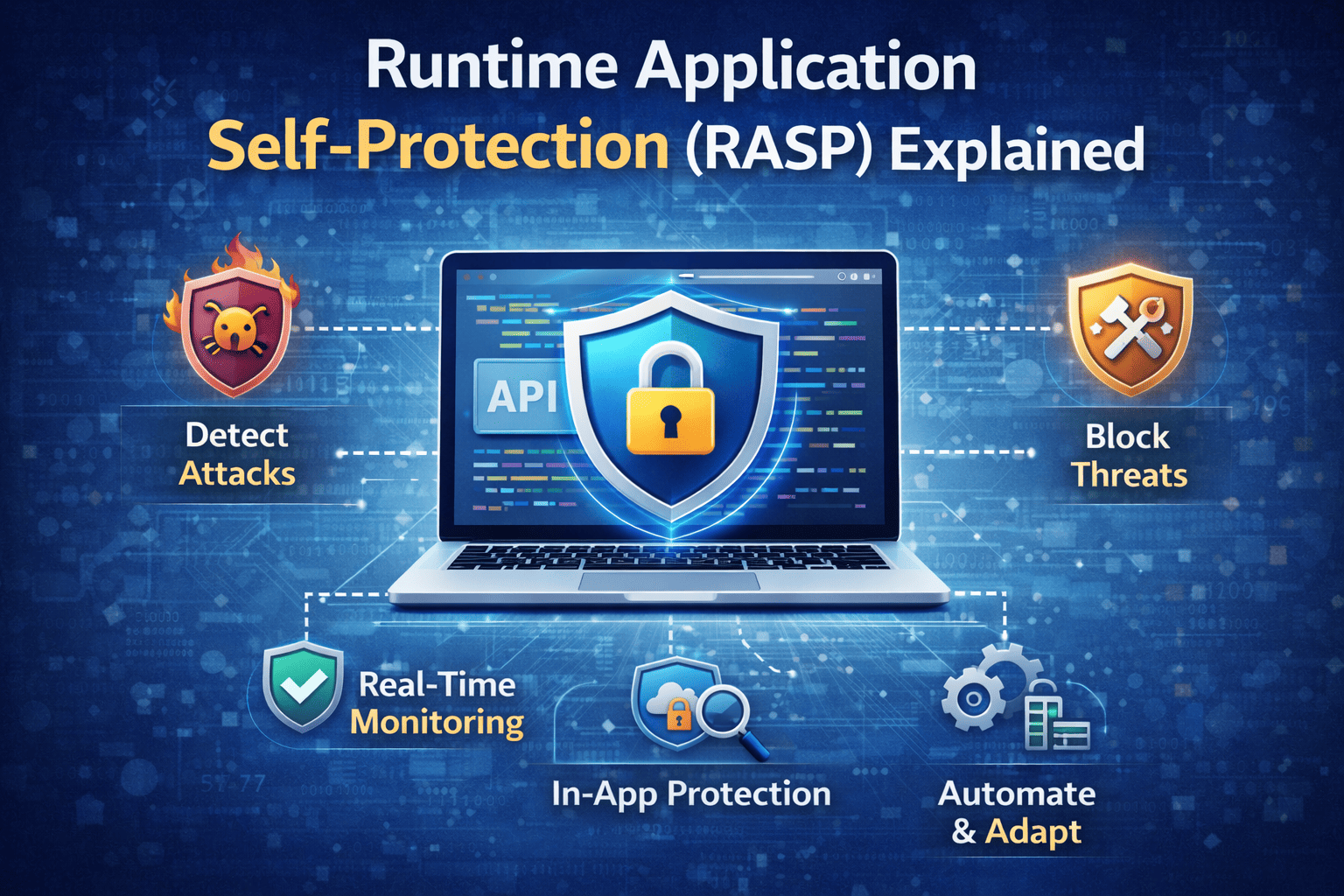
When discussing Runtime Application Self-Protection (RASP) Explained, the key idea is this: the application protects itself. RASP detects malicious behavior in real time and can block attacks instantly.
Why Traditional Application Security Is Not Enough
Many organizations rely on perimeter tools like WAFs and intrusion detection systems. While these tools remain valuable, they have limitations.
Common challenges include:
-
Limited visibility into application logic
-
Difficulty detecting zero-day attacks
-
False positives from signature-based detection
-
Delayed response times
Runtime Application Self-Protection (RASP) Explained highlights how embedding security directly into the application reduces these gaps.
How RASP Works in Real Time
Understanding Runtime Application Self-Protection (RASP) Explained requires examining how it functions during runtime.
Embedded Monitoring
RASP integrates into the application server or runtime environment. It monitors:
-
Function calls
-
Database queries
-
File access attempts
-
User inputs
Because it sees application behavior directly, RASP understands context better than external tools.
Attack Detection
RASP detects threats such as:
-
SQL injection
-
Cross-site scripting (XSS)
-
Remote code execution
-
Deserialization attacks
-
Command injection
It does this without relying solely on known signatures.
Automated Blocking
Once malicious activity is identified, RASP can:
-
Block the request
-
Terminate the user session
-
Alert administrators
-
Log the event for investigation
This proactive response strengthens web application security significantly.
RASP vs. WAF: What’s the Difference?
When discussing Runtime Application Self-Protection (RASP) Explained, comparisons with web application firewalls are common.
Web Application Firewall (WAF)
-
Operates at the network perimeter
-
Filters HTTP traffic
-
Detects known attack patterns
-
Limited application context
RASP
-
Embedded within the application
-
Monitors internal execution
-
Detects unknown threats
-
Context-aware protection
RASP complements WAF rather than replacing it.
Key Benefits of RASP
Real-Time Threat Mitigation
RASP blocks attacks instantly, reducing exposure time.
Reduced False Positives
Because RASP understands application logic, it reduces unnecessary alerts.
Improved DevSecOps Security
RASP integrates into DevSecOps workflows, aligning security with development.
Zero Trust Alignment
Runtime protection supports zero trust security principles by continuously verifying application behavior.
RASP and Application Security Testing
Traditional application security testing includes:
-
Static Application Security Testing (SAST)
-
Dynamic Application Security Testing (DAST)
-
Interactive Application Security Testing (IAST)
Runtime Application Self-Protection (RASP) Explained emphasizes how RASP complements these tools by protecting applications after deployment.
Testing identifies vulnerabilities. RASP protects applications in production.
Implementing RASP in Enterprise Environments
Step 1: Identify Critical Applications
Focus on:
-
Customer-facing web apps
-
Payment systems
-
API services
-
Cloud-native workloads
Step 2: Integrate with Existing Security Tools
Combine RASP with:
-
Web application firewalls
-
Endpoint detection systems
-
SIEM platforms
-
Cloud security monitoring
Layered defense strengthens protection.
Step 3: Monitor Performance Impact
Modern RASP solutions are lightweight. However, test performance impact before full deployment.
Industry Use Cases
Financial Services
Protect transaction platforms from injection attacks.
Healthcare
Secure patient portals and prevent data breaches.
E-Commerce
Block credential stuffing and shopping cart manipulation.
SaaS Providers
Secure multi-tenant application environments.
Challenges of RASP Deployment
While powerful, RASP may require:
-
Application compatibility checks
-
Development team collaboration
-
Ongoing tuning
However, the benefits outweigh the effort.
Best Practices for Maximizing RASP Effectiveness
-
Combine RASP with secure coding practices
-
Conduct regular application security testing
-
Use automated vulnerability scanning
-
Train developers on secure coding
-
Monitor logs continuously
Proactive governance ensures strong results.
Frequently Asked Questions
1. What is Runtime Application Self-Protection (RASP)?
RASP is a security technology embedded within applications to detect and block attacks in real time.
2. Is RASP better than a WAF?
RASP provides deeper application-level visibility but works best alongside a WAF.
3. Does RASP slow down applications?
Modern RASP tools are optimized to minimize performance impact.
4. Is RASP suitable for cloud-native apps?
Yes. RASP integrates well with DevSecOps and cloud environments.
5. How does RASP support zero trust security?
It continuously monitors application behavior and blocks unauthorized actions.
Final Thoughts
Runtime Application Self-Protection (RASP) Explained demonstrates how modern security must evolve beyond perimeter defenses. By embedding protection directly within applications, organizations gain real-time threat detection, reduced false positives, and stronger DevSecOps integration.
Applications are the new battleground. Protect them from within.
👉 Request a demo today and strengthen your application security strategy:
https://www.xcitium.com/request-demo/
Secure your applications. Protect your customers. Lead confidently.