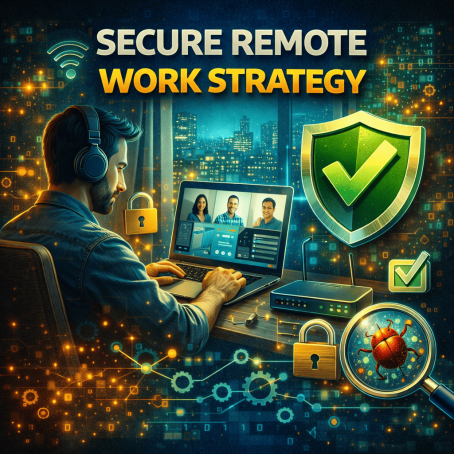
Remote work is no longer a temporary trend—it’s a permanent shift in how businesses operate. But with flexibility comes risk. Employees now access company data from home networks, personal devices, and public Wi-Fi, creating new vulnerabilities. This is why a strong secure remote work strategy is essential for every organization.
According to cybersecurity reports, remote work has significantly expanded the attack surface, making businesses more vulnerable to phishing, ransomware, and data breaches. Without proper safeguards, even a single compromised device can expose sensitive corporate information.
A well-designed secure remote work strategy ensures that employees can work productively while maintaining strong security controls. For IT managers, cybersecurity professionals, and business leaders, building this strategy is critical to protecting operations and maintaining trust.
In this guide, we’ll explore how to create a secure remote work strategy, key risks, essential tools, and best practices to safeguard your remote workforce.
Why a Secure Remote Work Strategy Is Important
The shift to remote work has changed the cybersecurity landscape. Traditional perimeter-based security models are no longer sufficient.
A secure remote work strategy helps organizations adapt to this new reality.
Key Risks of Remote Work
Remote work introduces several security challenges:
-
Use of unsecured home networks
-
Increased phishing and social engineering attacks
-
Device theft or loss
-
Weak password practices
-
Unauthorized access to corporate systems
These risks make it essential to implement a structured approach to remote security.
Core Components of a Secure Remote Work Strategy
An effective secure remote work strategy combines technology, policies, and user awareness.
1. Strong Identity and Access Management
Controlling who can access systems is the foundation of remote security.
Key Practices
Organizations should implement:
-
Multi-factor authentication (MFA)
-
Role-based access control (RBAC)
-
Single sign-on (SSO) solutions
-
Least privilege access
These measures ensure that only authorized users can access sensitive resources.
2. Endpoint Security for Remote Devices
Remote employees use laptops, smartphones, and tablets to access company data.
Each device represents a potential entry point for attackers.
Endpoint Security Measures
A secure remote work strategy should include:
-
Antivirus and endpoint protection
-
Device encryption
-
Regular software updates
-
Mobile device management (MDM)
Endpoint security helps prevent malware infections and unauthorized access.
3. Secure Network Access
Employees often connect from home or public networks, which may not be secure.
Network Security Solutions
Organizations should deploy:
-
Virtual Private Networks (VPNs)
-
Zero Trust Network Access (ZTNA)
-
Secure Wi-Fi configurations
-
Network monitoring tools
These tools protect data as it travels across networks.
4. Data Protection and Encryption
Protecting sensitive data is a top priority.
Data Security Practices
A strong secure remote work strategy includes:
-
End-to-end encryption
-
Data loss prevention (DLP) tools
-
Secure file sharing platforms
-
Access controls for sensitive data
Encryption ensures that data remains protected even if intercepted.
5. Security Awareness Training
Human error remains one of the biggest cybersecurity risks.
Employees must understand how to identify and avoid threats.
Training Topics
Organizations should educate employees on:
-
Phishing email detection
-
Safe browsing practices
-
Password security
-
Reporting suspicious activity
Well-trained employees are a critical defense layer.
Remote Work Security Tools
Technology plays a key role in implementing a secure remote work strategy.
Endpoint Detection and Response (EDR)
EDR tools monitor endpoint devices for suspicious activity.
They help detect:
-
Malware infections
-
Unauthorized access attempts
-
Suspicious behavior
Identity and Access Management (IAM)
IAM systems manage user identities and access permissions.
They ensure that users only access what they need.
Cloud Security Platforms
Cloud-based tools protect remote access to applications and data.
They provide:
-
Secure authentication
-
Data monitoring
-
Threat detection
Collaboration Security Tools
Remote teams rely on collaboration platforms.
Security tools help protect:
-
Video conferencing
-
Messaging apps
-
File sharing system.
Best Practices for Secure Remote Work
Organizations can strengthen their secure remote work strategy by following these best practices.
1. Implement Zero Trust Security
Zero trust assumes that no user or device is automatically trusted.
Every access request is verified before granting access.
2. Enforce Strong Password Policies
Weak passwords are a major vulnerability.
Password Best Practices
-
Use complex passwords
-
Avoid password reuse
-
Use password managers
-
Enable MFA
3. Regularly Update Software
Outdated software can contain vulnerabilities.
Ensure all devices receive regular updates and patches.
4. Monitor Remote Access Activity
Security teams should track user activity to detect unusual behavior.
Early detection helps prevent security incidents.
5. Secure Home Networks
Employees should follow basic network security practices.
Home Network Tips
-
Change default router passwords
-
Enable WPA3 encryption
-
Update router firmware
-
Avoid public Wi-Fi for sensitive tasks
Challenges in Remote Work Security
Implementing a secure remote work strategy is not without challenges.
Increased Attack Surface
Remote work expands the number of entry points for attackers.
Lack of Visibility
IT teams may struggle to monitor remote devices and networks.
Employee Behavior
Users may bypass security policies for convenience.
Device Diversity
Employees may use personal devices with varying security levels.
Organizations must address these challenges with strong policies and tools.
Secure Remote Work Strategy for Different Industries
Different industries require tailored security approaches.
Healthcare
Protecting patient data is critical in remote healthcare environments.
Finance
Financial institutions must secure transactions and customer data.
Technology
Tech companies must protect intellectual property and cloud systems.
Manufacturing
Remote access to operational systems must be tightly controlled.
A flexible secure remote work strategy helps address industry-specific risks.
The Future of Secure Remote Work
Remote work will continue evolving, and so will cybersecurity strategies.
Future trends include:
-
AI-driven threat detection
-
Zero trust architecture adoption
-
Cloud-native security solutions
-
Advanced identity verification
Organizations that invest in modern security strategies will be better prepared for future challenges.
Frequently Asked Questions (FAQ)
What is a secure remote work strategy?
A secure remote work strategy is a set of policies, tools, and practices designed to protect data, devices, and systems used by remote employees.
Why is remote work security important?
Remote work increases cybersecurity risks by expanding the attack surface and exposing systems to external threats.
What tools are needed for remote work security?
Common tools include VPNs, endpoint protection, IAM systems, EDR solutions, and cloud security platforms.
How can employees stay secure while working remotely?
Employees should use strong passwords, enable MFA, avoid suspicious links, and secure their home networks.
What is zero trust in remote work security?
Zero trust is a security model that verifies every access request, ensuring that no user or device is automatically trusted.
Strengthen Your Remote Work Security Today
Remote work offers flexibility and productivity, but it also introduces new cybersecurity challenges. A strong secure remote work strategy helps organizations protect sensitive data, reduce risks, and maintain business continuity.
Cyber threats will continue evolving, making proactive security essential.
👉 Request a demo today:
https://www.xcitium.com/request-demo/
Discover how advanced cybersecurity solutions can help secure your remote workforce and protect your organization from modern cyber threats.
Please give us a star rating based on your experience.
 (1 votes, average: 5.00 out of 5, rated)