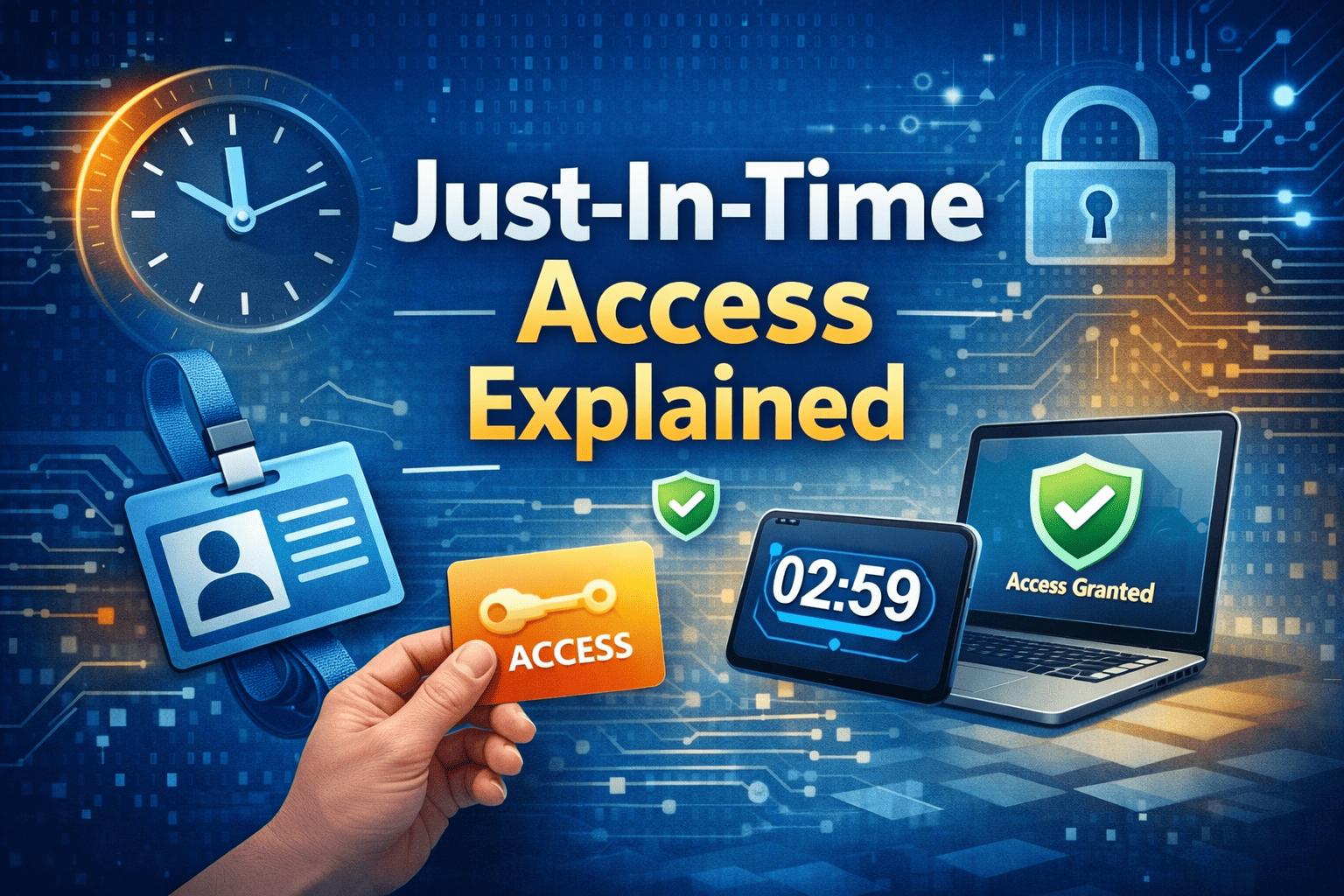
Just-In-Time Access Explained
Updated on February 27, 2026, by Xcitium
What if your organization could eliminate standing admin privileges and drastically reduce insider risk overnight? Many data breaches begin with compromised credentials that already have elevated access. That is why understanding Just-In-Time Access Explained is critical for modern cybersecurity leaders.
Privileged accounts are powerful—and dangerous. When users maintain continuous elevated access, attackers only need one successful phishing email or credential leak to gain full control. Just-In-Time (JIT) access changes this model by granting privileged permissions only when needed, and only for a limited time.
In this comprehensive guide, we break down Just-In-Time Access Explained, how it works, its role in privileged access management (PAM), Zero Trust security, and how to implement it successfully in enterprise environments.
What Is Just-In-Time Access?
Just-In-Time (JIT) access is a security approach that provides temporary, time-bound access to systems, applications, or data only when required. Instead of permanent administrative privileges, users receive elevated permissions for a specific task and duration.
Core Concept
Rather than assigning long-term privileged accounts, organizations:
-
Grant access only upon request
-
Approve access based on defined policies
-
Automatically revoke access after completion
-
Log and monitor every activity
Just-In-Time Access Explained in simple terms: access exists only when it is absolutely necessary.
Why Traditional Privileged Access Is Risky
Before diving deeper into Just-In-Time Access Explained, consider how traditional access models work.
Many organizations assign administrative rights permanently. Over time, this creates:
-
Excessive privileges
-
Dormant high-risk accounts
-
Insider threat exposure
-
Larger attack surfaces
If attackers compromise an admin account, they gain unrestricted access immediately.
JIT access removes that persistent risk.
How Just-In-Time Access Works
Understanding Just-In-Time Access Explained requires examining its workflow.
Step 1: Access Request
A user requests elevated access for a defined task.
Examples include:
-
Server maintenance
-
Database updates
-
Cloud configuration changes
-
Emergency troubleshooting
Step 2: Policy-Based Approval
Access is granted based on:
-
Role-based policies
-
Manager approval
-
Automated workflows
-
Risk scoring
Step 3: Time-Bound Privilege
Permissions are:
-
Temporary
-
Scope-limited
-
Automatically revoked
Step 4: Monitoring and Logging
All actions are:
-
Logged
-
Audited
-
Monitored for suspicious behavior
This ensures accountability and compliance.
Key Benefits of Just-In-Time Access
Reduced Attack Surface
Eliminating standing privileges minimizes opportunities for attackers.
Stronger Privileged Access Management (PAM)
JIT integrates seamlessly into PAM frameworks.
Improved Compliance
Temporary access supports regulatory standards such as:
-
HIPAA
-
GDPR
-
PCI-DSS
-
SOC 2
Insider Threat Mitigation
Limiting access duration reduces misuse risks.
Enhanced Zero Trust Alignment
Zero Trust assumes no continuous trust. JIT enforces least privilege dynamically.
Just-In-Time Access and Privileged Access Management (PAM)
Just-In-Time Access Explained cannot be separated from PAM strategies.
PAM vs. JIT
-
PAM controls privileged credentials.
-
JIT limits how long privileges are active.
Together, they create a layered identity security framework.
JIT Access in Cloud Environments
Cloud platforms make JIT easier to implement.
Major providers such as:
-
Microsoft Azure
-
AWS
-
Google Cloud
Support temporary role assignments.
Cloud-native JIT reduces over-permissioned accounts.
JIT Access in DevOps and IT Operations
DevOps teams frequently require elevated permissions.
Instead of persistent admin rights:
-
Engineers request temporary access
-
Approvals are automated
-
Permissions expire automatically
This approach supports DevSecOps best practices.
Implementing Just-In-Time Access
Step 1: Identify High-Risk Privileges
Start with:
-
Domain administrators
-
Cloud root accounts
-
Database administrators
-
Infrastructure managers
Step 2: Define Access Policies
Establish:
-
Time limits
-
Approval workflows
-
Scope restrictions
Step 3: Automate Provisioning
Use identity management tools to:
-
Assign temporary roles
-
Track session activity
-
Revoke access automatically
Step 4: Monitor and Audit
Regular audits ensure policy compliance.
Common Challenges and Solutions
User Resistance
Employees may fear slower workflows.
Solution:
-
Streamline request approvals
-
Automate common access needs
Emergency Access Needs
Create emergency JIT workflows with strict logging.
Integration Complexity
Use identity platforms that integrate with cloud and on-prem systems.
Industry Use Cases
Financial Services
Protect trading systems and customer accounts.
Healthcare
Limit access to sensitive patient data.
Government Agencies
Enforce strict role-based controls.
Technology Companies
Secure production environments and code repositories.
Just-In-Time Access vs. Standing Privileges
| Feature | Standing Access | JIT Access |
|---|---|---|
| Continuous Privileges | Yes | No |
| Attack Surface | High | Reduced |
| Audit Control | Limited | Strong |
| Compliance Support | Moderate | High |
Just-In-Time Access Explained shows why temporary access is safer.
Frequently Asked Questions
1. What is Just-In-Time Access?
Just-In-Time Access grants temporary, time-bound privileged access only when required.
2. How does JIT improve security?
It reduces standing privileges, minimizing attack surface and insider threats.
3. Is JIT part of Zero Trust?
Yes. JIT supports least privilege and continuous verification.
4. Can small businesses use JIT?
Yes. Many cloud identity providers offer scalable JIT solutions.
5. Does JIT replace PAM?
No. It enhances privileged access management strategies.
Final Thoughts
Just-In-Time Access Explained demonstrates a fundamental shift in cybersecurity thinking. Instead of assuming users need constant access, organizations grant privileges only when necessary and revoke them automatically.
This approach reduces attack surfaces, limits insider risk, supports compliance, and strengthens Zero Trust strategies.
If your organization still relies on permanent admin access, it may be time to modernize.
👉 Request a demo and strengthen your privileged access strategy today:
https://www.xcitium.com/request-demo/
Limit exposure. Enforce least privilege. Secure your future.