BYOD Security Policy Guide: Protecting Your Business in a Mobile-First World
Updated on March 24, 2026, by Xcitium
Is your organization allowing employees to use personal devices for work? If yes, then having a strong BYOD Security Policy Guide is no longer optional—it’s essential.
With remote work, mobile apps, and cloud access becoming the norm, Bring Your Own Device (BYOD) programs are growing fast. However, they also introduce serious security risks. Without a clear policy, your business data could be exposed to cyber threats, data leaks, and compliance issues.
In this BYOD Security Policy Guide, we’ll explain what BYOD security is, why it matters, and how to build a policy that protects your organization without slowing down productivity.
What Is a BYOD Security Policy?
A BYOD Security Policy Guide defines the rules, controls, and best practices for employees using personal devices—such as smartphones, laptops, and tablets—for work purposes.
It ensures that:
- Company data remains secure
- Devices meet security standards
- Users follow safe practices
Simply put, it balances flexibility with protection.
Why BYOD Security Matters More Than Ever
Today’s workforce expects flexibility. Employees want to work from anywhere, using their own devices. While this boosts productivity, it also expands your attack surface.
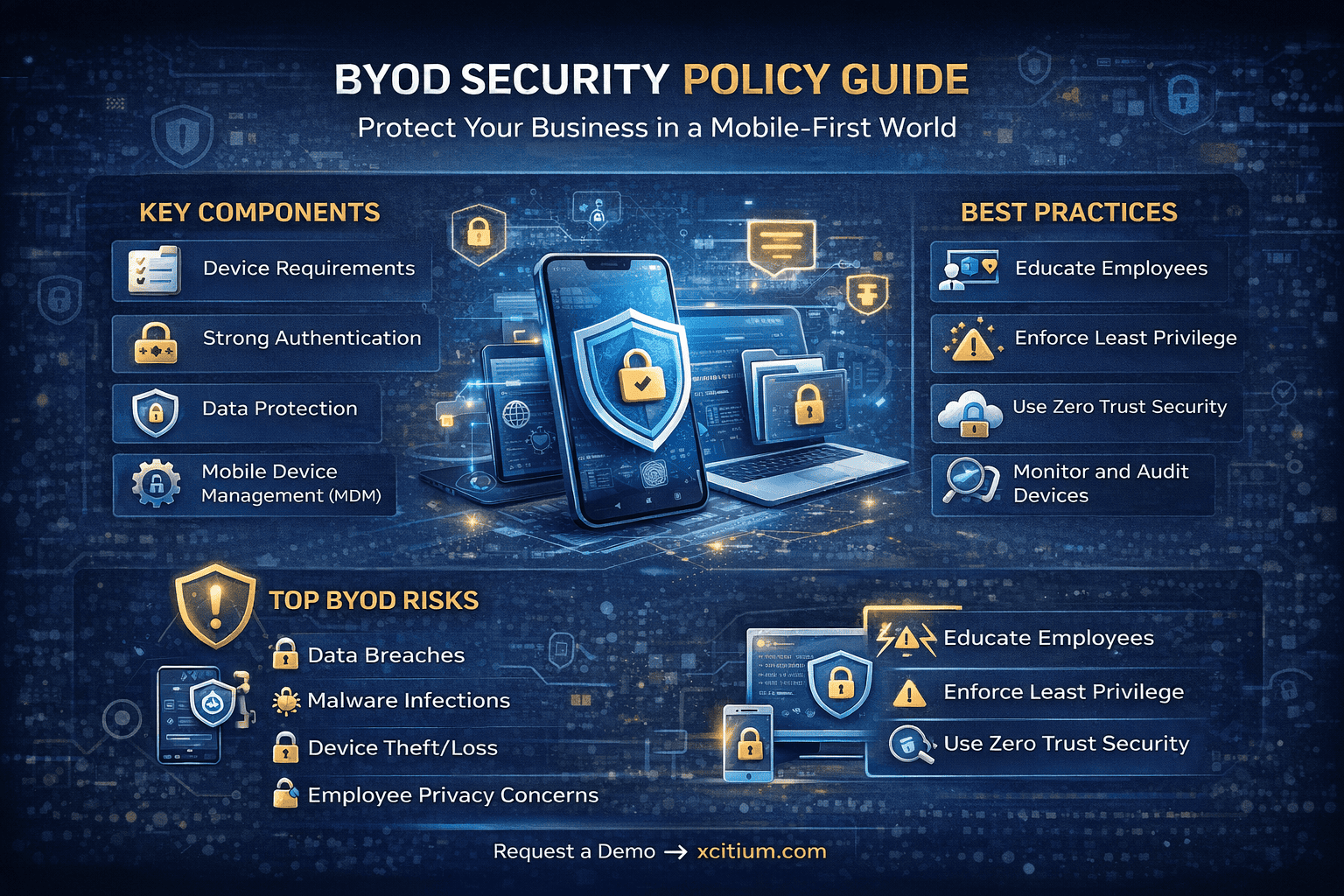
Key Risks Without a BYOD Policy:
- Data breaches from unsecured devices
- Malware infections from personal apps
- Unauthorized access to corporate systems
- Loss or theft of devices containing sensitive data
A well-defined BYOD Security Policy Guide helps organizations minimize these risks while enabling modern work environments.
Key Components of an Effective BYOD Security Policy Guide
Creating a strong BYOD Security Policy Guide requires clear structure and practical controls.
1. Device Eligibility and Requirements
Not all devices should be allowed.
Define:
- Supported operating systems
- Minimum OS versions
- Security features (encryption, password protection)
This ensures only secure devices access company resources.
2. Strong Authentication Controls
Access control is critical in any BYOD Security Policy Guide.
Implement:
- Multi-factor authentication (MFA)
- Strong password policies
- Biometric authentication
This reduces the risk of unauthorized access.
3. Data Protection Measures
Protecting sensitive data is the core of any BYOD strategy.
Use:
- Data encryption (at rest and in transit)
- Secure VPN connections
- Data loss prevention (DLP) tools
This ensures business data remains safe even on personal devices.
4. Mobile Device Management (MDM)
MDM solutions help enforce your BYOD Security Policy Guide.
They allow you to:
- Monitor device activity
- Enforce security settings
- Remotely wipe data if needed
This gives IT teams better control over personal devices.
5. Application Security Controls
Not all apps are safe.
Set policies to:
- Restrict unauthorized apps
- Use approved business applications
- Prevent data sharing between apps
This minimizes exposure to malware and data leaks.
Common Challenges in BYOD Security
Even with a strong BYOD Security Policy Guide, organizations face challenges.
1. Employee Privacy Concerns
Users may resist monitoring on personal devices.
2. Device Diversity
Different devices and OS versions complicate management.
3. Shadow IT
Employees may use unauthorized apps or services.
4. Limited Visibility
IT teams may struggle to track threats across personal devices.
Addressing these challenges requires a balance between security and user experience.
Best Practices for BYOD Security
To make your BYOD Security Policy Guide effective, follow these proven strategies:
Educate Employees
Train users on security risks and safe practices.
Enforce Least Privilege Access
Give users only the access they need.
Regularly Update Policies
Keep your policy aligned with evolving threats.
Monitor and Audit Devices
Continuously track device compliance.
Use Zero Trust Security
Verify every device and user before granting access.
How Zero Trust Strengthens BYOD Security
Zero Trust is a powerful approach for modern BYOD environments.
Instead of trusting devices by default, it:
- Verifies identity continuously
- Monitors device behavior
- Restricts access based on risk
Combining Zero Trust with a BYOD Security Policy Guide ensures stronger protection against advanced threats.
Steps to Create a BYOD Security Policy
Building your own BYOD Security Policy Guide doesn’t have to be complex.
Follow These Steps:
- Assess Your Risks
Identify potential threats and vulnerabilities. - Define Clear Policies
Set rules for device usage, access, and security. - Choose the Right Tools
Implement MDM, endpoint security, and monitoring tools. - Train Employees
Ensure users understand and follow policies. - Review and Improve
Continuously update your policy based on new risks.
Real-World Example: BYOD Gone Wrong
A company allowed employees to access emails on personal devices without proper controls.
- An employee downloaded a malicious app
- Malware spread to corporate systems
- Sensitive data was leaked
This could have been prevented with a strong BYOD Security Policy Guide.
Future of BYOD Security
The future of BYOD is evolving rapidly.
Trends to Watch:
- AI-driven threat detection
- Cloud-based security platforms
- Unified endpoint management
- Increased adoption of Zero Trust
Organizations that adapt will stay ahead of emerging threats.
Conclusion
A well-designed BYOD Security Policy Guide is essential for any organization embracing flexible work environments.
It helps:
- Protect sensitive data
- Reduce security risks
- Improve compliance
- Enable productivity
Ignoring BYOD security can lead to costly breaches and operational disruptions.
🚀 Secure Your BYOD Environment Today
Don’t leave your business exposed to mobile threats.
👉 Request a demo now: https://www.xcitium.com/request-demo/
FAQs: BYOD Security Policy Guide
1. What is a BYOD security policy?
A BYOD security policy defines rules for employees using personal devices to access company data securely.
2. Why is BYOD security important?
It protects sensitive data from breaches, malware, and unauthorized access on personal devices.
3. What tools help enforce BYOD security?
MDM, endpoint security, VPNs, and Zero Trust solutions help enforce policies effectively.
4. How can companies balance security and privacy?
By using containerization and limiting monitoring to work-related data only.
5. What are the biggest risks of BYOD?
Data leakage, malware infections, device theft, and lack of visibility are major risks.