Why MDR Is Essential for Microsoft Defender Environments
Updated on February 27, 2026, by Xcitium
Microsoft Defender has become one of the most widely adopted cybersecurity platforms in the world—and for good reason. Microsoft Defender offers powerful endpoint protection, threat intelligence, and security visibility across enterprise environments.
However, here’s the reality: Microsoft Defender alone is not a complete security operations strategy.
Even with excellent detection capabilities, many organizations still struggle with alert overload, limited internal security resources, slow incident investigation, and delayed response during active attacks. These challenges often prevent businesses from getting the full value of their Microsoft Defender investment.
That’s why more organizations are now investing in MDR for Microsoft Defender—a managed detection and response approach that transforms Microsoft Defender into a true 24/7 security operations engine.
In this guide, we’ll explain what Microsoft Defender is, how it works, where it falls short, and how Microsoft Defender MDR can dramatically improve your organization’s ability to detect and stop threats before they become breaches.
What Is Microsoft Defender?
Microsoft Defender is Microsoft’s security suite designed to protect users, endpoints, identities, cloud workloads, and email environments. It includes multiple security tools such as Microsoft Defender for Endpoint, Microsoft Defender for Office 365, Microsoft Defender for Identity, Microsoft Defender for Cloud, and Microsoft Defender XDR.
Together, these solutions collect security telemetry and correlate threats into incidents, allowing organizations to identify suspicious behavior, investigate attacks, and respond more efficiently.
For many businesses, Microsoft Defender is an attractive option because it integrates seamlessly with the Microsoft ecosystem. It works especially well with Windows devices, Azure Active Directory (now known as Entra ID), and Microsoft 365 services.
But even with strong security technology, the biggest question remains: who monitors and responds when Microsoft Defender detects suspicious activity?
Why Microsoft Defender Alone Isn’t Enough
Microsoft Defender can detect threats, but it doesn’t automatically solve the operational workload that follows detection. In real-world environments, Defender often generates a high volume of alerts. Some alerts are critical, others are suspicious, and many can turn out to be false positives.
This creates a serious issue known as alert fatigue, where internal IT or security teams become overwhelmed and fail to respond quickly enough to real attacks.
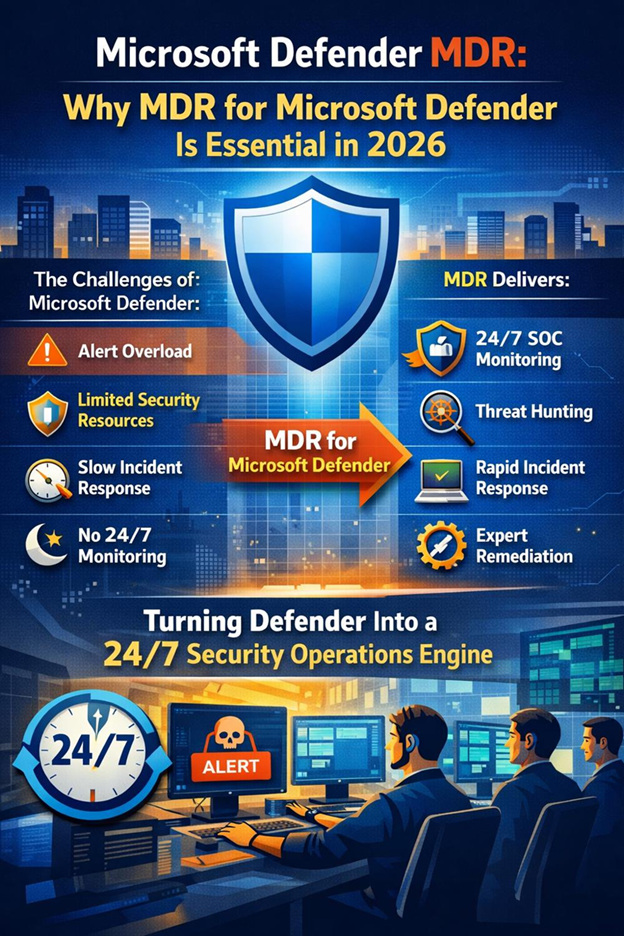
Organizations relying only on Microsoft Defender commonly face several operational limitations. One major challenge is alert overload. Many businesses receive hundreds or even thousands of alerts every month, and manually sorting through them becomes time-consuming and costly.
Another challenge is the lack of 24/7 monitoring. Most cyberattacks occur outside business hours, and without a round-the-clock SOC, threats can remain active for hours or even days before someone investigates them.
Additionally, incident investigation requires advanced expertise. Defender incidents often demand analysts who understand attack chains, threat actor behaviors, endpoint forensics, identity-compromise patterns, and cloud-exploitation techniques. Without skilled resources, it becomes difficult to separate real threats from harmless events.
Response speed is also a major concern. Detecting ransomware is only valuable if an organization can isolate affected systems, stop lateral movement, and contain the incident quickly. Delayed response often leads to larger business disruption and greater financial impact.
Finally, Microsoft Defender requires ongoing tuning. Every organization’s environment is unique, and without continuous optimization and proactive threat hunting, important threats may go undetected or be deprioritized.
What Is MDR for Microsoft Defender?
MDR for Microsoft Defender is a managed service that combines Microsoft Defender’s detection capabilities with expert-led security operations. Instead of relying solely on internal teams to handle alerts and incidents, an MDR provider takes responsibility for continuous monitoring, threat hunting, investigation, and response coordination.
With Microsoft Defender MDR, organizations gain access to 24/7 monitoring and triage, advanced threat hunting, expert incident investigation, escalation management, remediation guidance, and continuous reporting.
In simple terms, Microsoft Defender provides the signals, and MDR provides the action.
That’s why many organizations refer to this combined approach as Microsoft Defender MDR, as it transforms Defender into a complete detection-and-response solution supported by experienced cybersecurity professionals.
How Microsoft Defender MDR Works (Step-by-Step)
Monitoring and Detection
The MDR process begins with continuous monitoring and detection. Microsoft Defender collects telemetry from endpoints, identities, and cloud workloads. MDR analysts actively monitor Defender alerts and incidents to identify suspicious activity and detect potential threats as early as possible.
Alert Validation and Triage
Not every alert represents a real attack. MDR teams validate alerts by analyzing incident context, assessing severity, and distinguishing true threats from false positives. This triage step ensures that only high-risk, credible incidents are escalated for further action.
Threat Investigation
Once an incident is validated, the MDR provider conducts a detailed investigation. This includes identifying affected endpoints and users, analyzing malicious or suspicious processes, detecting persistence mechanisms, reviewing lateral movement, tracking command-and-control communication, and collecting indicators of compromise (IOCs).
Containment and Response
During containment and response, MDR teams take action to limit the impact of the attack. Depending on the service scope, this may include isolating infected endpoints, blocking malicious IPs or domains, disabling compromised accounts, terminating suspicious processes, and recommending immediate containment actions.
Remediation and Recovery
After containment, the focus shifts to remediation and recovery. MDR teams support the removal of attacker persistence, clean infected systems, restore normal operations safely, and ensure the attacker cannot regain access to the environment.
Reporting and Hardening Recommendations
The final step involves reporting and continuous improvement. MDR providers deliver detailed incident reports along with recommendations to strengthen security posture. This may include optimizing Microsoft Defender configurations, enhancing endpoint and identity protection, improving security policies, and tuning detection rules to reduce future risk.
Key Benefits of MDR for Microsoft Defender (Detailed Points)
1. Faster Detection and Containment
- MDR enables rapid identification of security incidents in Microsoft Defender.
- Reduces attacker dwell time, which is the time an attacker stays active inside the environment.
- Faster response limits the attacker’s ability to:
- Expand access
- Steal data
- Deploy malware or ransomware
- Cause long-term business disruption
- Ensures incidents are handled immediately by trained security experts instead of waiting for internal escalation.
2. 24/7 SOC Coverage Without High Cost
- MDR provides round-the-clock (24/7) security monitoring.
- Eliminates the need to build and maintain an internal Security Operations Center (SOC).
- Avoids major costs related to:
- Hiring experienced security analysts
- Retaining talent in a competitive market
- Training and upskilling internal staff
- Helps organizations achieve enterprise-level monitoring without expanding internal staffing.
3. Reduced Alert Fatigue
- Microsoft Defender generates a large volume of alerts, many of which may not be real threats.
- MDR teams validate alerts before escalation.
- Only high-priority and confirmed incidents are escalated to internal IT/security teams.
- Helps internal teams avoid being overwhelmed by endless alerts.
- Allows IT teams to stay focused on:
- Business operations
- Infrastructure support
- Core organizational responsibilities
4. Stronger Ransomware Defense
- MDR improves the organization’s ability to detect ransomware activity early.
- Ransomware spreads quickly, and delays in response increase damage.
- MDR helps by:
- Detecting early warning indicators
- Identifying suspicious lateral movement
- Isolating systems before the infection spreads further
- Improves response speed, reducing the likelihood of widespread encryption and business outage.
5. Better Return on Microsoft Security Investment
- Many organizations already pay for Microsoft Defender licensing.
- Without active operational monitoring, Defender becomes underutilized.
- MDR ensures Defender telemetry is:
- Continuously monitored
- Investigated
- Acted upon quickly
- Converts Microsoft Defender from just a security tool into a true security strategy.
- Helps organizations maximize the value of their Microsoft security investment.
Common Threats MDR Helps Stop in Microsoft Defender Environments
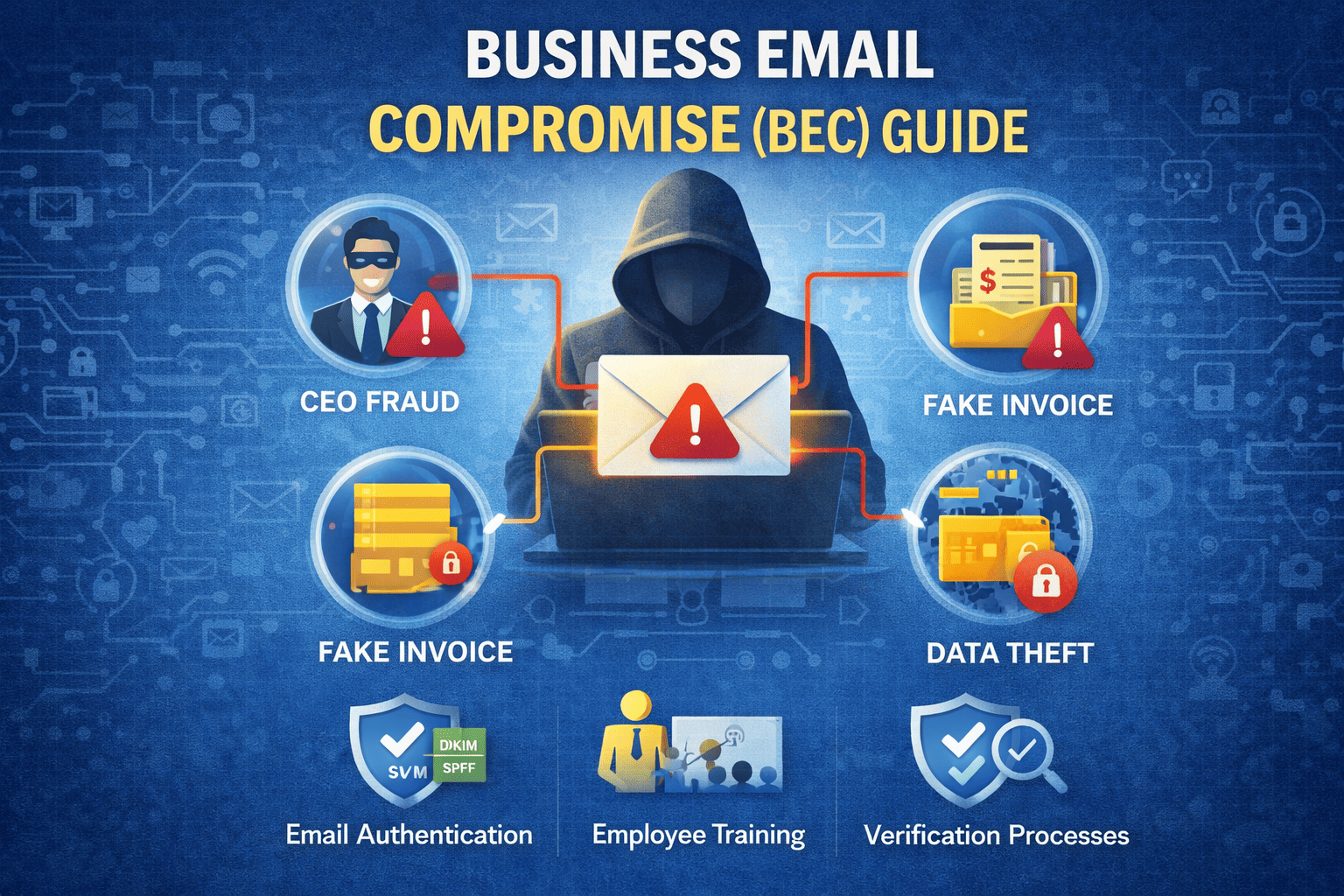
Microsoft Defender MDR is especially effective against modern threats that often bypass traditional security tools. These include credential theft, account-takeover attacks, business email compromise, ransomware deployment, privilege escalation, and PowerShell-based exploitation.
It is also valuable against living-off-the-land attacks, where attackers use legitimate administrative tools to avoid detection. Lateral movement using remote tools and cloud workload exploitation are also increasingly common in Microsoft environments.
Many of these threats appear normal to automated detection systems, which is why human-led investigation and threat hunting remain essential for identifying real attack patterns early.
What to Look for in a Microsoft Defender MDR Provider
Not all MDR services are equal, so organizations should evaluate providers carefully.
A strong MDR provider should demonstrate Defender-specific expertise, meaning the team understands Microsoft Defender portals, workflows, incident investigation methods, and response capabilities. Threat hunting should also be included, because many attacks do not trigger high-confidence alerts and require proactive detection.
Clear response scope is another critical factor. Organizations should understand exactly what the MDR team will do during an incident and which actions require customer approval. Strong reporting and continuous improvement are also essential, as MDR should strengthen security posture over time—not simply react to threats.
Finally, incident response capabilities are a major differentiator. The best MDR providers can support deeper forensic investigation and structured remediation planning when a breach occurs.
How Xcitium Supports Microsoft Defender MDR Outcomes
Xcitium enhances Microsoft Defender MDR with a 24×7 Security Operations Center (SOC), ZeroDwell Containment technology, and expert-led Incident Response (IR) to help organizations reduce risk, accelerate response, and strengthen overall security operations.
With Xcitium MDR, businesses benefit from continuous 24×7 SOC monitoring, rapid incident triage, and real-time threat analysis to ensure no alert goes unanswered. When threats are identified, Xcitium’s ZeroDwell Containment immediately isolates and neutralizes potential compromise—stopping lateral movement and preventing attacker dwell time before damage can occur.
Beyond detection and containment, Xcitium provides hands-on Incident Response support, including investigation, remediation guidance, and recovery coordination. Our proactive threat hunting and continuous detection optimization further enhance Microsoft Defender’s effectiveness, ensuring security controls evolve alongside emerging threats.
Organizations also receive actionable hardening recommendations to reduce recurring risks, improve security posture, and drive long-term cyber resilience.
This approach ensures Microsoft Defender is not just deployed—but continuously monitored, actively contained, and fully operationalized as part of a modern, outcome-driven security defense strategy.
Final Thoughts: Microsoft Defender Is Stronger With MDR
Microsoft Defender is a highly capable cybersecurity platform, but it’s not a complete solution without operational expertise.
If your organization is dealing with alert overload, limited staff, or delayed incident response, MDR for Microsoft Defender is one of the fastest ways to strengthen your cybersecurity posture without expanding internal headcount.
With the right Microsoft Defender MDR strategy, you can reduce risk, respond faster, and stop threats before they become costly breaches.