MFA Fatigue Attacks
Updated on March 2, 2026, by Xcitium
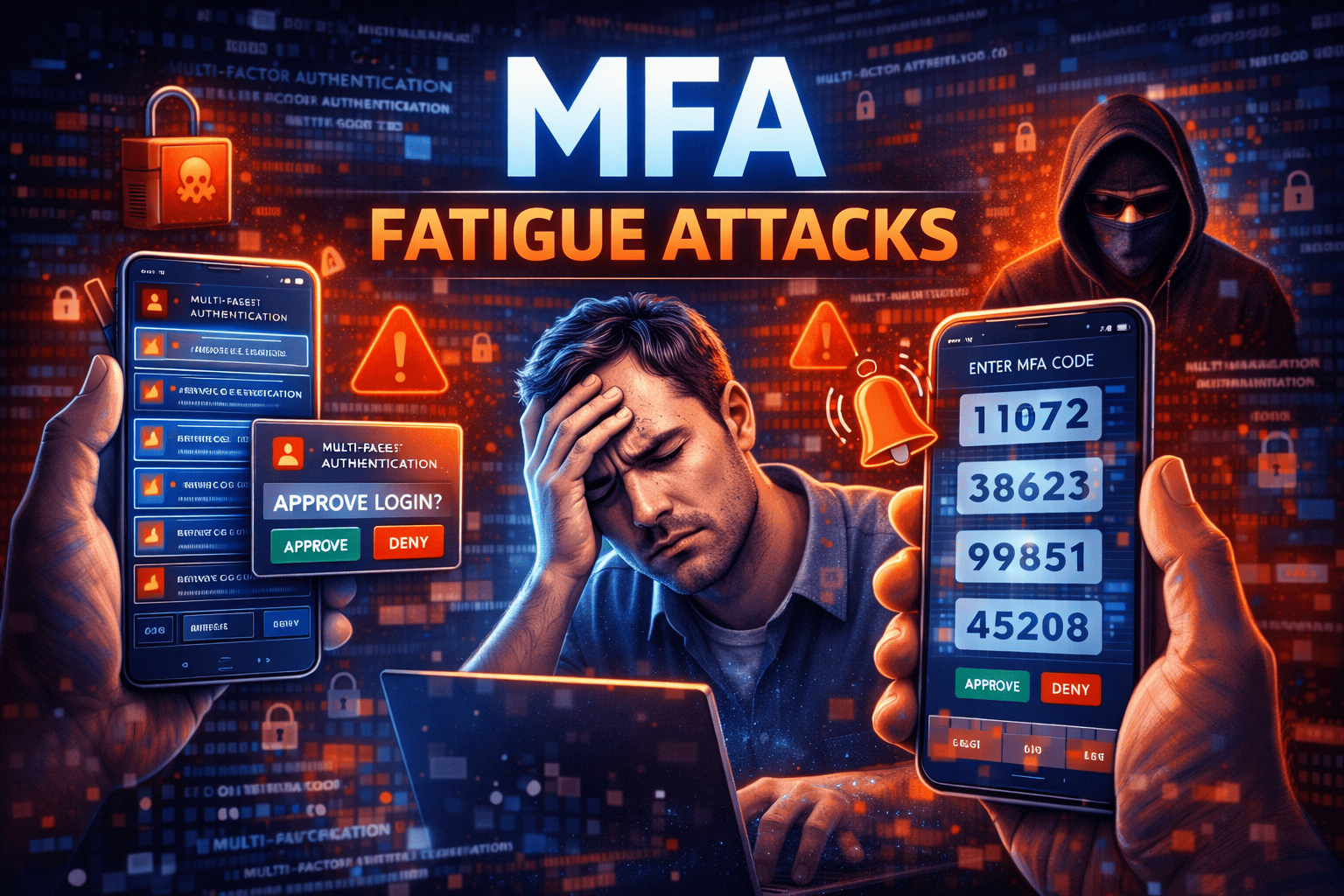
Multi-factor authentication (MFA) was once considered the ultimate defense against credential theft. But what happens when attackers turn MFA itself into a weapon? MFA fatigue attacks—also known as push bombing attacks—are rapidly becoming one of the most effective ways to bypass traditional authentication systems.
Instead of breaking encryption or stealing hardware tokens, attackers exploit human behavior. They flood users with repeated authentication requests until frustration leads to a single mistaken approval. For IT managers, cybersecurity professionals, CEOs, and founders, understanding MFA fatigue attacks is essential to strengthening identity security.
In this comprehensive guide, we’ll explore how MFA fatigue attacks work, why they succeed, real-world examples, prevention strategies, and how to build phishing-resistant authentication systems.
What Are MFA Fatigue Attacks?
MFA fatigue attacks occur when cybercriminals repeatedly send authentication push notifications to a targeted user. The goal is simple: overwhelm the user until they approve the request out of confusion or annoyance.
These attacks are also known as:
-
Push bombing attacks
-
MFA prompt bombing
-
MFA spamming attacks
Unlike brute-force attacks, MFA fatigue attacks rely on social engineering.
Why MFA Fatigue Attacks Are Increasing
Multi-factor authentication adoption has grown significantly. While this improves security overall, it has also forced attackers to adapt.
Attackers Exploit Human Psychology
Instead of bypassing the system, attackers:
-
Steal user credentials via phishing
-
Attempt login repeatedly
-
Trigger push notifications
-
Wait for accidental approval
This technique is effective because it targets user behavior rather than system vulnerabilities.
How MFA Fatigue Attacks Work
Understanding the mechanics of MFA fatigue attacks helps organizations prevent them.
Step 1: Credential Compromise
Attackers first obtain login credentials through:
-
Phishing campaigns
-
Data breaches
-
Credential stuffing
-
Malware
Step 2: Repeated Login Attempts
Using stolen credentials, attackers initiate multiple login attempts.
Each attempt triggers a push notification on the victim’s device.
Step 3: Push Notification Overload
The victim receives:
-
Dozens of login prompts
-
Notifications at unusual hours
-
Requests that seem random
Frustration or confusion increases the likelihood of accidental approval.
Step 4: Unauthorized Access
If the victim approves one request, attackers gain access immediately.
From there, they may:
-
Escalate privileges
-
Disable security settings
-
Exfiltrate data
-
Launch ransomware
Why MFA Fatigue Attacks Succeed
User Confusion
Many users assume repeated prompts are system glitches.
Alert Fatigue
Frequent notifications reduce user attentiveness.
Lack of Contextual Information
Simple “Approve/Deny” prompts provide limited login context.
Absence of Stronger MFA Controls
Push-based MFA alone may not be sufficient against determined attackers.
Real-World Examples of MFA Fatigue Attacks
High-profile incidents have demonstrated the impact of MFA fatigue attacks.
In several cases:
-
Attackers used phishing kits to capture credentials.
-
Victims were bombarded with authentication requests.
-
A single approval led to network compromise.
These cases highlight the need for phishing-resistant MFA methods.
How to Prevent MFA Fatigue Attacks
Preventing MFA fatigue attacks requires stronger identity security practices.
Implement Phishing-Resistant Authentication
Move beyond basic push notifications.
Stronger options include:
-
FIDO2 authentication
-
Hardware security keys
-
Biometric authentication tied to device cryptography
Phishing-resistant MFA eliminates push bombing vulnerabilities.
Enable Number Matching in MFA Prompts
Number matching requires users to enter a code displayed on the login screen.
This prevents accidental approvals because users must actively confirm.
Limit Authentication Attempts
Restrict the number of failed login attempts within a time window.
Lock accounts temporarily after multiple failed requests.
Use Adaptive or Risk-Based Authentication
Advanced systems analyze:
-
Login location
-
Device fingerprint
-
Behavioral patterns
-
Time of access
Suspicious activity can trigger stronger verification steps.
Educate Employees on MFA Fatigue Attacks
Security awareness training is essential.
Teach users to:
-
Deny unexpected prompts
-
Report repeated notifications
-
Recognize phishing attempts
Human vigilance reduces attack success.
Strengthen Credential Protection
Preventing credential theft reduces the risk of MFA fatigue attacks.
Implement:
-
Password managers
-
Strong password policies
-
Dark web monitoring
-
Endpoint protection
MFA Fatigue Attacks and Zero Trust
Zero Trust assumes no request is automatically trusted.
To align with Zero Trust principles:
-
Verify every authentication request
-
Continuously monitor user behavior
-
Restrict lateral movement
-
Enforce least privilege access
Zero Trust reduces the impact of successful attacks.
MFA Fatigue Attacks vs. Traditional MFA Bypass
Traditional MFA bypass methods often rely on technical exploits.
MFA fatigue attacks rely on psychological manipulation.
This makes them particularly dangerous and difficult to detect without behavior monitoring.
Industries Most at Risk
Financial Services
Attackers target privileged accounts controlling transactions.
Healthcare
Unauthorized access can expose sensitive patient data.
Technology Companies
Administrative accounts provide access to source code and cloud infrastructure.
Retail and E-Commerce
Compromised accounts can lead to payment fraud.
Advanced Mitigation Strategies
Organizations should adopt layered security measures.
Deploy SIEM and SOAR Integration
Monitoring tools can detect:
-
Excessive login attempts
-
Abnormal push notification patterns
-
Suspicious authentication behavior
Enforce Privileged Access Management
Limit high-level account exposure with:
-
Just-In-Time access
-
Session monitoring
-
Privileged account vaulting
Use Hardware-Based MFA
Security keys eliminate push bombing entirely.
Frequently Asked Questions
1. What are MFA fatigue attacks?
MFA fatigue attacks involve overwhelming users with repeated authentication prompts until they approve one accidentally.
2. How do attackers obtain credentials?
Through phishing, credential stuffing, or data breaches.
3. Is push-based MFA insecure?
Push MFA is safer than passwords alone but vulnerable to push bombing without additional controls.
4. How can organizations prevent MFA fatigue attacks?
By using phishing-resistant authentication, number matching, and adaptive security measures.
5. Are hardware security keys immune to MFA fatigue attacks?
Yes. Hardware keys require physical interaction and cannot be approved remotely.
Final Thoughts
MFA fatigue attacks demonstrate that even strong authentication systems can be undermined by human behavior. While multi-factor authentication remains essential, organizations must strengthen it with phishing-resistant methods and smarter policies.
For IT leaders and executives, investing in advanced identity protection is no longer optional. Attackers evolve quickly—and defenses must evolve faster.
If you’re ready to strengthen your organization’s authentication security and prevent MFA fatigue attacks, take action today.
👉 Request a demo and enhance your cybersecurity strategy:
https://www.xcitium.com/request-demo/
Protect identities. Prevent breaches. Lead with confidence.