What Is HCI? A Complete Guide to Hyperconverged Infrastructure
Updated on December 18, 2025, by Xcitium
Modern IT environments are under constant pressure to be faster, simpler, and more secure. Traditional infrastructure—built on separate servers, storage, and networking—often struggles to keep up with today’s demands. That’s why many organizations are asking a key question: what is HCI, and why is it becoming so popular?
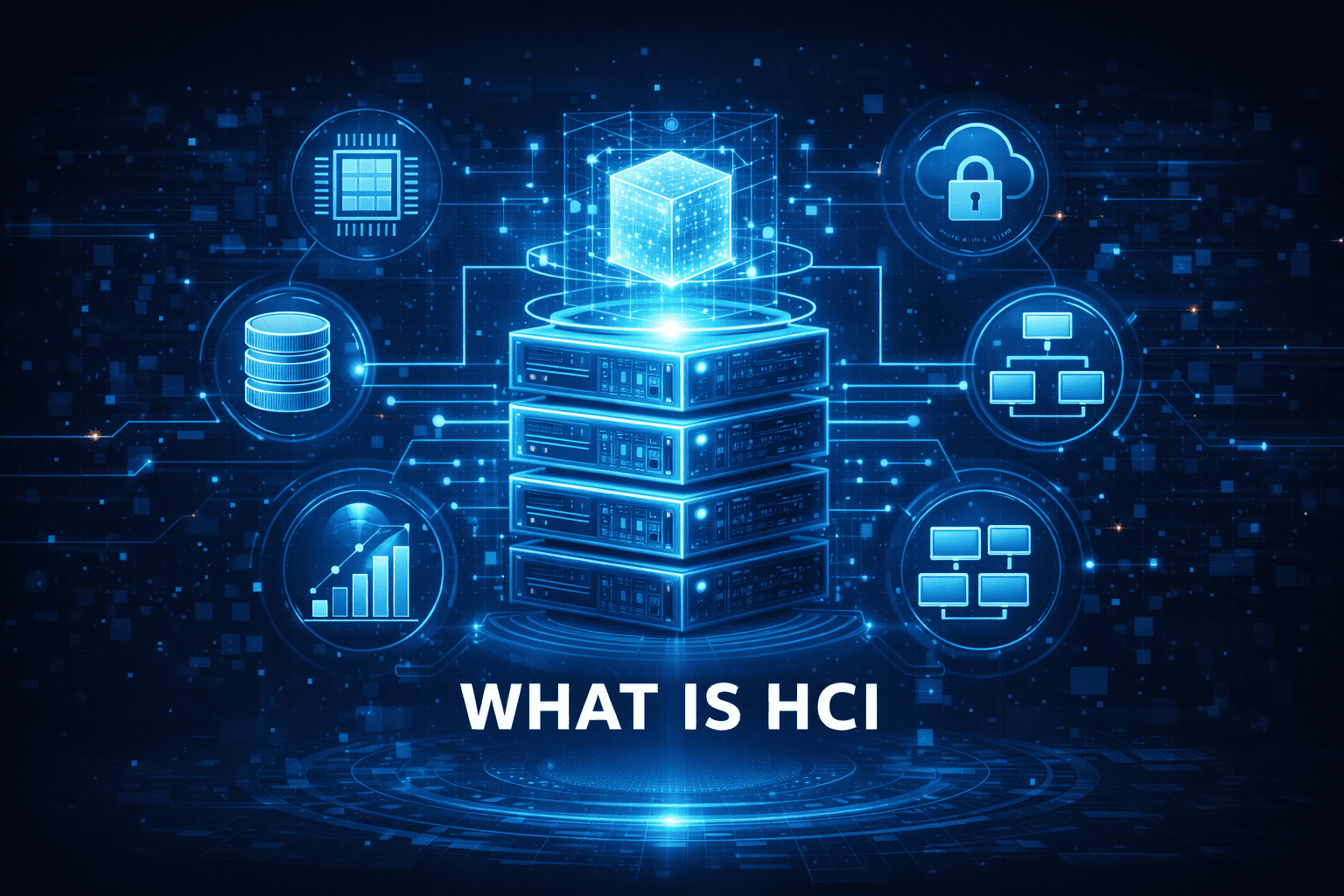
Hyperconverged Infrastructure (HCI) has transformed how data centers are built and managed. By combining compute, storage, networking, and virtualization into a single, software-defined platform, HCI simplifies operations while improving scalability and resilience.
In this guide, we’ll explore what is HCI, how it works, where it’s used, and why it matters for IT, cybersecurity, and business leaders alike.
What Is HCI?
So, what is HCI exactly?
HCI (Hyperconverged Infrastructure) is an IT architecture that integrates compute, storage, networking, and virtualization into a single software-defined system, typically running on standard x86 servers.
Instead of managing separate hardware silos, organizations manage everything through a unified software layer.
In simple terms, HCI turns traditional hardware into flexible, centrally managed resources.
Why HCI Was Created
To understand what is HCI, it helps to look at the problems it was designed to solve.
1. Complex Infrastructure
Traditional data centers rely on separate teams and tools for servers, storage, and networking.
2. High Costs
Specialized hardware and maintenance increase capital and operational expenses.
3. Limited Scalability
Scaling one resource often requires upgrading multiple components.
4. Slow Deployment
Provisioning new infrastructure can take weeks or months.
HCI addresses these challenges by simplifying management and accelerating deployment.
Core Components of HCI
HCI combines multiple infrastructure elements into one platform.
1. Compute
Standard servers provide CPU and memory resources.
2. Storage
Software-defined storage pools local disks into shared resources.
3. Networking
Virtual networking replaces much of the traditional physical networking complexity.
4. Virtualization
A hypervisor runs virtual machines or containers.
5. Management Software
A single interface manages all resources centrally.
How HCI Works
To fully understand what is HCI, let’s look at how it operates in practice.
-
Applications run in virtual machines or containers
-
Software-defined storage aggregates local disks
-
Virtual networks handle traffic between workloads
-
The HCI platform manages performance and availability
-
Administrators control everything through one console
This architecture makes infrastructure more agile and resilient.
HCI vs Traditional Infrastructure
HCI differs significantly from legacy data center models.
| Traditional Infrastructure | HCI |
|---|---|
| Separate hardware silos | Unified platform |
| Manual provisioning | Automated provisioning |
| Hardware-centric | Software-defined |
| Complex scaling | Linear scaling |
| High management overhead | Simplified operations |
This shift is a major reason organizations are adopting HCI.
HCI vs Converged Infrastructure
HCI is often confused with converged infrastructure.
-
Converged Infrastructure: Pre-configured hardware bundles
-
HCI: Fully software-defined and tightly integrated
HCI offers deeper integration and easier scalability than converged systems.
Benefits of HCI
Understanding what is HCI also means understanding its advantages.
1. Simplified Management
Single management interface reduces operational complexity.
2. Scalability
Add nodes easily as workloads grow.
3. Cost Efficiency
Uses commodity hardware and reduces maintenance costs.
4. Faster Deployment
Infrastructure can be deployed in hours, not weeks.
5. High Availability
Built-in redundancy improves uptime and resilience.
HCI Use Cases
HCI supports a wide range of workloads and environments.
1. Data Centers
Modernizes legacy infrastructure and reduces footprint.
2. Virtual Desktop Infrastructure (VDI)
Provides predictable performance and easy scaling.
3. Cloud and Hybrid Environments
Supports private cloud and hybrid cloud strategies.
4. Edge Computing
Ideal for remote or branch locations.
5. Disaster Recovery
Simplifies replication and failover.
HCI and Cloud Computing
HCI plays a critical role in cloud strategies.
Private Cloud
HCI forms the foundation of many private clouds.
Hybrid Cloud
Integrates on-prem infrastructure with public cloud services.
Multi-Cloud
Provides consistent infrastructure across environments.
HCI enables cloud-like agility without giving up control.
HCI and Cybersecurity
Infrastructure design has a direct impact on security.
Security Benefits of HCI
-
Centralized visibility
-
Consistent policy enforcement
-
Reduced attack surface
-
Faster incident response
HCI simplifies security by reducing infrastructure sprawl.
HCI and Zero Trust Security
Zero Trust security assumes no implicit trust.
HCI supports Zero Trust by:
-
Enforcing segmentation between workloads
-
Limiting lateral movement
-
Centralizing monitoring and controls
When combined with endpoint containment, HCI strengthens overall resilience.
Operational Challenges of HCI
While powerful, HCI isn’t without challenges.
Potential Drawbacks
-
Vendor lock-in
-
Learning curve for new tools
-
Initial migration planning
With proper strategy, these challenges are manageable.
How to Decide If HCI Is Right for Your Business
Not every organization has the same needs.
HCI Is a Good Fit If You:
-
Want to simplify IT operations
-
Need predictable scaling
-
Run virtualized workloads
-
Support remote or branch offices
Consider Carefully If You:
-
Have highly specialized hardware needs
-
Require extreme customization
Future of HCI
HCI continues to evolve alongside IT trends.
Emerging Trends
-
AI-driven infrastructure management
-
Deeper cloud integration
-
Container-native HCI
-
Enhanced security automation
HCI is becoming the backbone of modern digital infrastructure.
Why Business Leaders Should Care About HCI
For CEOs and founders, infrastructure impacts business outcomes.
HCI helps organizations:
-
Reduce downtime
-
Improve agility
-
Control costs
-
Strengthen security
Understanding what is HCI empowers better strategic decisions.
Frequently Asked Questions (FAQ)
1. What does HCI stand for?
HCI stands for Hyperconverged Infrastructure.
2. Is HCI only for large enterprises?
No. SMBs and enterprises both benefit from HCI.
3. How is HCI different from cloud computing?
HCI is infrastructure-focused, while cloud is a service model. They often work together.
4. Does HCI improve security?
Yes. Centralized management and segmentation enhance security.
5. Can HCI support disaster recovery?
Yes. HCI simplifies replication, backup, and failover.
Final Thoughts
Understanding what is HCI is essential for organizations modernizing their IT infrastructure. By unifying compute, storage, networking, and virtualization, HCI simplifies operations while improving scalability, performance, and security.
When paired with Zero Trust and advanced endpoint protection, HCI becomes a powerful foundation for resilient, future-ready IT environments.
👉 Want to see how modern infrastructure and Zero Trust security work together?
Request a demo from Xcitium today:
https://www.xcitium.com/request-demo/