What Is a DOM? A Complete Guide for IT and Security Leaders
Updated on October 14, 2025, by Xcitium
If you’ve ever worked with web applications or heard developers talk about page rendering, you’ve probably come across the term DOM. But what is a DOM exactly, and why should IT managers, cybersecurity professionals, and business leaders care?
The DOM—short for Document Object Model—is a programming interface that represents the structure of a web page. It allows scripts like JavaScript to interact dynamically with content, styles, and structure. While the DOM is essential for user experience, it also plays a critical role in cybersecurity, since attackers often target it in web-based exploits such as DOM-based XSS (Cross-Site Scripting).
In this article, we’ll explore the DOM in detail, explain how it works, its applications, and the security implications that every business leader should understand.
What Is a DOM?
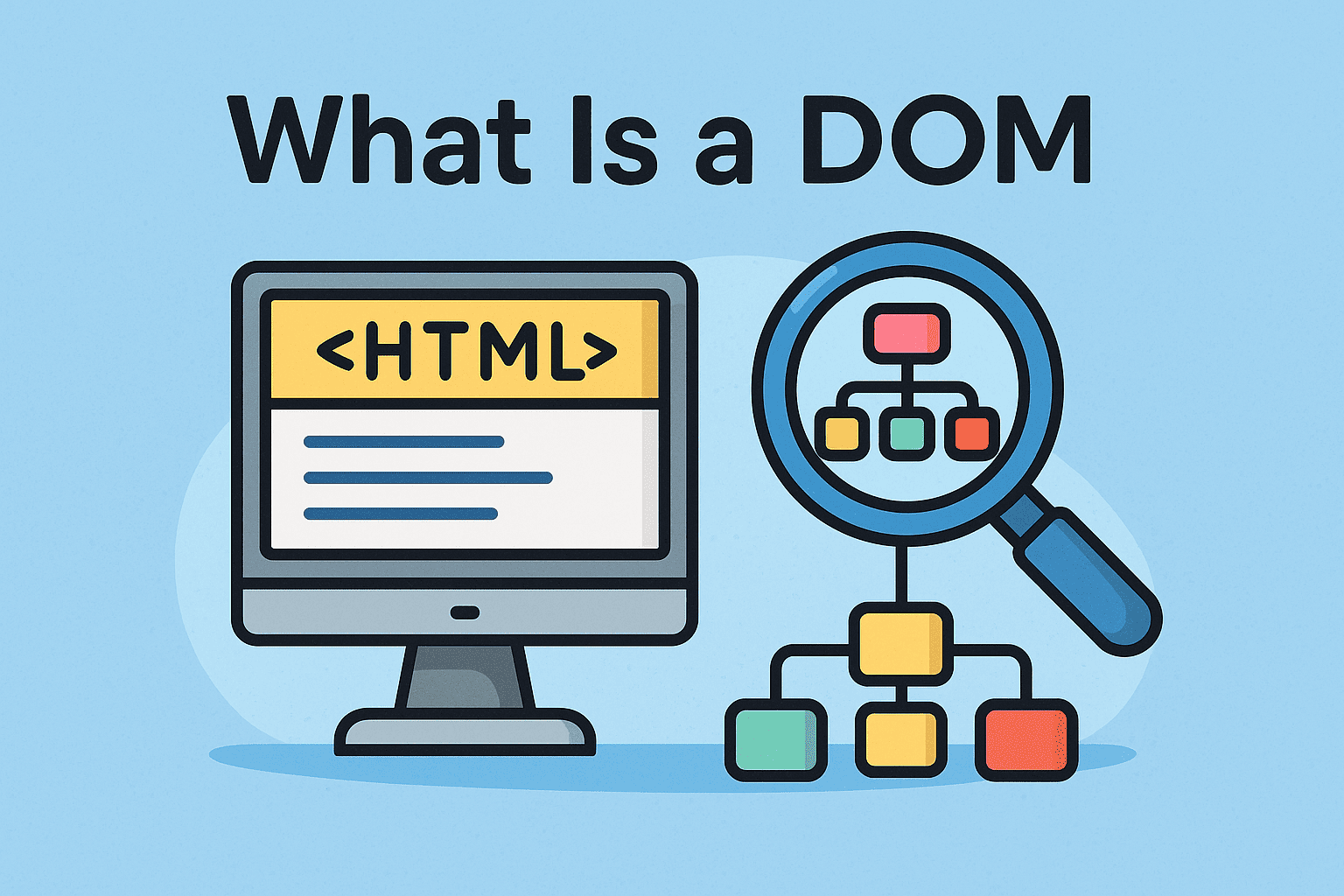
The Document Object Model (DOM) is a tree-like structure that represents the elements of an HTML or XML document. Each part of a web page—headings, paragraphs, images, links, and scripts—is represented as a node in this hierarchy.
With the DOM, developers and scripts can:
-
Modify content dynamically.
-
Change styles and layouts without reloading a page.
-
Create interactive experiences for users.
For example, when you click a button and new content appears instantly, it’s the DOM at work.
How Does the DOM Work?
When a browser loads a web page:
-
HTML Parsing – The browser reads the HTML code.
-
DOM Tree Creation – It builds a hierarchical DOM structure.
-
Interaction – JavaScript or other scripts can read, modify, or delete nodes in real-time.
This process makes web pages interactive and adaptable, turning static code into dynamic user experiences.
DOM in Action: Real-World Examples
-
Form Validation: Checking user input (like emails or passwords) before submission.
-
Interactive Dashboards: Updating charts and data without refreshing the page.
-
Content Updates: News feeds or social media updates loading automatically.
-
Web Security Risks: Attackers injecting malicious scripts into the DOM.
DOM and Cybersecurity: Why It Matters
Understanding the DOM isn’t just for developers—it’s crucial for IT managers and security leaders too.
DOM-Based Attacks
Cybercriminals exploit vulnerabilities within the DOM to perform malicious activities, including:
-
DOM-Based XSS (Cross-Site Scripting): Injecting harmful code into the DOM to steal data.
-
Clickjacking: Manipulating DOM elements to trick users into clicking hidden links.
-
Data Exfiltration: Using DOM manipulations to steal sensitive information from web apps.
Security Risks for Enterprises
-
Exposed customer data due to unprotected DOM manipulations.
-
Compromised business apps when third-party scripts modify the DOM.
-
Reduced trust and compliance issues if data leaks occur through DOM vulnerabilities.
DOM vs HTML: What’s the Difference?
While they’re closely related, HTML and DOM are not the same.
| Aspect | HTML | DOM |
|---|---|---|
| Definition | Markup language for structuring content | Tree structure representing HTML/XML docs |
| Static/Dynamic | Static code written by developers | Dynamic, can be modified at runtime |
| Role | Provides content & structure | Provides interaction & manipulation layer |
👉 Think of HTML as the blueprint, and DOM as the live, interactive building that users experience.
Best Practices for Securing the DOM
Businesses must treat DOM security as part of their application security strategy. Here are key best practices:
-
Input Validation – Sanitize all user inputs before processing.
-
Content Security Policy (CSP) – Restrict where scripts can load from.
-
Avoid Dangerous Functions – Minimize use of
innerHTMLordocument.write()which attackers can exploit. -
Regular Security Testing – Run penetration tests for DOM-based vulnerabilities.
-
Endpoint Protection – Deploy tools like EDR (Endpoint Detection and Response) to catch malicious behaviors.
Why Business Leaders Should Care About the DOM
-
User Trust – Secure DOM handling ensures customer-facing applications aren’t hijacked.
-
Compliance – Regulatory frameworks demand protection against data leaks from web applications.
-
Cost Savings – Preventing DOM-based exploits avoids expensive breaches and downtime.
-
Innovation Enablement – A secure DOM environment allows businesses to adopt modern web technologies safely.
FAQs on DOM
1. What does DOM stand for?
DOM stands for Document Object Model, a structure that represents a web page for dynamic interaction.
2. Is the DOM the same as HTML?
No. HTML is the static markup, while the DOM is the live, interactive structure browsers use.
3. What are DOM-based attacks?
They are cyberattacks where malicious scripts manipulate the DOM, often leading to data theft or XSS vulnerabilities.
4. Why should IT managers care about the DOM?
Because insecure DOM implementations can expose customer data, weaken compliance, and create exploitable vulnerabilities.
5. How can I protect my applications from DOM vulnerabilities?
By sanitizing inputs, enforcing CSP, avoiding risky functions, and using endpoint security solutions.
Conclusion
So, what is a DOM? In short, it’s the Document Object Model, the backbone of modern web interactivity. While it empowers rich user experiences, it also presents risks if not secured properly. For enterprises, this means balancing functionality with robust security practices.
Cybersecurity isn’t just about networks and firewalls—it’s also about the structures powering web applications. By monitoring DOM activity and adopting preventive measures, organizations can reduce risks significantly.
👉 Protect your business applications with advanced security. Explore Xcitium’s cybersecurity solutions to safeguard your enterprise from DOM-based attacks.