What Are ERP Systems? Everything You Need to Know
Updated on June 23, 2025, by Xcitium
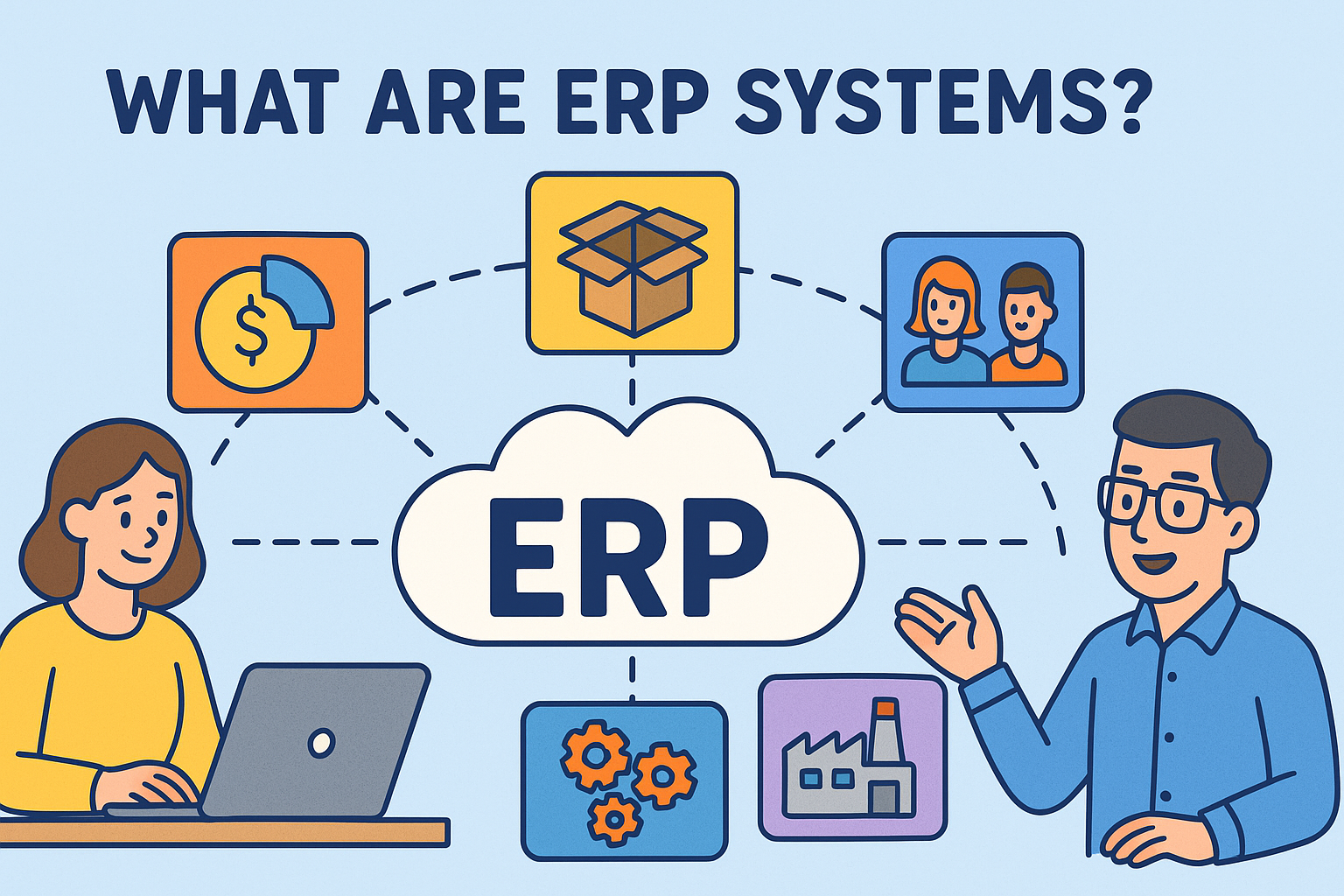
Ever wonder what are ERP systems and why they matter to businesses of every size? In today’s data-driven world, managing operations through disconnected spreadsheets and platforms isn’t just inefficient—it’s risky. That’s where ERP systems come in.
Enterprise Resource Planning (ERP) systems are essential tools for organizations seeking centralized, real-time control over business processes—from finance and HR to supply chain and customer management.
Let’s dive deep into ERP full form, tools, top examples, and how they can power digital transformation.
What Are ERP Systems?
ERP (Enterprise Resource Planning) systems are software platforms that integrate various business functions into one unified system to streamline processes, data flow, and decision-making.
ERP Full Form:
- Enterprise
- Resource
- Planning
ERP tools help align departments like accounting, procurement, marketing, and operations under a centralized data infrastructure.
Key Features:
- Real-time data analytics
- Automation of routine tasks
- Cross-functional collaboration
- Scalable architecture
What Is ERP and How Does It Work?
An ERP system works by creating a central database accessible across departments. Each function (sales, HR, inventory, etc.) uses dedicated modules that share a common interface and data.
Basic Workflow:
- Input is entered (e.g., sales order)
- Data is instantly available to other modules (inventory, billing, etc.)
- Automated workflows trigger necessary actions (e.g., stock check, invoice generation)
This seamless process reduces redundancy, human error, and operational delays.
Top ERP Systems in 2025
If you’re searching for the top ERP systems today, here are some of the most widely adopted:
- SAP S/4HANA – Best for large enterprises
- Oracle NetSuite – Popular among mid-size firms and tech startups
- Microsoft Dynamics 365 – Known for flexibility and MS Office integration
- Workday – Strong HR and financial planning focus
- Odoo – Open-source and modular
- Epicor – Great for manufacturing firms
ERP Systems Examples by Industry
Healthcare:
- Patient scheduling and inventory management via ERP
Manufacturing:
- Monitor production, inventory, procurement in real time
Retail:
- POS integration, customer relationship, inventory forecasting
Education:
- Staff management, student data tracking, budgeting
Cybersecurity and Online Security:
- Vendor risk assessment, compliance tracking, incident response
Why IT and Cybersecurity Teams Care About ERP Systems
ERP platforms are not just for operations—they also enhance data security and compliance.
Cyber Benefits:
- Centralized audit logs
- Access controls per department/user
- Patch management across systems
- Encryption of sensitive data
When integrated with security tools, ERP systems support governance and help prevent insider threats.
Benefits of ERP Tools
- ✅ Streamlined operations
- ✅ Reduced operational costs
- ✅ Enhanced data-driven decisions
- ✅ Real-time reporting
- ✅ Improved customer service
- ✅ Better compliance and risk mitigation
Common ERP Tools & Modules
- Finance & Accounting – Budgeting, billing, payroll
- HR Management – Recruitment, benefits, attendance
- Inventory & Supply Chain – Stock tracking, logistics
- CRM (Customer Relationship Management) – Customer data and engagement
- Project Management – Task tracking, resource planning
- Analytics and Business Intelligence
How to Choose the Right ERP System
- Define your business needs
- Consider scalability and integrations
- Check for industry-specific features
- Evaluate total cost of ownership (TCO)
- Assess user training and vendor support
FAQs: ERP Systems Explained
1. What does ERP stand for?
ERP stands for Enterprise Resource Planning.
2. What are ERP systems used for?
They unify business processes into a centralized platform to improve efficiency.
3. Can small businesses use ERP systems?
Yes! Many modern ERP tools are affordable and scalable for SMEs.
4. Are ERP systems secure?
With proper access control and encryption, ERP systems can be highly secure.
5. What are some free or open-source ERP options?
Odoo and ERPNext are top-rated open-source ERP platforms.
Final Thoughts
Understanding what are ERP systems is crucial for IT leaders and founders seeking digital agility. Whether optimizing operations or boosting cybersecurity, ERP platforms offer unmatched strategic value.
Ready to streamline operations and strengthen security? Request a demo from Xcitium now.




![what does dsl stand for]](https://www.xcitium.com/blog/wp-content/uploads/2026/01/what-does-dsl-stand-for.png)