What Is Malware? A Complete Guide to Threats, Types, and Protection
Updated on June 20, 2025, by Xcitium
What is malware, and why should every business and IT team take it seriously? In a world where cyber threats evolve daily, malware remains one of the most common and dangerous forms of attack. From ransomware to spyware, these malicious programs can hijack systems, steal data, and cripple operations.
In this article, we’ll explore the full malware definition, break down the most common types of malware, explain how to detect and remove infections, and offer guidance on using malware scanners and free malware removal tools to keep your systems secure.
What Is Malware?
Malware is short for “malicious software.” It refers to any program or code designed to infiltrate, damage, or disable computers, networks, or servers—often without the user’s knowledge.
Malware Definition:
According to cybersecurity standards, malware is “any software intentionally designed to cause damage to a computer, server, client, or computer network.”
Types of Malware
Understanding the various types of malware is the first step toward defending against them. Each type has different behaviors and objectives.
1. Viruses
- Attaches itself to clean files
- Spreads to other files and systems
- Requires human action to activate
2. Worms
- Spreads automatically without human interaction
- Often used to exploit vulnerabilities
3. Trojan Horses
- Disguised as legitimate software
- Creates backdoors for unauthorized access
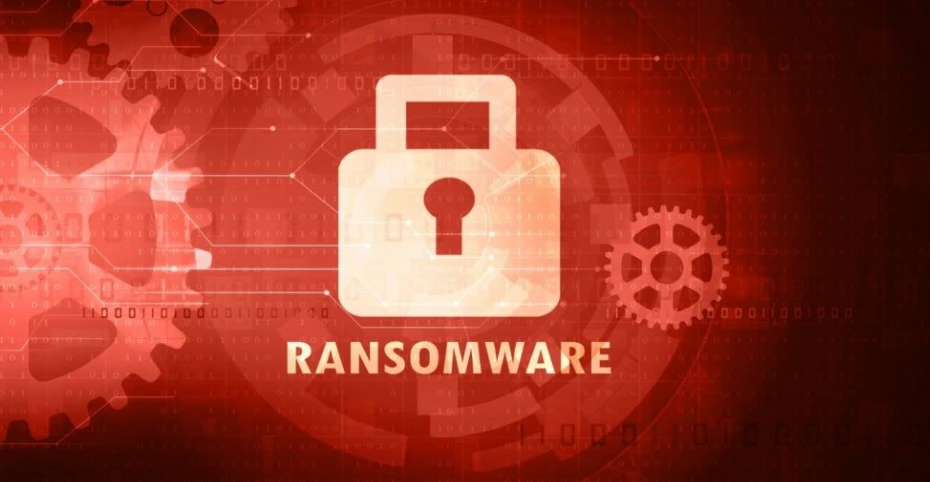
4. Ransomware
- Encrypts user data and demands payment to unlock it
- Common in high-profile breaches
5. Spyware
- Monitors user activity
- Steals sensitive data like login credentials
6. Adware
- Delivers unwanted ads
- Often bundled with free software
7. Rootkits
- Grants admin-level access to attackers
- Hard to detect and remove
How Malware Spreads
Malware doesn’t just appear out of nowhere. Here are common infection vectors:
- Phishing emails with malicious links or attachments
- Drive-by downloads from compromised websites
- Removable media (e.g., USB drives)
- Software vulnerabilities in unpatched systems
- Fake software or free downloads
Signs You May Be Infected
Knowing when to scan for malware can help you act quickly. Here are warning signs:
- Slow system performance
- Unexpected pop-ups or ads
- Unexplained file changes
- Unauthorized logins
- Disabled security tools
- Frequent crashes or restarts
How to Detect Malware: The Role of a Malware Scanner
A malware scanner is a tool that inspects your system for known malicious files and behaviors.
Features to Look For:
- Real-time protection
- Scheduled scans
- Heuristic analysis
- Quarantine and removal
Recommended Tools:
- Xcitium Advanced Endpoint Protection
- Malwarebytes
- Bitdefender
- Avast
Free Malware Removal Tools That Work
Many reputable cybersecurity vendors offer free malware removal options:
Popular Free Tools:
- Microsoft Defender Antivirus (built into Windows)
- Malwarebytes Free
- Kaspersky Virus Removal Tool
- Sophos Home Free
These tools are great for scanning and removing known threats, especially if you’re on a tight budget.
Enterprise-Level Malware Protection Strategies
1. Endpoint Detection and Response (EDR)
- Detects advanced threats
- Offers real-time investigation
2. Security Awareness Training
- Teaches employees how to recognize phishing and suspicious activity
3. Firewall and Network Segmentation
- Blocks suspicious traffic and isolates infected systems
4. Patch Management
- Keeps systems updated to close vulnerabilities
5. Incident Response Planning
- Defines protocols for detection, response, and recovery
Cloud and AI in Malware Detection
Modern cloud-based malware scanners and AI-driven detection systems can:
- Analyze vast datasets to spot patterns
- Detect zero-day threats
- Deliver faster response times
These are increasingly popular in enterprise settings and managed security services.
FAQs About Malware
1. What is malware in simple terms?
Malware is bad software designed to harm your computer or steal your data.
2. What are the most dangerous types of malware?
Ransomware and rootkits are among the most damaging due to data encryption and deep system access.
3. How do I know if I have malware?
Look for signs like slow performance, pop-ups, and unknown processes running in your system.
4. Can free malware removal tools work?
Yes, many reputable free tools can scan and remove common threats. For advanced threats, paid solutions are recommended.
5. What’s the difference between a virus and malware?
A virus is one type of malware. Malware is a broader term that includes all malicious software.
Final Thoughts: Stay One Step Ahead of Malware
Knowing what is malware is your first defense against it. With malware evolving rapidly, businesses and individuals must stay informed, implement layered defenses, and use trusted tools to detect and remove threats.
Looking to upgrade your malware defense strategy? Request a demo from Xcitium today.