What Is Domain? Everything You Need to Know for Cyber Success
Updated on June 25, 2025, by Xcitium
If you’ve ever built a website or interacted with one (which is everyone, really), you’ve encountered a domain. But what is domain in the context of the internet? Is it just a name? A digital address? Or something more technical?
Understanding domains is crucial—not just for developers and web admins—but also for cybersecurity teams, CEOs, and IT managers who care about trust, accessibility, and digital authority. This guide breaks it all down in a friendly and professional tone.
What Is Domain?
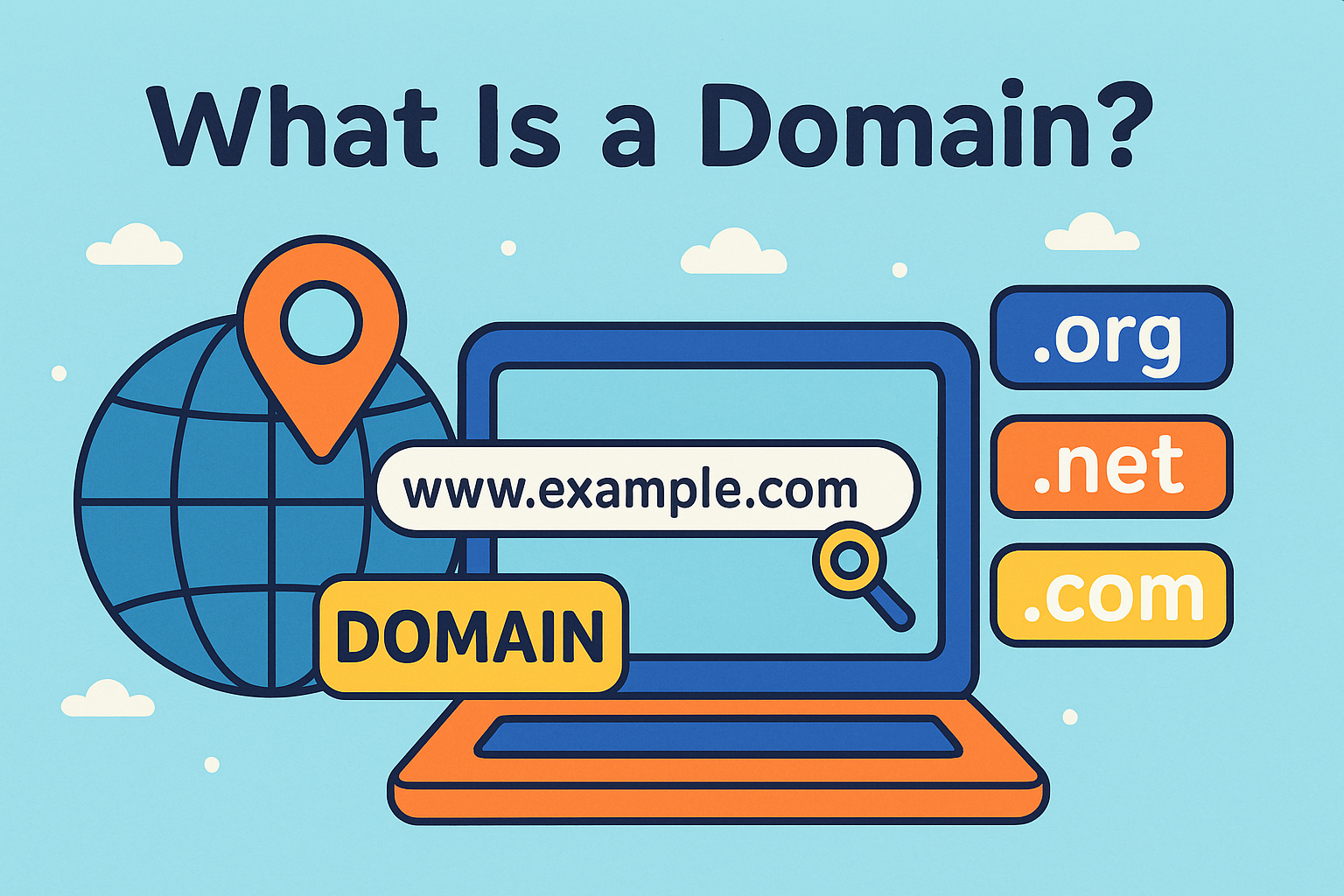
A domain is the user-friendly name assigned to a website that makes it easy for people to find and access it online. Think of it as your online address—an alias for an IP address that would otherwise look like a long string of numbers (e.g., 192.168.1.1).
🔑 Key Components of a Domain:
- Top-Level Domain (TLD): .com, .org, .net, etc.
- Second-Level Domain: The readable part (e.g., google in google.com)
- Subdomain: A prefix like blog.domain.com or support.domain.com
How Domain Names Work
When someone types a domain into their browser:
- A Domain Name System (DNS) server translates it into an IP address.
- The browser sends a request to the server hosting the website.
- The site loads based on the IP match.
Without domain names, we’d all be memorizing IP addresses—yikes!
Choosing the Right Domain: Search and Lookup Tools
Before launching a site, you need to perform a domain name search to ensure the name is available. There are many tools for this, such as:
- GoDaddy
- Namecheap
- Google Domains
You can also use a domain lookup tool to check:
- Who owns a domain (WHOIS data)
- Domain expiration date
- Registrar and DNS hosting provider
Tips for a Strong Domain Name:
- Keep it short and brandable
- Avoid numbers and hyphens
- Use a trusted domain name service
- Consider future domain expansion options
What Is Domain Authority?
Domain Authority (DA) is a score from 1 to 100 that predicts how well a site will rank in search engines. It’s not officially recognized by Google, but it’s widely used in SEO.
You can use a domain authority checker to:
- Evaluate your own site
- Check competitors
- Choose valuable backlink sources
Higher DA = higher trustworthiness and better ranking potential.
Domain vs Hosting vs Website
Let’s get our terms right:
| Term | What It Does |
| Domain | Your website’s name |
| Hosting | Where your website lives |
| Website | What users see |
You need all three for a live site. Think of it this way:
- Domain = Address
- Hosting = Property
- Website = Building
Best Practices for Domain Security
In the world of cybersecurity, domains are often targets for attacks like spoofing or hijacking. Here’s how to secure yours:
🔒 Actionable Tips:
- Use 2FA for domain registrar accounts
- Lock your domain to prevent unauthorized transfers
- Enable DNSSEC for added integrity
- Set up auto-renewal to avoid accidental expiry
Where to Get a Domain: Free and Paid Options
Yes, there are free domain options—often bundled with hosting or limited to specific TLDs like .tk. But for serious businesses, paid domains offer:
- Better brand perception
- Ownership protection
- Fewer restrictions
Recommended domain name services include:
- Bluehost (often bundles free domain for 1st year)
- Namecheap
- Google Domains
- Cloudflare Registrar (great for security)
Domain Expansion and the Future of the Web
The rise of custom TLDs like .tech, .xyz, or .security reflects ongoing domain expansion. These newer extensions offer branding flexibility and allow you to stand out in niche markets.
Example:
www.cyberdefense.security is more meaningful than cyberdefense123.com.
Conclusion: Domains Power the Digital Identity
So, what is domain in 2025? It’s not just a URL—it’s your digital identity, trust anchor, and brand foundation.
Whether you’re registering a personal blog or a secure enterprise site, understanding domains helps you make informed choices in naming, SEO, and cybersecurity.
💡 Ready to Secure Your Digital Front Door?
Let Xcitium show you how to combine domain control with enterprise-grade protection.
👉 Request a demo now and future-proof your digital assets today.
FAQ: Common Questions About Domains
1. What is a domain name used for?
A domain name acts as a human-readable address for accessing websites online.
2. How is a domain different from a URL?
A URL includes the domain plus page paths, protocols (https), and parameters. A domain is just the core name (e.g., yourcompany.com).
3. What is the best domain name for SEO?
Short, keyword-relevant domains with clean TLDs (like .com or .tech) usually perform best.
4. Can I get a domain name for free?
Yes, but usually with restrictions. Free domains are common with hosting packages or less popular TLDs.
5. How do I find out who owns a domain?
Use a domain lookup or WHOIS service to view ownership and registration details.