What Is a Favicon? A Tiny Icon with Big Impact on Your Brand
Updated on June 26, 2025, by Xcitium
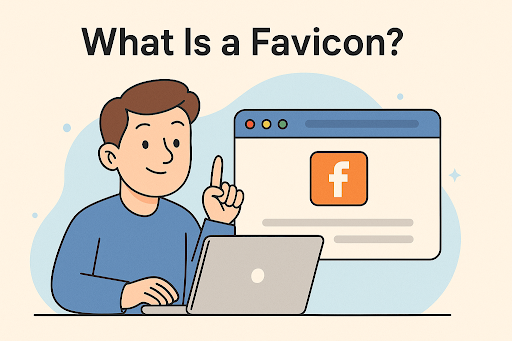
If you’ve opened multiple browser tabs at once (who hasn’t?), you’ve likely noticed the small images next to each page title. That little icon is called a favicon.
So, what is a favicon, and why does it matter in a digital world dominated by attention spans shorter than a goldfish’s? This guide breaks down everything from favicon creation to best practices and common tools like favicon generators and create favicon online platforms.
By the end, you’ll know how to harness this miniature asset to improve branding, user experience, and even SEO.
🧠 What Is a Favicon? Definition and Purpose
A favicon (short for favorite icon) is a small icon that represents a website or brand in web browsers, tabs, bookmarks, and search results.
🔍 Where Favicons Appear:
- Browser tabs
- Bookmarks
- Search engine result pages (SERPs)
- Address bar
- Mobile browser home screens
- Pinned tabs and progressive web apps
🌟 Why Are Favicons Important?
- Reinforce brand recognition
- Increase trust and professionalism
- Improve site usability and visibility
- Enhance user experience
In short, a favicon might be small, but it carries big branding power.
🔧 Favicon Size and File Types
📐 Standard Favicon Sizes:
While favicons are automatically scaled by browsers, creating multiple sizes ensures compatibility across devices.
| Device/Use Case | Recommended Size |
| Standard tab/browser | 16×16 px |
| High-res displays | 32×32 px |
| Windows Tiles | 70×70 px, 150×150 px |
| iOS/Android home screen | 180×180 px or higher |
🧾 Supported Formats:
- ICO – Most widely accepted
- PNG – Recommended for high-quality and transparency
- SVG – Scalable and modern (used by browsers like Chrome)
- GIF/JPEG – Not recommended (lack of transparency)
Pro Tip: Always include multiple formats in your favicon package to ensure compatibility.
🛠️ How to Create a Favicon: Tools & Generators
You don’t need to be a graphic designer to create a favicon. There are many favicon generators and free favicon tools available online.
🖌️ Top Favicon Creation Tools:
- favicon.io – Simple, text-based and emoji favicon generator
- RealFaviconGenerator.net – Advanced tool with multiple output formats
- Favicon.cc – Lets you draw your own icon pixel by pixel
- Canva – Design tool with custom dimensions for creating favicons
🧑💻 How to Add a Favicon to Your Site:
- Upload the favicon files to your website’s root directory.
- Add the following code in your HTML <head> tag:
html
CopyEdit
<link rel=”icon” href=”/favicon.ico” type=”image/x-icon”>
3. For broader compatibility, include variations:
html
CopyEdit
<link rel=”icon” sizes=”32×32″ href=”/favicon-32×32.png”>
<link rel=”apple-touch-icon” href=”/apple-touch-icon.png”>
🧱 Best Practices for Effective Favicons
- Keep it simple: Too much detail won’t scale well to 16×16 px.
- Use transparency: PNGs with transparent backgrounds look cleaner.
- Test across browsers: Chrome, Firefox, Edge, Safari—check them all.
- Match your branding: Use your logo or a recognizable brand element.
Common Mistakes:
- Using large or improperly scaled images
- Missing favicon links in HTML
- Failing to test on mobile and high-DPI screens
📊 Favicon and SEO: Does It Matter?
While favicons don’t directly affect search engine rankings, they impact:
- Click-through rates (CTR): A well-designed favicon in bookmarks and tabs increases brand recall.
- SERP presentation: Google often shows favicons in mobile search results.
- User trust: Users are more likely to revisit and stay on sites that feel professional.
So yes—your favicon matters for SEO and brand loyalty.
🖼️ Favicon Templates and Resources
Looking for inspiration? Check out these sites offering free favicon templates:
- Flaticon
- IconArchive
- Icons8
- FontAwesome
Or download open-source favicons to customize.
✅ Summary: Why Every Website Needs a Favicon
Let’s recap what we’ve covered:
✔️ A favicon is a small but mighty brand asset
✔️ It appears in tabs, bookmarks, and search results
✔️ You can use favicon generators or design your own
✔️ Correct favicon size and format is critical
✔️ It subtly supports your SEO and user trust
📣 Take Your Branding & Security to the Next Level
Your favicon is just the beginning. For a comprehensive cybersecurity solution that protects your brand, network, and data, choose Xcitium.
👉 Request Your Free Demo Today
❓ FAQ: What Is a Favicon?
1. What is a favicon and why is it important?
A favicon is a small icon that represents a website in browsers. It enhances brand recognition and improves user experience.
2. What is the ideal favicon size?
16×16 px is the standard, but using multiple sizes (like 32×32 and 180×180) ensures compatibility with all devices and platforms.
3. How can I create a favicon for free?
You can use tools like favicon.io, Favicon.cc, or Canva to create free favicons easily.
4. Where should I place my favicon files?
Place them in your root directory and reference them in your HTML <head> section.
5. Can a favicon impact SEO?
Indirectly, yes. A recognizable favicon can improve CTR and brand trust—both of which influence SEO success.