What Happens When A Computer Gets Infected With Ransomware?
Updated on October 11, 2022, by Xcitium
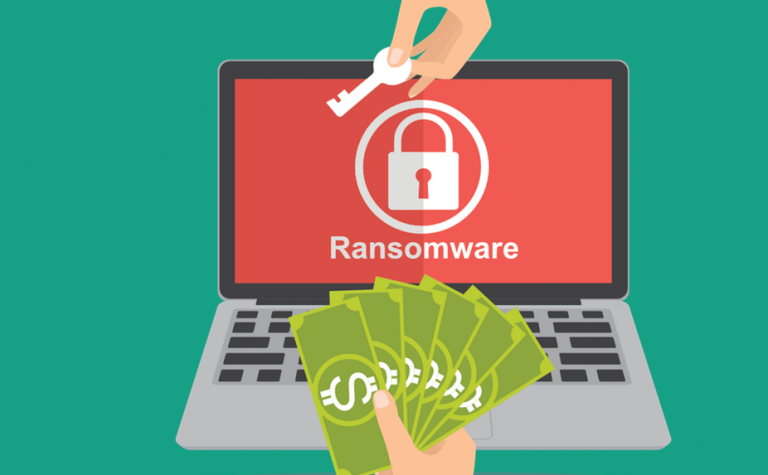
Ransomware is somewhat only synonymous with a computer. Perhaps there would be no ransomware if computers never existed. Are you puzzled by the above? Let’s face it—what is ransomware on a computer?
As you may know, ransomware is a malware that attacks computers by encrypting users’ data and locking them out. A ransom is then demanded by the person behind the ransomware before the ceased data is released. So, ransomware on a computer is simply a malware attack. However, this malware attack differs from other types of malware. Its primary intent is to access your data and make them unreadable on your end, thereby asking for a ransom before normalcy is restored.
In recent years, ransomware criminals have carried out devastating attacks on businesses, government agencies, and even individuals. These attacks halted activities and cost the victims huge sums before retrieving their systems.
How Does Ransomware Get To A Computer?
Ransomware is not a default program but maliciously spread to computers. This act is executed by cybercriminals whose aim is to hold your data to a ransom. Of course, it’s money and nothing else for the ransom. The malware is spread through phishing and other methods. Let’s take a look at the various ransomware modes of spreading.
Email Trick
The whole idea deployed by ransomware attackers is to trick you into accepting the malware on your computer. Of course, you won’t willingly install malware on your computer, so the thieves pass through a host to spread the malware. In the case of emails, the malicious code is embedded in an attachment. The email may appear to be from any of your associates to trick you into clicking on it. You’d install the malware on your computer at a click of the link.
Cold Calls
Like emails, ransomware criminals may impersonate your business associates, service providers, etc., in an attempt to have you reveal your details to them. At other times, you may be asked to open a link that will be sent to you after the call, citing something related to any of your subscriptions.
Cracked Software
You probably know that cracked software is risky. Ransomware can also get to your computer through this means. Most cracked software websites are operated by scammers, they’d hide malicious code on the software to monitor your information and possibly strike if they see something interesting. Ransomware can hide on your computer for a long time, monitoring your activities to see the best time to launch an attack.
Compromised Vendor
Some vendors sell infected software but unknown to them. A compromised vendor is one whose software or other computer programs are hijacked by cybercriminals–adding malicious codes to steal users’ information. Always get your software from verified vendors and keep them updated whenever a new update is released.
Who’s A Target Of Ransomware?
Given the statistics of ransomware, it’s safe to say ransomware mainly targets data-driven companies, including schools and government agencies. However, individuals are not left out; figureheads in major companies are also targets. Any other individual with sensitive data can be a target of ransomware as well. Since the attackers’ primary intent is to quickly get money from their victims, they focus on businesses and individuals that need their data to carry out daily activities.
More so, employees of such companies and government agencies are also targets. They may capture the entire system if one computer is compromised.
How To Prevent Ransomware From Entering Your Computer
As you have read, only a compromised computer can be attacked by ransomware, and you want to avoid opening unverified attachments and downloading software from untrusted sites. However, this might be difficult to maintain if you have a pool of employees, anyone can compromise unknowingly. Also, software from compromised vendors can result in a ransomware attack. Therefore, the best thing is to deploy the most effective means of cybersecurity.
Of course, antiviruses/anti-malware and firewalls are the basic means of securing your devices against malware attacks, including keeping your software updated, using strong passwords, etc. However, attackers do enhance their tricks, which has seen the emergence of fileless malware and the likes. These types of malware are advanced and may bypass antiviruses and firewalls in some cases.
This is why businesses are moving to advanced security systems like advanced endpoint protection. To ensure the best security for your business against malware, you need this security system that uses high-end security technology to identify and block sophisticated malware.
Wrap Up
While you deploy the best cybersecurity methods to keep your data safe, ensure you back them up. Data backup can help you recover your data in case of an attack or physical disaster that results in data loss.