What Is a Network Hub? The Complete Conversational Guide (Plus Security Hub Insights)
Updated on November 19, 2025, by Xcitium
If you’ve ever asked yourself, “What is hub, and why does it matter in modern networking?” — you’re in the right place. Network hubs may seem old-school in today’s world of switches, routers, and cloud networks, but they played a major role in early networking and are still relevant in specific use cases today. Understanding how hubs work helps you better appreciate how networks operate — and how modern tools, such as Security Hubs, evolved from these early technologies.
In this conversational guide, we’ll explore exactly what a network hub is, how it functions, where it fits into modern IT environments, when NOT to use one, and why security-focused hubs are now essential in today’s cybersecurity landscape.
Let’s get started.
What Is a Network Hub? (Simple Definition)
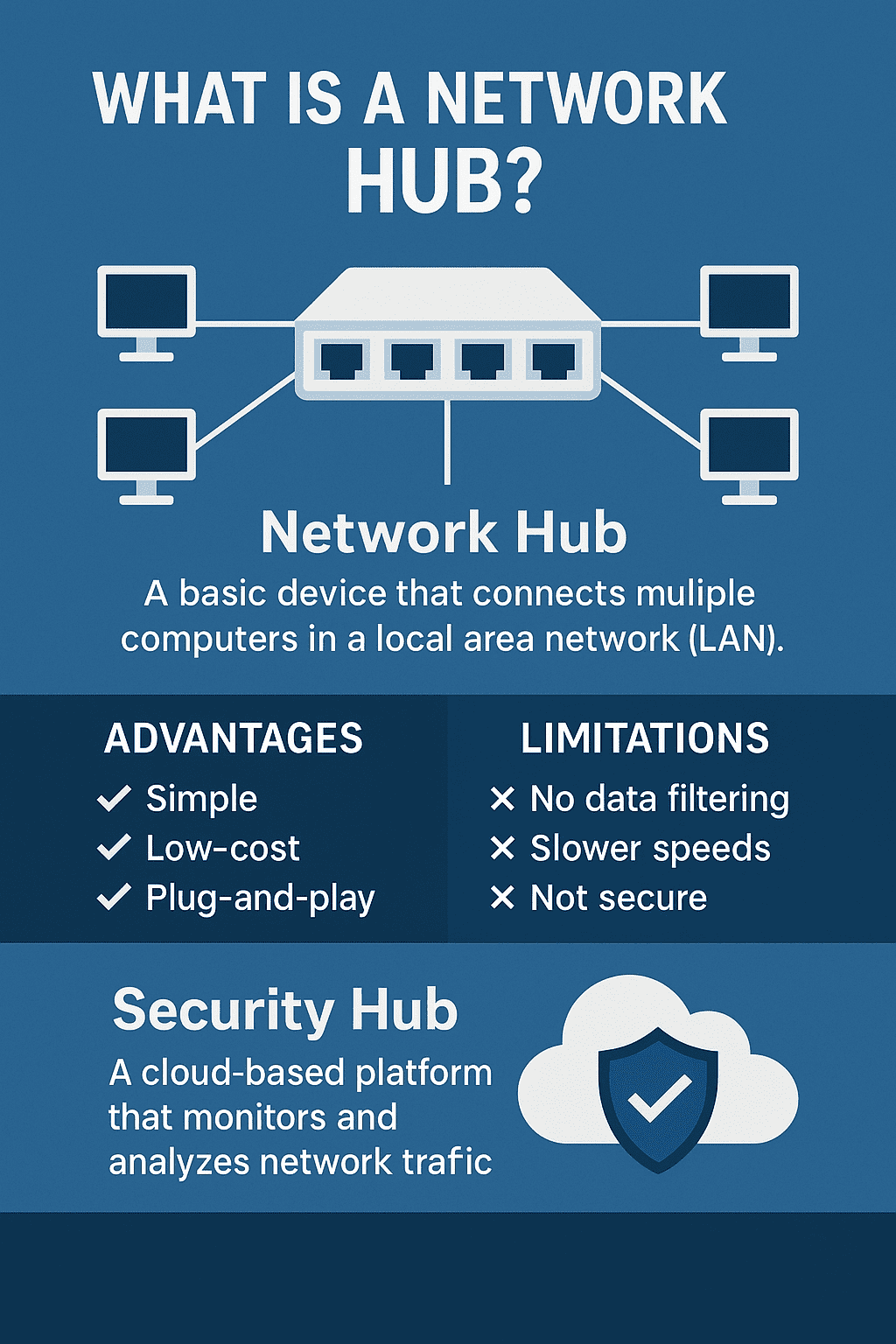
A network hub is a basic networking device that connects multiple computers or devices in a Local Area Network (LAN). It acts as a central connection point, allowing devices to communicate with each other.
Think of it as a traffic circle — every car (data packet) just goes around and around, and everyone sees it, even if it’s not meant for them. That’s exactly how a network hub behaves.
✔ Easy to use
✔ Plug-and-play
✔ No configuration required
But also:
❌ Not secure
❌ Slow
❌ Outdated compared to switches
Still, it’s important to understand hubs because they laid the foundation for modern networking devices.
How a Network Hub Works (Explained Simply)
When one device sends data through a hub, the hub broadcasts that data to every device, not just the intended recipient.
This broadcast behavior means:
-
All devices share the same bandwidth
-
Collisions can occur
-
Data is not private
-
The network slows down as devices increase
📌 Technical Summary:
-
Operates at Layer 1 (Physical Layer) of the OSI Model
-
Doesn’t analyze or filter data
-
Doesn’t understand MAC addresses
-
No traffic management
It’s “dumb” technology… but that simplicity also made hubs useful in early networking.
⭐ Network Hub vs. Switch vs. Router (What’s the Difference?)
Because many people confuse these devices, let’s clear it up.
Network Hub
-
Broadcasts data to every device
-
No intelligence
-
Oldest and least secure
Network Switch
-
Sends data only to the intended device
-
Operates at Layer 2
-
Provides better performance and security
-
Replaced hubs in modern networks
Network Router
-
Connects different networks
-
Assigns IP addresses
-
Provides firewalling & NAT
🧠 Quick Analogy:
-
Hub = megaphone (everyone hears everything)
-
Switch = walkie talkie (direct communication)
-
Router = post office (delivers to correct network)
🧩 Types of Network Hubs
There are three main types (although less common today):
1. Passive Hub
-
No amplification
-
Simply passes signals
-
Cheapest option
2. Active Hub
-
Boosts signals
-
Helps extend cable distance
-
Similar to a basic switch
3. Intelligent Hub
-
Offers limited management features
-
Can monitor traffic
-
A transitional device before switches became standard
🔧 Where Network Hubs Are Still Used Today
Believe it or not, hubs haven’t completely disappeared. They show up in:
-
Simple lab setups
-
Network testing environments
-
Packet sniffing scenarios (passive hubs mimic switch “monitor mode”)
-
Legacy industrial environments
-
Very small networks where security isn’t a concern
While not ideal for performance, they’re still useful when simplicity matters.
🚨 Limitations and Drawbacks of Network Hubs
Here’s why hubs are rarely used in modern networks:
❌ Security Risks
Since hubs broadcast data to all devices, any user can intercept traffic with a packet sniffer.
❌ Slower Speeds
All devices share bandwidth (half-duplex).
❌ High Collision Rates
Especially in large networks.
❌ Not Scalable
Performance degrades with more devices.
❌ No Traffic Control
Cannot filter or manage network traffic.
These limitations led to the rise of switches and routers as more secure and efficient alternatives.
🔐 Transition to Modern Security Hubs (Secondary Topic)
Now that you know what a network hub is, it’s easier to appreciate its modern evolution — the Security Hub.
A Security Hub is not a physical device like a network hub. Instead, it’s a centralized cloud security platform that unifies alerts, logs, threats, and monitoring from multiple cybersecurity tools.
Think of it as:
✔ A control center
✔ A cybersecurity dashboard
✔ A centralized intelligence hub
A Security Hub includes:
-
Threat detection
-
Incident response
-
Alert correlation
-
Endpoint monitoring
-
Cloud security insights
-
Compliance reporting
Unlike network hubs, Security Hubs are powerful, intelligent, and cloud-based.
⭐ Why Security Hubs Exist
Cybersecurity tools generate huge volumes of data. Security Hub solutions unify them into a single view, helping teams:
-
Detect threats faster
-
Reduce alert fatigue
-
Improve incident response
-
Monitor endpoints
-
Identify vulnerabilities
Solutions like Xcitium OpenEDR feed threat data into these hubs.
🛠️ Network Hub Behavior vs. Security Hub Behavior
| Feature | Network Hub | Security Hub |
|---|---|---|
| Purpose | Connect devices | Monitor & secure environments |
| Functionality | Broadcasts data | Analyzes and correlates data |
| Security Level | Very low | Very high |
| Intelligence | None | High (AI-driven) |
| Location | On-prem device | Cloud platform |
🧠 Why Understanding Hubs Matters in Cybersecurity
Even though network hubs are outdated, their behavior helps experts learn:
-
How network broadcasts work
-
How packet sniffing works
-
Why segmentation matters
-
How traffic exposure leads to attacks
Security Hubs, on the other hand, demonstrate how far cybersecurity intelligence has evolved.
🔐 Security Risks of Network Hubs
Since hubs share all traffic with all devices, they expose networks to:
✔ Eavesdropping
Anyone can read network packets.
✔ Uncontrolled Access
No authentication or filtering.
✔ Broadcast Storms
Too many packets = major slowdowns.
✔ Easy Malware Spread
A compromised device can affect others quickly.
This is why switches and security hubs became the new standard.
🚀 Best Practices for Modern Networks
Even if you never use a network hub, these practices help improve network security:
✔ Use managed switches instead of hubs
✔ Segment networks using VLANs
✔ Encrypt sensitive network communication
✔ Deploy endpoint detection (EDR)
✔ Use Security Hub tools for monitoring
✔ Implement zero trust access
✔ Replace VPNs with ZTNA where possible
These practices create secure, resilient networks.
🎯 Conclusion: Network Hubs Explained — And Why Security Hubs Matter More Today
So, what is a network hub?
It’s a basic, old-generation networking device that broadcasts data to all connected devices. Simple, cheap, but insecure and inefficient.
Modern networks rely on switches, routers, and advanced security platforms. And that brings us to Security Hubs, which take the opposite approach: instead of broadcasting blindly, they intelligently monitor, analyze, and protect your entire ecosystem.
Together, understanding both helps you appreciate how far networking and cybersecurity have evolved — and what your business needs to stay safe today.
🔐 Strengthen Your Network & Security With Xcitium (Free Demo)
See how modern endpoint protection integrates with advanced Security Hub analytics.
👉 https://www.xcitium.com/request-demo/
❓ FAQs About Network Hubs & Security Hubs
1. What is a network hub used for?
It connects multiple devices in a LAN and broadcasts data to all connected systems.
2. Are network hubs still used today?
Rarely, except in labs, testing, small networks, or specialized industrial environments.
3. How is a network hub different from a switch?
Switches send data only where it’s needed; hubs broadcast to everyone.
4. What is a Security Hub in cybersecurity?
A cloud-based platform that centralizes threat detection, monitoring, and analysis.
5. Are network hubs secure?
Not at all — they have no filtering, authentication, or encryption.