What Is a VDI? A Complete Guide for Businesses and IT Leaders
Updated on October 9, 2025, by Xcitium
As more organizations shift to hybrid and remote work, IT leaders are asking: How can we provide employees with secure, reliable access to desktops from anywhere? That’s where VDI (Virtual Desktop Infrastructure) comes in.
Introduction: Why You Should Care About VDI
But what is a VDI exactly? Simply put, it’s a technology that hosts desktop environments on centralized servers, allowing users to access their desktops virtually, from any device. For IT managers, CEOs, and cybersecurity professionals, understanding VDI is essential to ensuring flexibility, cost savings, and security in a digital-first world.
What Is a VDI?
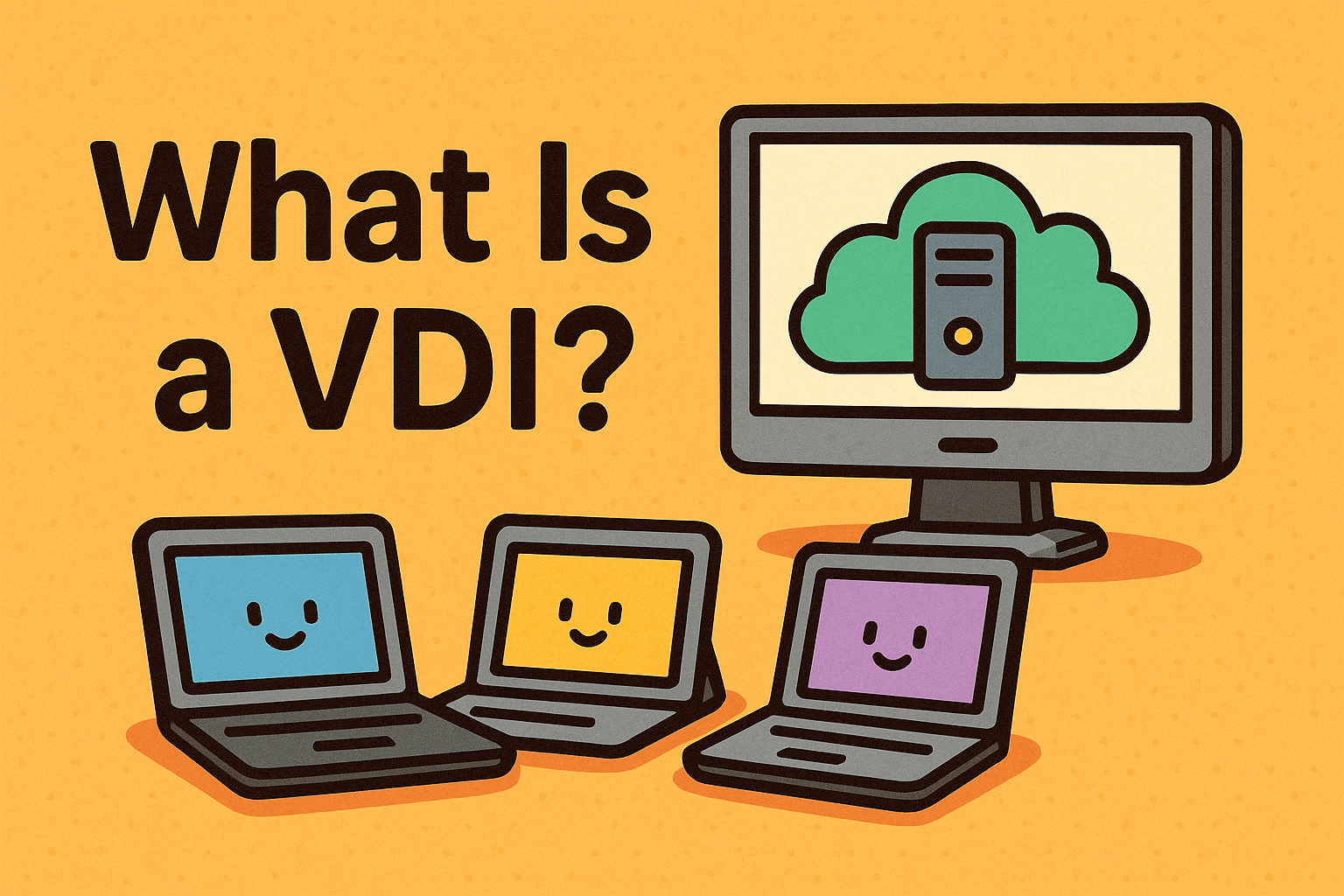
A VDI (Virtual Desktop Infrastructure) is a virtualization technology that delivers desktop environments through a central server. Instead of running the operating system and applications on a local machine, everything is hosted in a data center or cloud and streamed to the end user’s device.
Key Features of VDI:
-
Centralized desktop management
-
Remote access from any device (laptop, tablet, thin client)
-
High scalability for growing businesses
-
Enhanced security with centralized data storage
👉 In short, VDI gives employees access to a consistent desktop experience, no matter where they are.
How Does VDI Work?
To fully understand what is a VDI, it’s important to break down the process:
-
Centralized Server Setup: The organization’s desktops are created and hosted in a virtual environment on servers.
-
Hypervisor: A hypervisor manages and distributes these virtual desktops.
-
Connection Broker: This software authenticates users and directs them to their assigned desktops.
-
Endpoint Devices: Employees log in through thin clients, laptops, or mobile devices.
-
Virtual Session: The desktop appears on the user’s screen, but the processing happens on the server, not locally.
This architecture ensures greater control, better security, and resource optimization.
Types of VDI
There are two main types of VDI deployments:
1. Persistent VDI
-
Each user has their own desktop that saves settings and customizations.
-
Best for employees who need a personalized experience.
2. Non-Persistent VDI
-
Users access a generic desktop that resets after logout.
-
Ideal for environments like call centers, schools, or seasonal staff.
👉 Organizations often mix both types depending on user needs.
Benefits of VDI for Businesses
Adopting VDI brings significant advantages across industries.
1. Improved Security
Since data is stored in the data center (not on devices), risks of breaches, malware, or lost laptops are reduced.
2. Cost Savings
VDI allows the use of cheaper endpoints (thin clients), extending hardware lifecycles and lowering IT costs.
3. Remote Work Enablement
Employees can access desktops securely from anywhere, boosting productivity and flexibility.
4. Simplified Management
IT teams manage and update desktops centrally, reducing maintenance workload.
5. Scalability
Adding new users is easy—just deploy another virtual desktop.
Challenges of VDI
While powerful, VDI isn’t without challenges:
-
High Initial Setup Costs: Servers, software, and licenses can be costly.
-
Network Dependency: Performance depends on bandwidth and internet stability.
-
Complexity: Requires skilled IT teams to manage infrastructure.
👉 Businesses need to balance benefits and limitations before adopting VDI.
VDI vs. Traditional Desktops vs. DaaS
| Feature | VDI | Traditional Desktops | DaaS (Desktop as a Service) |
|---|---|---|---|
| Data Security | High | Low | High |
| Scalability | High | Low | Very High |
| Management | Centralized | Decentralized | Cloud-Managed |
| Cost Structure | CapEx + OpEx | CapEx heavy | Mostly OpEx (subscription) |
👉 While traditional desktops require on-site resources, VDI provides flexibility, and DaaS offers cloud-native convenience.
Real-World Use Cases of VDI
-
Healthcare: Doctors securely access patient records across locations.
-
Education: Universities provide virtual labs to students.
-
Finance: Banks protect sensitive data by keeping it off local devices.
-
Enterprise IT: Remote employees access corporate desktops securely.
Best Practices for VDI Deployment
For IT managers and cybersecurity leaders considering VDI, here are key strategies:
-
Assess Business Needs: Decide between persistent vs. non-persistent VDI.
-
Invest in Network Infrastructure: Ensure low latency and high bandwidth.
-
Implement Strong Authentication: Combine with MFA for better protection.
-
Plan for Scalability: Future-proof by choosing flexible architectures.
-
Monitor Performance: Continuously optimize for user experience.
The Future of VDI
The future of VDI is tied to cloud adoption and hybrid work models. Gartner predicts that by 2030, more than 70% of businesses will adopt some form of virtual desktop solution. Emerging technologies like AI-driven performance monitoring and zero-trust security will make VDI even more effective.
FAQs: What Is a VDI?
1. What does VDI stand for?
VDI stands for Virtual Desktop Infrastructure, a system for hosting desktop environments on centralized servers.
2. How is VDI different from DaaS?
VDI is usually on-premises or privately hosted, while DaaS (Desktop as a Service) is cloud-hosted by providers.
3. Is VDI secure?
Yes. Since data stays in the data center, VDI reduces the risks of data theft from endpoints.
4. Who should use VDI?
Businesses with remote workers, industries with sensitive data (healthcare, finance), and organizations seeking centralized IT management.
5. What are the drawbacks of VDI?
High upfront costs, dependence on reliable internet, and technical complexity.
Conclusion: Why VDI Matters for Modern Businesses
So, what is a VDI? It’s more than just a buzzword—it’s a strategic technology that empowers organizations with secure, scalable, and cost-effective desktop management.
For IT managers, cybersecurity leaders, and executives, VDI offers the perfect balance of productivity, security, and flexibility in a hybrid workforce era.
👉 Ready to strengthen your IT infrastructure? Request a Demo today and see how virtual desktop solutions can transform your business.