What Is Smishing in Cyber Security? 🚨
Updated on July 18, 2025, by Xcitium

Ever received a text asking you to “confirm your account” or “verify payment”? You might be facing smishing. In today’s digital age, knowing what is smishing in cyber security is critical. It’s a growing threat targeting mobile users, fooling them into clicking malicious links or sharing sensitive info. In this guide, we’ll explain smishing, compare it to phishing, share real examples, and give practical steps to protect yourself and your business.
📱 What Is Smishing in Cyber Security?
Smishing—short for SMS phishing—is a social engineering attack where fraudsters send deceptive text messages loaded with malicious links or attachments. The goal? Steal personal data, infect devices, or install malware. As SMS usage soars, smishing becomes a go-to method for cybercriminals.
🔍 Smishing vs Phishing: What’s the Difference?
Both scams rely on deception, but here’s how they differ:
| Feature | Smishing (SMS) | Phishing (Email/Web) |
| Channel | Text messages | Email, websites, ads |
| Speed | Immediate and direct | Varies; can use email chains |
| Trust Factor | Mobile devices seem secure | More filters and alerts |
Understanding this contrast helps reinforce trust in mobile alerts and teaches employees to verify requests, even via text.
📌 Real-World Smishing Examples
- Fake delivery alerts: “Your DHL package is delayed. Click here to reschedule.”
- Bank fraud alerts: “Unusual activity detected on your account. Verify now.”
- Government scams: “IRS refund available. Provide SSN to claim.”
These messages often include urgent calls to action to trick recipients into responding hastily.
🛡️ How to Prevent Smishing
Stopping smishing starts with awareness and smart habits:
- Never click unexpected links: Always go directly to the official app or website.
- Verify the sender: Official texts rarely come from random numbers.
- Avoid sharing personal info: Legit services don’t ask for passwords via SMS.
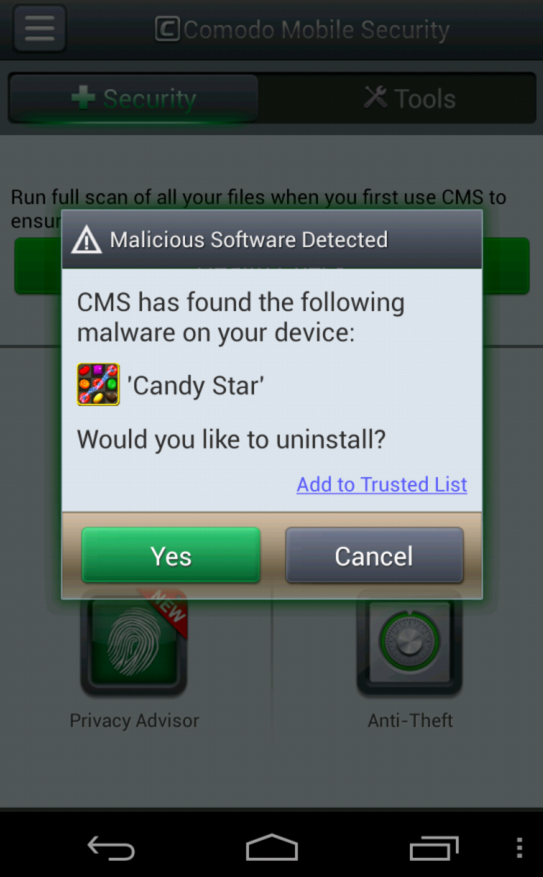
- Implement mobile security: Use app-based filters or antivirus tools.
- Train your team: Educate employees about real-world red flags.
🛠️ How to Respond to Smishing Attempts
If you suspect a smishing attempt:
- Don’t click links or reply.
- Block the number in your messaging app.
- Report messages to your provider (e.g., forward to 7726 in the U.S.).
- Check your accounts for unauthorized access.
- Enable 2FA wherever possible for added security.
🧭 The Bigger Picture: Smishing in a Mobile World
With mobile-first strategies dominating workplaces, protecting smartphones is essential. Mobile devices often have fewer security controls. Attackers exploit this gap. Businesses must update mobile security policies, enforce app vetting, and roll out employee training to reduce mobile vulnerabilities.
✅ Best Practices for Businesses
- Use mobile security tools: Mobile threat defense and spam-filter apps.
- Enforce device policies: Require screen locks, app updates, and mobile encryption.
- Phishing drills: Include simulated smishing campaigns to train users.
- Monitor mobile activity: Use MDM or endpoint detection to flag threats.
- Vendor vigilance: Only work with providers that comply with mobile security standards.
🔗 CTA: Secure Your Business from Smishing
Smishing evolves fast—but your defenses can be stronger. Protect your enterprise with proactive training, mobile security tools, and strategic policies.
👉 Ready to shield your organization? Request a demo now at Xcitium
🧩 FAQ
Q: What is smishing in cyber security?
A: It’s SMS-based phishing—hackers send deceptive text messages designed to steal personal info or infect devices.
Q: How does smishing vs phishing differ?
A: Smishing uses text, while phishing uses email or websites. Both rely on deception but target different channels.
Q: How to prevent smishing?
A: Don’t click unexpected links, verify senders, avoid giving out personal data via SMS, use mobile security apps, and train staff regularly.
Q: What is smishing and phishing examples?
A: Smishing: “Your bank needs to verify your account—click here!” Phishing: A spoofed email leading to a fake login page.
Q: How to respond to smishing?
A: Don’t engage, block and report the message, review your accounts, and enable two-factor authentication.