What Is svchost.exe? A Complete Guide for Windows and Security Teams
Updated on December 31, 2025, by Xcitium
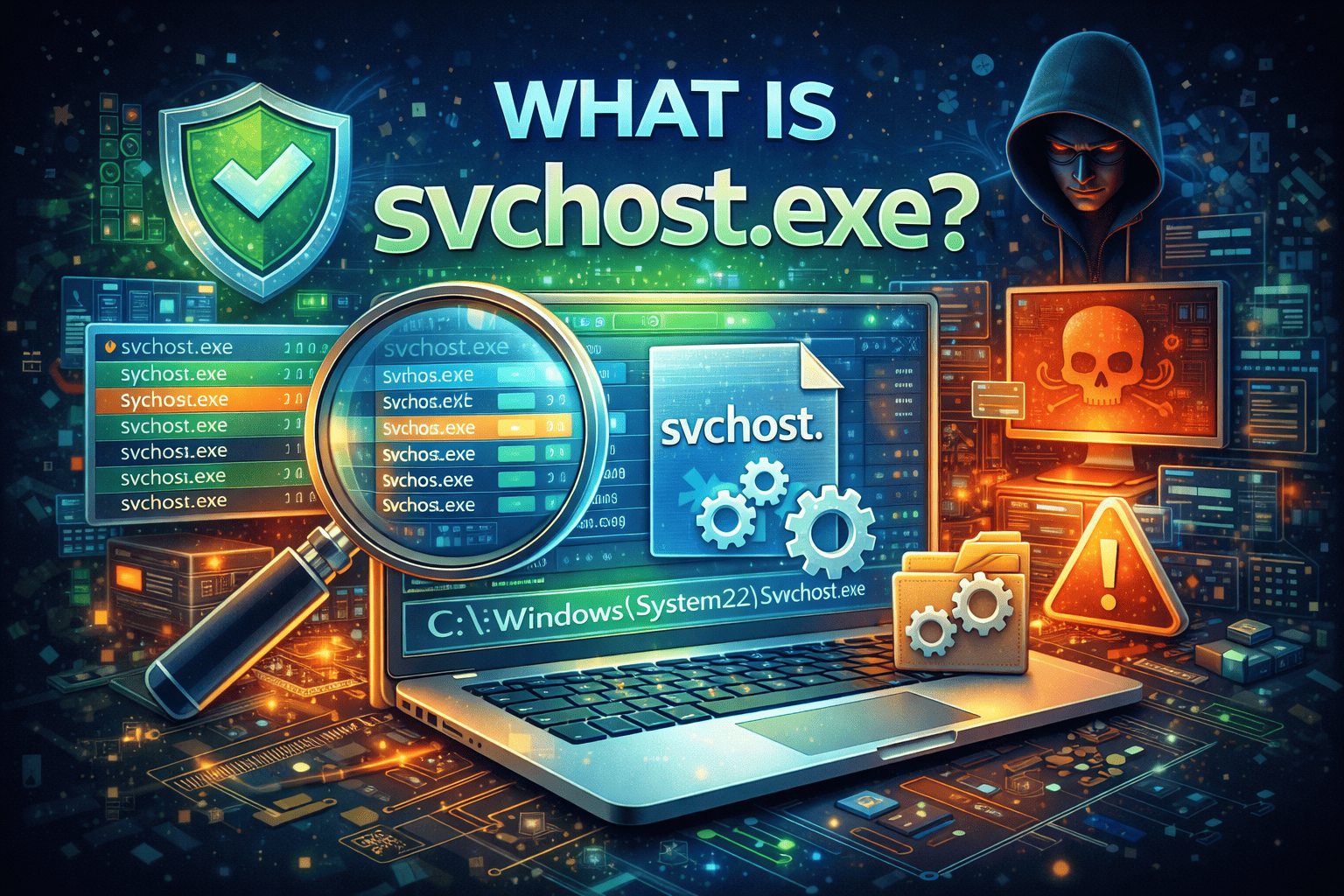
If you’ve ever opened Task Manager and seen multiple processes named svchost.exe, you’re not alone. Many users—especially IT managers and security teams—ask the same question: what is svchost.exe, and should I be worried about it?
svchost.exe is a critical Windows system process, but it is also frequently abused by malware. Understanding what is svchost.exe helps you distinguish normal Windows behavior from potential security threats. In this guide, we’ll explain what svchost.exe does, why it runs multiple times, when it’s legitimate, when it’s dangerous, and how to troubleshoot common issues.
What Is svchost.exe?
svchost.exe, short for Service Host, is a core Windows system process responsible for running multiple background services. Instead of each Windows service running as a separate executable, svchost.exe acts as a container that loads and manages services from dynamic-link libraries (DLLs).
In simple terms, svchost.exe helps Windows run efficiently by grouping services together. This design improves performance, stability, and resource management. Without svchost.exe, many essential Windows features would not function properly.
Why Does svchost.exe Run Multiple Times?
One of the most common questions after what is svchost.exe is why it appears multiple times in Task Manager.
Each instance of svchost.exe hosts a different group of services. Microsoft designed it this way to isolate services so that if one group fails, it does not crash the entire system.
Benefits of Multiple svchost.exe Instances
-
Improved system stability
-
Better security isolation
-
Easier troubleshooting
-
Reduced impact of service crashes
Seeing many svchost.exe processes is normal behavior in modern versions of Windows.
What Services Does svchost.exe Run?
svchost.exe can host dozens of Windows services, including:
-
Windows Update
-
Windows Defender services
-
Network services
-
Audio services
-
Background Intelligent Transfer Service (BITS)
-
DHCP and DNS services
Each svchost.exe instance may be running one or more of these services, depending on system configuration.
How svchost.exe Works in Modern Windows Versions
In older Windows versions, many services were grouped into a single svchost.exe process. This made troubleshooting difficult.
Modern Windows versions (Windows 10 and 11) run services more granularly. Each service—or small group of related services—may have its own svchost.exe process. This change improves transparency and security.
So when asking what is svchost.exe, it’s important to understand that its behavior has evolved over time.
Is svchost.exe a Virus?
This is one of the most critical questions surrounding what is svchost.exe.
Legitimate svchost.exe
-
Located in
C:\Windows\System32 -
Digitally signed by Microsoft
-
Runs Windows services
Malicious svchost.exe
-
Located outside System32
-
Uses high CPU or memory unexpectedly
-
Attempts network connections
-
Disables security tools
Attackers often disguise malware as svchost.exe because users expect to see it running.
How to Check If svchost.exe Is Legitimate
To verify whether svchost.exe is safe, follow these steps:
Step 1: Check File Location
-
Open Task Manager
-
Right-click svchost.exe
-
Select Open file location
Legitimate svchost.exe must be located in:
Any other location is suspicious.
Step 2: Check Digital Signature
-
Right-click the file
-
Go to Properties
-
Check the Digital Signatures tab
It should be signed by Microsoft Windows.
Step 3: Analyze Resource Usage
svchost.exe normally uses minimal resources. Persistent high CPU or memory usage may indicate:
-
Windows Update issues
-
Service errors
-
Malware activity
Why Does svchost.exe Use High CPU or Memory?
High resource usage is one of the main reasons users research what is svchost.exe.
Common Legitimate Causes
-
Windows Update running in the background
-
Network discovery services
-
Windows Defender scans
-
Corrupt system files
Potential Security-Related Causes
-
Malware masquerading as svchost.exe
-
Cryptomining malware
-
Command-and-control communication
High usage should always be investigated.
How to Identify Which Service svchost.exe Is Running
Windows allows you to see exactly which services are tied to each svchost.exe instance.
How to Check
-
Open Task Manager
-
Expand the svchost.exe process
-
View the listed services
This visibility helps IT teams diagnose performance and security issues faster.
svchost.exe and Network Activity
svchost.exe often communicates over the network because it runs networking services.
Normal Network Behavior
-
Windows Update downloads
-
DNS lookups
-
DHCP communication
Suspicious Network Behavior
-
Connections to unknown IPs
-
Unusual outbound traffic
-
Communication at odd hours
Monitoring svchost.exe network activity is a key security practice.
svchost.exe as an Attack Vector
Understanding what is svchost.exe also means understanding how attackers abuse it.
Common Attack Techniques
-
Process injection
-
DLL hijacking
-
Masquerading as a legitimate service
-
Living-off-the-land attacks
Because svchost.exe is trusted, attackers use it to evade detection.
How Security Teams Monitor svchost.exe
Modern cybersecurity tools monitor svchost.exe behavior rather than blocking it outright.
Key Monitoring Techniques
-
Behavioral analysis
-
Process lineage tracking
-
Network traffic inspection
-
Memory analysis
Security teams look for abnormal behavior, not just file names.
Should You Disable svchost.exe?
No. svchost.exe should never be disabled.
Disabling it can:
-
Break Windows functionality
-
Disable networking
-
Prevent updates
-
Cause system instability
If svchost.exe is causing issues, the underlying service—not svchost.exe itself—must be addressed.
Best Practices for Managing svchost.exe Risks
To reduce security risk while maintaining system stability:
Recommended Best Practices
-
Keep Windows fully updated
-
Use reputable endpoint security tools
-
Monitor process behavior
-
Restrict admin privileges
-
Conduct regular system scans
These steps help distinguish legitimate activity from threats.
svchost.exe in Enterprise Environments
In enterprise environments, svchost.exe appears on every Windows endpoint and server.
Why It Matters for IT Leaders
-
Common target for attackers
-
Can hide advanced threats
-
Impacts performance at scale
-
Requires proper monitoring
Understanding what is svchost.exe is essential for endpoint security strategies.
svchost.exe and Zero Trust Security
Zero Trust security assumes no process is trusted by default—even svchost.exe.
Zero Trust Principles Applied
-
Verify behavior continuously
-
Limit permissions
-
Monitor lateral movement
-
Detect anomalies in real time
Zero Trust reduces the risk of svchost.exe abuse.
Common Myths About svchost.exe
Myth 1: svchost.exe Is Always Malware
False. It is a legitimate Windows process.
Myth 2: Multiple svchost.exe Processes Mean Infection
False. Multiple instances are normal.
Myth 3: Killing svchost.exe Fixes Issues
False. It often causes system instability.
Education helps prevent unnecessary panic and mistakes.
How to Respond to Suspicious svchost.exe Activity
If svchost.exe appears malicious:
-
Isolate the affected endpoint
-
Run a full security scan
-
Check file integrity
-
Review network logs
-
Investigate persistence mechanisms
Fast response reduces potential damage.
The Future of svchost.exe Security
As Windows evolves, svchost.exe will continue to play a key role.
Future Trends
-
More granular service isolation
-
Enhanced telemetry
-
Better visibility for security tools
-
AI-based anomaly detection
Security will focus more on behavior than process names.
Frequently Asked Questions (FAQs)
1. What is svchost.exe in Windows?
svchost.exe is a Windows system process that hosts and runs background services.
2. Why are there so many svchost.exe processes?
Each instance runs different services to improve stability and security.
3. Can svchost.exe be malware?
Yes, attackers sometimes disguise malware as svchost.exe, especially if it runs outside System32.
4. Is it safe to end svchost.exe?
No. Ending svchost.exe can crash services and disrupt Windows functionality.
5. How can I protect against svchost.exe abuse?
Use endpoint detection tools, monitor behavior, and apply Zero Trust principles.
Final Thoughts: Why Understanding What Is svchost.exe Matters
svchost.exe is both essential and powerful. Knowing what is svchost.exe helps organizations avoid false alarms while detecting real threats hiding in plain sight. For IT managers and security leaders, this understanding is critical to protecting Windows environments without disrupting operations.
See Hidden Threats Before They Escalate
Attackers often hide behind legitimate processes like svchost.exe. To gain real-time visibility, detect abnormal behavior, and stop threats early:
👉 See how Xcitium helps uncover hidden attacks
Request a Demo