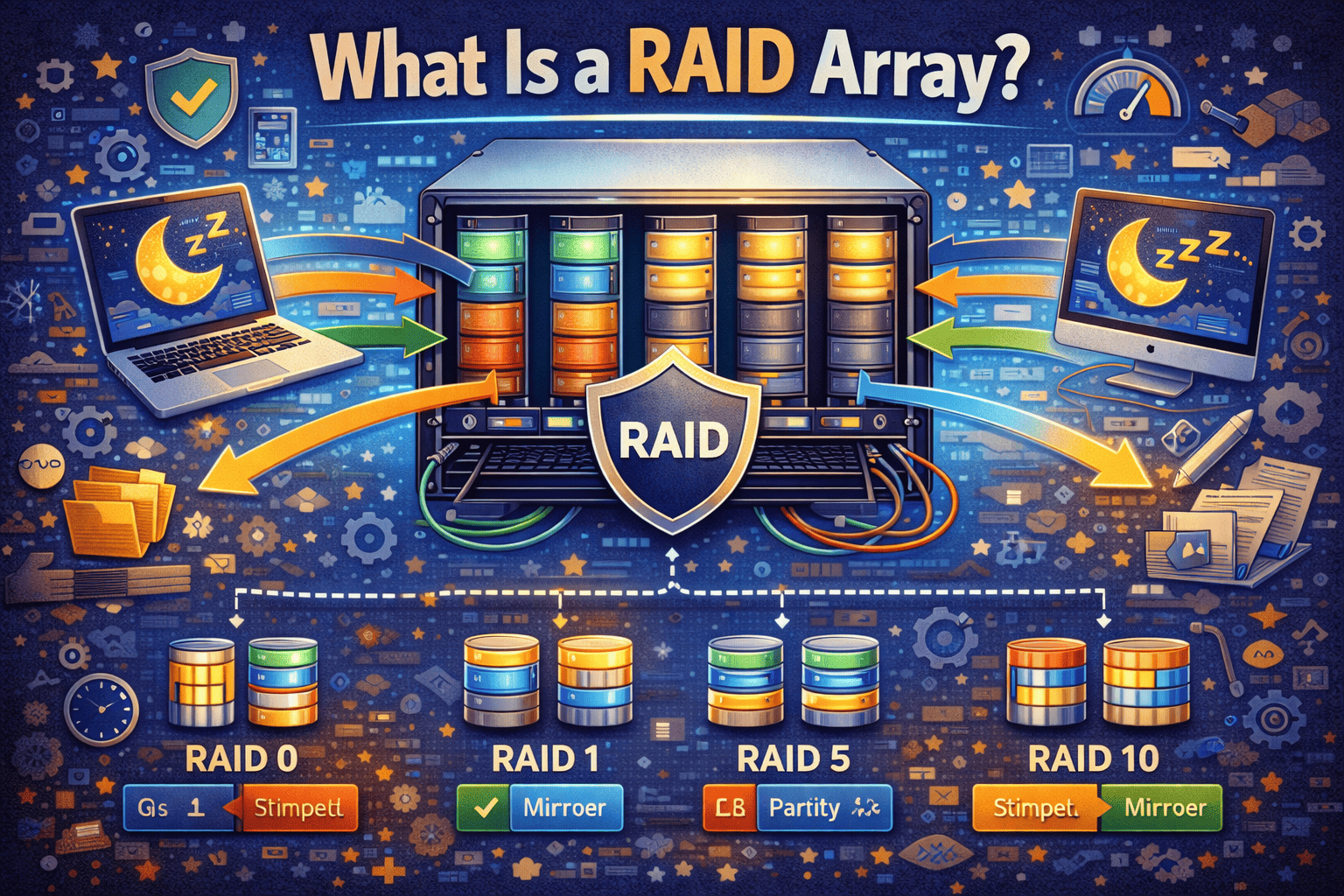
What Is a RAID Array? A Complete Guide for Data Protection and Performance
Updated on February 10, 2026, by Xcitium
Data loss is one of the most expensive and disruptive problems an organization can face. Whether it’s caused by hardware failure, cyberattacks, or human error, losing critical data can halt operations and damage trust. That’s why many IT teams ask an essential question: what is a RAID array, and how does it help protect data?
A RAID array is a foundational technology used in servers, storage systems, and enterprise environments to improve performance, reliability, or both. While RAID is not a replacement for backups, it plays a critical role in data availability and system resilience.
In this guide, we’ll explain what a RAID array is, how it works, different RAID levels, benefits and limitations, cybersecurity considerations, and best practices for modern IT environments.
What Is a RAID Array?
A RAID array is a storage configuration that combines multiple physical hard drives into a single logical unit to improve data performance, redundancy, or both.
RAID stands for Redundant Array of Independent Disks. Instead of relying on one drive, RAID spreads data across multiple disks using specific methods called RAID levels.
In simple terms:
-
RAID uses multiple drives
-
Data is distributed in a controlled way
-
The system appears as one storage unit
This approach helps protect against hardware failure and improve system efficiency.
Why RAID Arrays Are Important
Understanding what is a RAID array starts with understanding why organizations use them.
Key reasons RAID arrays are used:
-
Reduce downtime caused by disk failure
-
Improve read and write performance
-
Increase data availability
-
Support mission-critical workloads
For businesses, uptime and data access are just as important as data security.
How Does a RAID Array Work?
A RAID array works by distributing data across multiple drives in different ways depending on the RAID level.
Core RAID techniques include:
-
Striping – Splits data across disks for speed
-
Mirroring – Copies data across disks for redundancy
-
Parity – Stores calculated data to rebuild lost information
Different RAID levels use one or more of these techniques.
Types of RAID Arrays: Hardware vs Software RAID
Before choosing a RAID configuration, it’s important to understand implementation types.
Hardware RAID
Hardware RAID uses a dedicated controller to manage the array.
Advantages:
-
Better performance
-
Less load on the CPU
-
More reliable for enterprise use
Disadvantages:
-
Higher cost
-
Hardware dependency
Software RAID
Software RAID is managed by the operating system.
Advantages:
-
Lower cost
-
Flexible configuration
-
No specialized hardware required
Disadvantages:
-
Uses system resources
-
Performance depends on OS
Both approaches are widely used depending on environment needs.
Common RAID Levels Explained
To fully answer what is a RAID array, you must understand RAID levels.
RAID 0 – Performance Only
How it works:
-
Data is striped across disks
-
No redundancy
Pros:
-
Maximum performance
-
Full storage utilization
Cons:
-
No fault tolerance
-
One drive failure = total data loss
RAID 0 is fast but risky.
RAID 1 – Mirroring for Redundancy
How it works:
-
Data is mirrored across two disks
Pros:
-
High data protection
-
Easy recovery
Cons:
-
Uses 50% of total storage
RAID 1 is common in systems where availability matters.
RAID 5 – Balanced Performance and Protection
How it works:
-
Data and parity distributed across drives
-
Requires at least three disks
Pros:
-
Fault tolerance
-
Efficient storage usage
Cons:
-
Slower writes
-
Longer rebuild times
RAID 5 is widely used but less favored for large drives today.
RAID 6 – Enhanced Fault Tolerance
How it works:
-
Similar to RAID 5 but with dual parity
Pros:
-
Can survive two drive failures
-
Good for large arrays
Cons:
-
Slower write performance
-
More complex
RAID 6 is common in enterprise storage systems.
RAID 10 – Performance and Redundancy
How it works:
-
Combines RAID 1 and RAID 0
-
Requires at least four disks
Pros:
-
Excellent performance
-
Strong redundancy
Cons:
-
Higher cost
-
Reduced usable capacity
RAID 10 is ideal for databases and critical workloads.
RAID Array Use Cases in Modern IT
Understanding what is a RAID array also means knowing where it’s used.
Common use cases:
-
Servers and data centers
-
Network-attached storage (NAS)
-
Database systems
-
Virtualization platforms
-
High-performance applications
RAID ensures systems stay operational even during hardware failures.
RAID Array vs Backup: Understanding the Difference
One of the most common misconceptions is that RAID replaces backups.
RAID:
-
Protects against disk failure
-
Maintains availability
-
Does not protect against deletion or ransomware
Backup:
-
Protects against data loss
-
Enables recovery from many scenarios
-
Does not guarantee uptime
RAID and backup serve different but complementary purposes.
RAID Arrays and Cybersecurity
From a cybersecurity perspective, what is a RAID array goes beyond performance.
Security considerations:
-
RAID does not prevent cyberattacks
-
Ransomware affects RAID volumes
-
Data corruption is mirrored across disks
RAID improves availability—not security.
RAID and Ransomware Risks
RAID arrays can actually worsen ransomware impact.
Why:
-
Encrypted data is written to all disks
-
Parity data becomes useless
-
Recovery requires clean backups
Security controls must be layered on top of RAID.
RAID Arrays in Compliance and Governance
Regulated industries often rely on RAID.
Compliance benefits:
-
Improved availability
-
Reduced downtime
-
Support for business continuity
However, compliance still requires encryption, monitoring, and backups.
Performance Considerations When Using RAID
RAID performance depends on configuration.
Factors affecting performance:
-
RAID level
-
Disk type (HDD vs SSD)
-
Controller quality
-
Workload type
Choosing the wrong RAID level can bottleneck systems.
RAID Arrays and Cloud Environments
Cloud platforms abstract RAID details.
Cloud considerations:
-
Providers manage underlying RAID
-
Users focus on redundancy at higher levels
-
Shared responsibility still applies
Even in the cloud, understanding RAID concepts is valuable.
Common RAID Array Mistakes
Many organizations misuse RAID.
Common mistakes:
-
Assuming RAID equals backup
-
Choosing outdated RAID levels
-
Ignoring rebuild risks
-
Mixing disk types
Proper planning prevents these issues.
Best Practices for RAID Array Deployment
To get the most from a RAID array, follow best practices.
Recommended best practices:
-
Choose RAID level based on workload
-
Use identical disks
-
Monitor disk health
-
Maintain verified backups
-
Test recovery procedures
RAID is strongest when combined with good operational discipline.
RAID Rebuilds: Risks and Considerations
Rebuilding a RAID array is stressful.
Rebuild risks include:
-
Performance degradation
-
Second disk failure
-
Extended rebuild times
Modern large disks increase rebuild risk, making RAID selection critical.
RAID Arrays for Small vs Large Organizations
RAID use varies by organization size.
Small businesses:
-
Simple RAID 1 or RAID 10
-
Focus on affordability and reliability
Enterprises:
-
RAID 6 or RAID 10
-
Advanced monitoring and automation
Scale changes the risk profile.
Future of RAID Technology
RAID continues to evolve.
Emerging trends:
-
SSD-optimized RAID
-
Software-defined storage
-
Cloud-integrated redundancy
-
Enhanced error correction
RAID remains relevant despite new storage technologies.
FAQs: What Is a RAID Array?
1. What is a RAID array used for?
A RAID array improves performance, reliability, or both by using multiple disks together.
2. Is RAID the same as backup?
No. RAID protects against hardware failure, not data loss events.
3. Which RAID level is best?
It depends on performance, redundancy, and budget needs.
4. Can RAID protect against ransomware?
No. Backups and security controls are still required.
5. Do SSDs need RAID?
Yes, RAID can improve performance and availability even with SSDs.
Final Thoughts: Is a RAID Array Still Worth It?
Understanding what is a RAID array helps organizations build resilient, high-performing storage systems. While RAID is not a complete data protection solution, it remains a critical layer in modern IT infrastructure.
When implemented correctly, RAID:
-
Improves uptime
-
Reduces hardware failure impact
-
Supports business continuity
Combined with backups and security tools, RAID arrays remain a smart investment.
Take the Next Step Toward Better Data Visibility and Protection
Want deeper insight into storage risks, data availability, and system resilience across your environment?
👉 Request a demo today:
https://www.xcitium.com/request-demo/
Discover how advanced security and visibility solutions help organizations protect data, detect threats, and maintain operational continuity.