What Is DHCP? Understanding the Dynamic Host Configuration Protocol
Updated on August 5, 2025, by Xcitium
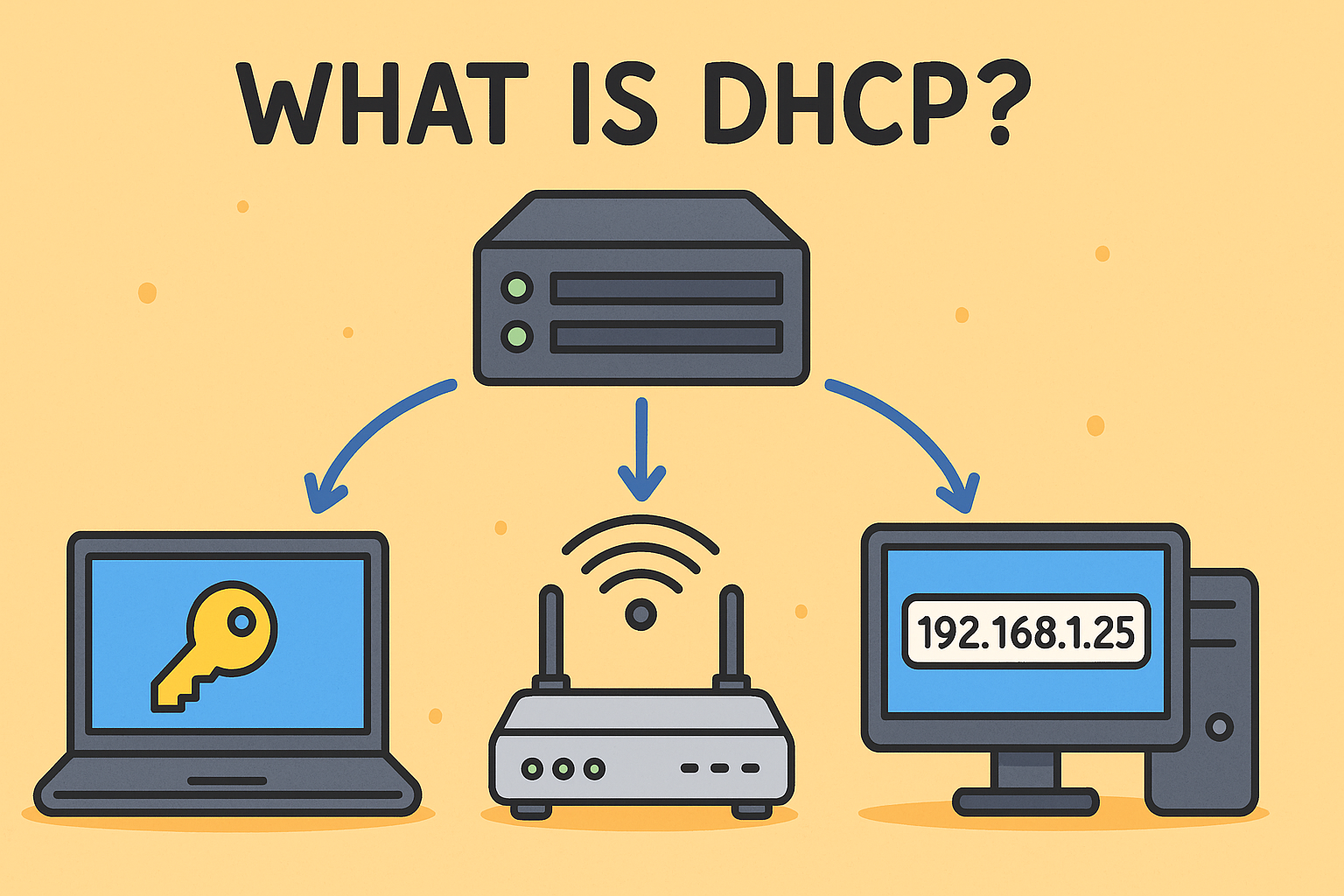
Ever asked what is DHCP and why it matters for both connectivity and cybersecurity? DHCP—short for Dynamic Host Configuration Protocol—automates IP addresses and key network settings for devices. Instead of assigning IPs manually, DHCP handles everything—from IP allocation to DNS servers—instantly. This technology keeps networks efficient but introduces critical security considerations that IT managers and CISOs must understand.
What Is DHCP?
DHCP stands for Dynamic Host Configuration Protocol. It’s a client-server protocol that automatically assigns IP addresses and network settings (like subnet mask, default gateway, DNS servers) to devices joining a TCP/IP network. DHCP operates in both IPv4 (DHCPv4) and IPv6 (DHCPv6) environments to facilitate dynamic network configuration.
Why DHCP Matters
- Automates Network Setup: Eliminates manual IP configuration across devices, reducing administrative overhead.
- Efficient IP Utilization: Recycles unused addresses via dynamic leasing, enabling flexibility in large networks.
- Scalability: Ideal for expanding environments—from small offices to campus or ISP networks—especially when combined with DHCP relay agents .
How DHCP Works: The DORA Process
DHCP uses a four-step exchange often called DORA:
- Discovery (DHCPDISCOVER): Client broadcasts request for IP.
- Offer (DHCPOFFER): Server assigns available IP and configuration.
- Request (DHCPREQUEST): Client requests offered configuration.
- Acknowledgment (DHCPACK): Server confirms lease and settings.
Clients periodically renew leases and DHCP servers manage lease expirations to reclaim unused IP addresses.
Core Components of DHCP
- DHCP Server: Manages IP pool and configuration options.
- DHCP Client: Any device requesting network settings (phones, PCs, printers).
- DHCP Relay Agent: For multi‑subnet networks, forwards client messages to central servers.
Security Risks & Vulnerabilities
DHCP’s open nature exposes it to several threats:
- Rogue DHCP Servers: Unauthorized servers issue incorrect network settings, enabling traffic interception or denial of service.
- DHCP Spoofing & Starvation: Malicious clients flood requests, depleting the IP pool or tricking devices into rogue DNS/gateway assignments .
- No Authentication: DHCP has no built‑in client/server authentication, allowing attackers to exploit IP assignment protocols.
Securing DHCP: Best Practices
Network integrity relies on strong DHCP safeguards:
- Enable DHCP Snooping: Switch-level feature that blocks rogue servers and constructs binding databases for IP-MAC tracking.
- Implement IP Source Guard & ARP Inspection: Ensures devices can only use assigned IP addresses; prevents ARP spoofing using DHCP snooping data.
- Strict Access Control: Limit DHCP server configuration access and conduct regular audits of settings.
- Monitor DHCP Logs: Analyze for anomalies like duplicate offers or excessive leasing requests to detect misuse.
Practical Use Cases in IT & Cybersecurity
Enterprise Deployments
Serves expanding device counts effortlessly by automating network provisioning and enabling centralized control in hybrid environments.
Cybersecurity Integration
Use DHCP logs for device inventory, detect rogue clients, and support integration into risk frameworks and compliance (e.g. for SOC 2 or HIPAA standards).
Challenges & Limitations
- No Native Security: Lacks built-in authentication, requiring supplemental features like snooping and source guard.
- Misconfiguration Risk: Rogue servers, pool mismanagement, or incorrect scope settings can disrupt networks.
- Resource Exploits: Attackers leveraging DHCP starvation can cause denial-of-service downtime.
Enhancing DHCP with Modern Tools
Today’s platforms integrate DHCP within a broader DDI (DNS, DHCP, IPAM) framework for centralized control and automated threat detection. Security platforms also layer anomaly detection and audit automation on top of DHCP logs.
Actionable Tips for IT Leaders
- Regularly audit your DHCP infrastructure and disable unused ports.
- Enforce DHCP snooping and port security policies.
- Maintain DHCP lease pools carefully and monitor usage patterns.
- Train network teams on DHCP-related security protocols and incident escalation.
Conclusion
Understanding what is DHCP helps demystify the foundation of network connectivity—while highlighting critical security responsibilities. As networks grow, so does the need for secure automation, threat visibility, and compliance alignment.
Call to Action
Looking for advanced visibility and compliance wrapping DHCP infrastructure into your cybersecurity strategy?
👉 Request a Free Demo from Xcitium to explore integrated IP tracking, DHCP threat analytics, and network configuration audit automation.
FAQ
Q1: What does DHCP stand for?
Dynamic Host Configuration Protocol, a core network service that automates IP assignment and related configuration .
Q2: Can rogue DHCP servers be prevented?
Yes—by enabling DHCP snooping and source guard on network switches to detect and block unauthorized servers.
Q3: What happens if DHCP fails?
A device may fallback to a 169.x.x.x private IP (APIPA), which prevents internet connectivity until DHCP is restored.
Q4: Should large networks use DHCP relay agents?
Yes—DHCP relay supports centralized configuration across subnets, improving scalability and management.
Q5: How often should DHCP configurations be audited?
Frequent audits—quarterly or monthly depending on network size—help detect rogue leases, misconfigurations, and suspicious request patterns.