What is Social Engineering in Cyber Security? Understanding the Human Attack Vector
Updated on July 2, 2025, by Xcitium
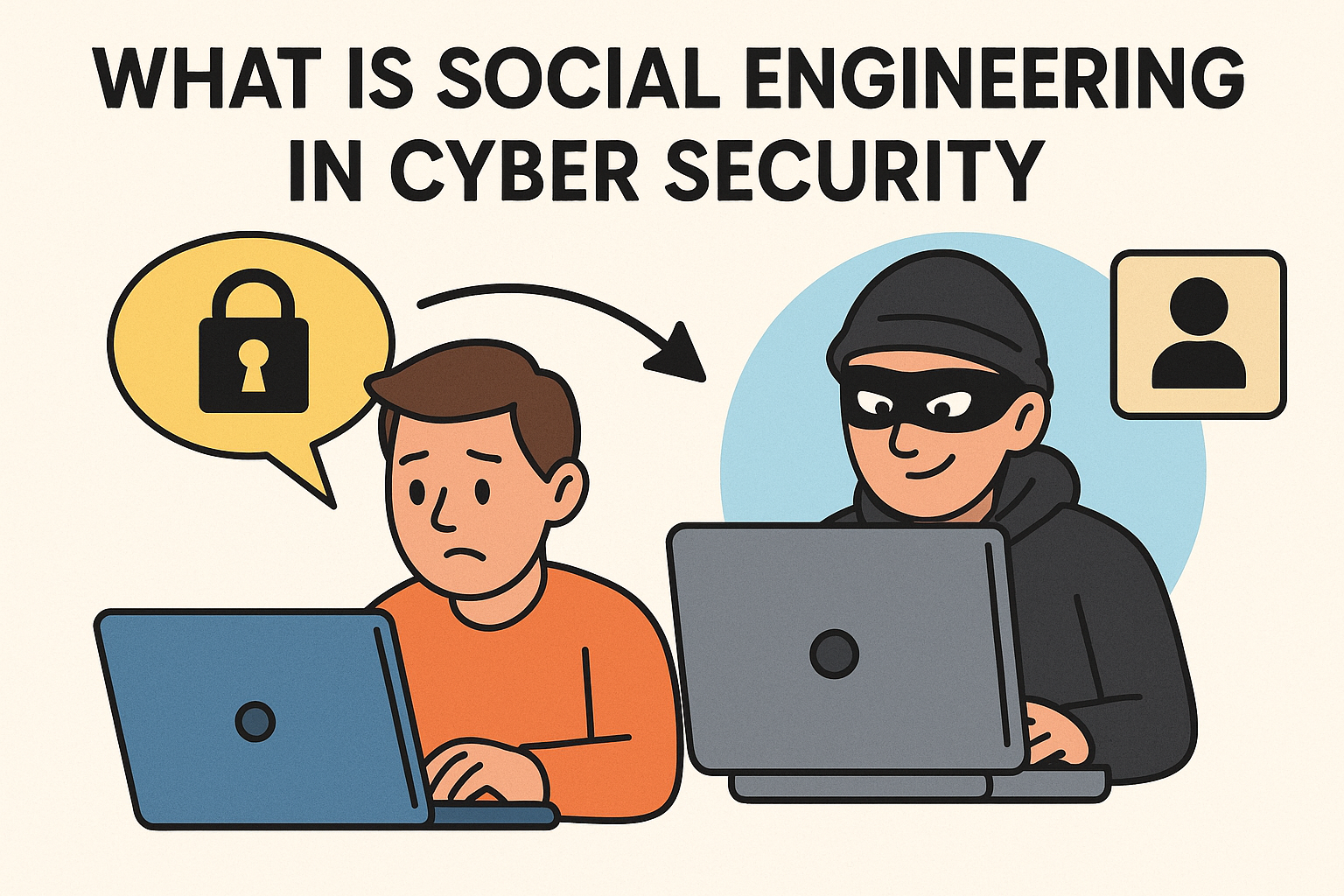
When most people think of cyber threats, they picture malicious code, viruses, or ransomware. But what if the biggest threat to your organization’s data wasn’t a piece of software—but a conversation?
If you’re wondering what is social engineering in cyber security, the answer is both simple and terrifying: it’s the manipulation of human behavior to breach security systems. In many attacks, humans—not firewalls—are the weakest link.
What is Social Engineering in Cyber Security?
Social engineering in cyber security refers to the psychological manipulation of individuals into performing actions or divulging confidential information. It is often the first phase of a larger cyberattack—used to gain access, install malware, or steal data.
Unlike traditional hacking, social engineering bypasses technology altogether and instead targets human emotion: curiosity, fear, urgency, or trust.
How Cyber Attackers Use Social Engineering
Attackers typically rely on impersonation, manipulation, or deception to gain access to systems. Here’s how they exploit trust:
- Impersonate IT or HR staff to extract login credentials.
- Send phishing emails with malicious links or attachments.
- Pose as executives via Business Email Compromise (BEC).
- Use pretexting to fabricate false scenarios requiring urgent action.
Cyber attackers use social engineering to create a false sense of credibility, tricking even well-trained users into compromising security.
Social Engineering in Cyber Security Examples
Let’s explore real-world and hypothetical scenarios:
1. Phishing Emails
An employee receives an email from what appears to be their bank asking them to “verify unusual activity” by clicking a link. This is a classic phishing scam.
2. Tailgating
An attacker follows an employee into a secure building by pretending to have forgotten their badge—relying on courtesy and trust.
3. Baiting
A USB labeled “Confidential Salary Info” is left in the office parking lot. An employee plugs it in, unknowingly launching malware.
4. CEO Fraud
A cybercriminal impersonates the CEO via email and asks the finance department to urgently wire funds to a vendor—only the vendor is the attacker.
Social Engineering vs Phishing: Are They the Same?
While phishing is the most common form of social engineering, not all social engineering is phishing. Here’s how they differ:
| Category | Social Engineering | Phishing |
| Definition | Broad manipulation tactic | Email-based scam |
| Medium | Phone, email, face-to-face | Mainly email |
| Examples | Baiting, pretexting | Malicious links/attachments |
| Objective | Trust-based manipulation | Credential theft or malware |
Think of phishing as a tool under the social engineering umbrella.
Types of Social Engineering Attacks
Here are some primary attack types:
- Phishing – Fake emails/websites to steal information.
- Vishing – Voice calls pretending to be from authorities.
- Smishing – SMS texts designed to trick recipients.
- Baiting – Physical or digital lures like infected USBs.
- Pretexting – Fake scenarios used to gain trust.
Social Engineering Examples in History
These incidents show just how devastating social engineering can be:
- Target Data Breach (2013): Attackers used phishing to access HVAC contractor credentials, leading to the theft of 40 million credit cards.
- Twitter Hack (2020): Attackers socially engineered employees into giving access to internal systems—used to promote a Bitcoin scam.
- RSA Security (2011): A malicious Excel file was opened after a well-crafted phishing email—compromising their SecureID infrastructure.
Social Engineering in Computer and Network Environments
In modern IT systems, social engineering is particularly dangerous because:
- It bypasses technical safeguards like firewalls and antivirus.
- It enables access to privileged systems via human error.
- It often triggers the initial compromise in multi-stage attacks.
Once inside, attackers can escalate privileges, install malware, or exfiltrate sensitive data.
How to Prevent Social Engineering
Here’s how organizations can guard against these attacks:
1. Train Employees
- Conduct regular cybersecurity awareness training.
- Simulate phishing attacks to test employee response.
2. Implement Multi-Factor Authentication (MFA)
- Even if credentials are compromised, MFA can stop access.
3. Verify Requests Manually
- Especially for financial or data-related tasks.
4. Use Security Tools
- Email filters, endpoint protection, and anti-phishing tools.
5. Foster a Security-First Culture
- Make it easy and acceptable for employees to question odd requests.
Social Engineering Attacks Are Best Identified By…
- Unexpected urgency (e.g., “transfer funds now!”)
- Requests for sensitive information (passwords, SSNs)
- Unusual sender addresses or grammar issues
- Generic greetings (e.g., “Dear User”)
- Lack of context or vague threats
Teach users to pause, question, and verify—these red flags can save your business.
Protecting Your Organization from the Inside Out
Social engineering is a growing threat because it’s low-tech, scalable, and highly effective. Even the best cybersecurity stack can crumble when one employee is tricked.
🛡️ Ready to train your team, implement strong defenses, and audit your security posture?
👉 Request your Xcitium demo today to strengthen your frontline against manipulation.
FAQ: Social Engineering in Cyber Security
1. What is the main goal of social engineering?
To manipulate users into giving up confidential information or performing actions that compromise security.
2. How do I recognize a social engineering attempt?
Look for urgent requests, suspicious links, or vague messages requesting sensitive information.
3. Can social engineering happen offline?
Yes. Tactics like tailgating or pretext phone calls are common forms of offline social engineering.
4. Is phishing the same as social engineering?
Phishing is a type of social engineering. Social engineering includes many forms beyond phishing, like baiting and pretexting.
5. What should I do if I fall victim?
Report it immediately to your IT or security team. The quicker it’s addressed, the lower the potential damage.