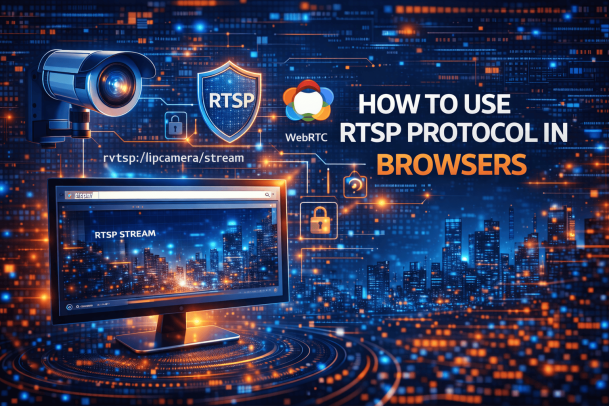
Have you ever tried opening an RTSP camera stream directly in your browser—only to hit a wall? You’re not alone. Understanding how to use RTSP protocol in browsers is a common challenge for IT teams, security professionals, and business leaders working with IP cameras and live video feeds.
RTSP (Real-Time Streaming Protocol) powers countless surveillance systems, yet modern browsers don’t support it natively. In this guide, we’ll break down how to use RTSP protocol in browsers, why it’s tricky, and what secure, scalable solutions actually work in real-world environments.
What Is RTSP Protocol and Why It Matters
RTSP (Real-Time Streaming Protocol) is a network protocol used to control streaming media servers. It’s widely used for:
-
IP cameras
-
CCTV systems
-
Video surveillance platforms
-
Live media streaming in controlled environments
When learning how to use RTSP protocol in browsers, it’s important to understand that RTSP doesn’t deliver video directly. Instead, it manages commands like play, pause, and record, while the media itself often travels via RTP.
Why RTSP Is Still Widely Used
-
Low latency streaming
-
Real-time camera control
-
Reliable for private networks
-
Industry standard for surveillance
Despite these strengths, RTSP clashes with modern browser security models.
Why Browsers Don’t Support RTSP Natively
One of the biggest obstacles in learning how to use RTSP protocol in browsers is that browsers like Chrome, Edge, Safari, and Firefox don’t support RTSP streams out of the box.
Key Reasons
-
Browsers prioritize HTTP/HTTPS protocols
-
RTSP lacks built-in encryption standards
-
Security sandboxing blocks raw socket access
-
Deprecated browser plugins (like NPAPI)
As browsers evolved, older RTSP plugins were removed to reduce security risks—especially important for enterprise environments.
Common Use Cases for RTSP in Browsers
Understanding how to use RTSP protocol in browsers starts with knowing why people want to do it.
Typical Scenarios
-
Viewing IP camera feeds remotely
-
Monitoring security systems via web dashboards
-
Integrating surveillance feeds into web apps
-
Centralized monitoring for IT and SOC teams
For CEOs and IT managers, browser-based access means faster decision-making and easier deployment—without installing client software.
Method 1: Using Media Players to Open RTSP Streams
The most basic workaround for how to use RTSP protocol in browsers involves external media players.
Popular Options
-
VLC Media Player
-
QuickTime (limited support)
-
GStreamer-based players
How It Works
-
Copy the RTSP stream URL
-
Open it in the media player
-
View the live feed locally
Pros
-
Simple setup
-
Works with most RTSP cameras
Cons
-
Not browser-based
-
No centralized access
-
Poor scalability for teams
This method is useful for testing—but not ideal for business environments.
Method 2: RTSP to HTTP/HTTPS Conversion
One of the most common approaches to how to use RTSP protocol in browsers is converting RTSP streams into browser-friendly formats.
How RTSP to HTTP Conversion Works
-
RTSP feed is ingested by a media server
-
Server transcodes the stream
-
Output is delivered via HTTP/HTTPS
Common Formats
-
HLS (HTTP Live Streaming)
-
MPEG-DASH
Advantages
-
Works in all modern browsers
-
No plugins required
-
Easier firewall traversal
Limitations
-
Increased latency
-
Higher CPU usage
-
Scaling challenges at high camera counts
For surveillance review, this may be acceptable. For real-time monitoring, latency can be a deal-breaker.
Method 3: Using RTSP Over WebRTC (Best Modern Option)
If you’re serious about how to use RTSP protocol in browsers, WebRTC is the most future-proof solution.
What Is WebRTC?
WebRTC is a real-time communication technology supported natively by browsers. It enables low-latency video, audio, and data streaming.
How RTSP to WebRTC Works
-
RTSP camera feed is captured
-
Stream is converted to WebRTC
-
Browser receives real-time video securely
Key Benefits
-
Ultra-low latency
-
Native browser support
-
Encrypted transport
-
Scalable for enterprises
For IT managers and security teams, RTSP over WebRTC delivers the best balance of performance and usability.
Security Considerations When Using RTSP in Browsers
When learning how to use RTSP protocol in browsers, security must be a top priority.
Common Security Risks
-
Unencrypted RTSP streams
-
Exposed camera credentials
-
Open network ports
-
Man-in-the-middle attacks
Best Practices
-
Always use HTTPS-based delivery
-
Implement strong authentication
-
Segment camera networks
-
Monitor access logs
Security leaders should treat camera streams as critical infrastructure, not just video feeds.
RTSP Streaming for Enterprises and IT Teams
For organizations, how to use RTSP protocol in browsers isn’t just a technical question—it’s an operational one.
Enterprise Requirements
-
Centralized management
-
Role-based access control
-
Audit logging
-
Cloud and on-prem compatibility
A scalable solution allows teams to monitor hundreds or thousands of streams without performance or security compromises.
RTSP Protocol vs HTTP Streaming: Key Differences
| Feature | RTSP | HTTP Streaming |
|---|---|---|
| Latency | Very low | Medium to high |
| Browser support | No | Yes |
| Security | Weak by default | Strong |
| Scalability | Limited | High |
Understanding these differences helps clarify how to use RTSP protocol in browsers effectively.
Step-by-Step: How to Use RTSP Protocol in Browsers (Modern Approach)
Here’s a simplified workflow that works in real environments:
-
Identify RTSP camera streams
-
Deploy a secure streaming gateway
-
Convert RTSP to WebRTC or HTTPS
-
Embed streams in a browser dashboard
-
Apply access controls and monitoring
This approach balances performance, security, and usability.
Common Mistakes to Avoid
Many teams struggle with how to use RTSP protocol in browsers because of avoidable errors.
Top Mistakes
-
Exposing RTSP ports publicly
-
Relying on deprecated plugins
-
Ignoring encryption
-
Underestimating bandwidth needs
-
Skipping authentication controls
Avoiding these mistakes significantly improves reliability and security.
Future of RTSP and Browser-Based Streaming
RTSP isn’t going away—but how it’s used is changing.
Emerging Trends
-
RTSP + WebRTC adoption
-
AI-powered video analytics
-
Cloud-based camera platforms
-
Zero Trust access models
Modern solutions focus less on RTSP directly and more on secure browser delivery.
Frequently Asked Questions (FAQ)
1. Can browsers open RTSP streams directly?
No. Modern browsers do not natively support RTSP due to security and protocol limitations.
2. What is the best way to use RTSP protocol in browsers?
The best approach is converting RTSP streams to WebRTC or HTTPS-based formats.
3. Is RTSP streaming secure?
RTSP alone is not secure. It should always be wrapped with encryption and authentication.
4. Does RTSP work with cloud platforms?
Yes, but usually through gateways or streaming servers that make the feed browser-compatible.
5. Is RTSP still relevant in 2026?
Yes. RTSP remains common in surveillance, but browser access requires modern adaptations.
Final Thoughts: Make RTSP Work for Modern Browsers
Understanding how to use RTSP protocol in browsers is essential for organizations relying on live video streams. While RTSP itself isn’t browser-friendly, modern technologies make secure, low-latency streaming possible—without sacrificing performance or security.
The key is choosing solutions that align with today’s browser standards and enterprise security expectations.
See RTSP Streaming the Modern, Secure Way
If you’re looking to modernize your video streaming infrastructure and securely deliver real-time feeds through browsers, now is the time to act.
👉 Request a demo today:
🔗 https://www.xcitium.com/request-demo/
Please give us a star rating based on your experience.

 (2 votes, average: 3.00 out of 5, rated)