You probably know that ransomware is a type of malware but with a different attack approach. Perhaps you’ve heard stories connected to ransomware attacks but not sure how it really operates. You’re on the right page—this article explains more details about ransomware attacks. So, let’s take a closer look at what is ransomware cyber-attack means.
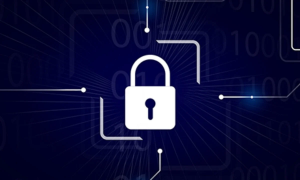
Ransomware is what it is—this is a malware attack that displaces computer users, locks them out and denies them access to their essential data.
The Ransomware attack has been around for ages but came to public notice in the mid-2000s. Since then, several ransomware attacks have affected individuals, businesses, and government agencies—costing them a huge amount of money to recover their files. Needless to mention activities are being paused during the attacks.
WannaCry is one of the popular types of ransomware known for encrypting users’ data and asking for a ransom. A major WannaCry attack took place in 2017 and caused severe damage to victims.
Is Ransomware A New Form Of Cyber-Attack?
As mentioned earlier, ransomware has been around for ages but attracted significant attention in the mid-2000s following the devastating attack launched on major healthcare industries, banks, and government agencies.
However, the type of malware attack that encrypts the victim’s data and asks for a ransom appears new to the average computer user. More so, considering other types of malware like worms, Trojans, and computer viruses, it’s safe to say ransomware is a new type of malware with advanced mode attacks.
How Does Ransomware Attack Happen?
Ransomware creators do target their victims through emails, social media platforms, and unsafe websites. The attacks are carried out through phishing scams. This involves broadcasting con emails to trick people into opening an attachment that comes with the email. These attachments contain malicious codes, and opening it means you have compromised, and that gives rise to ransomware.
Another form of attack is through websites. The ransomware attackers also owned websites, which you may stumble into unknowingly while surfing the internet. You may see a pop-up asking you to download software, update your browser, etc. You really have to be wary of a non-software downloading website asking you to download a software missing on your computer. Also, you want to avoid using cracked software as this can spread the malware too.
Who Is A Target Of Ransomware?
Individuals, businesses, and government agencies are all targets of ransomware attacks. Ransomware attackers usually target victims that need data to operate daily— agencies or organizations that provide essential services. This is because such victims would pay the ransom quickly to enable them to carry out their activities.
For instance, in 2018, ransomware cyber-attackers targeted 119 school districts in the United States. The number came down to 72 in 2019, but this was more precise than the year before. The attack forced New York State to delay their school resumption.
Hospitals, power plants, and care homes are not left out. The CHU de Rouen, a 1300-bed hospital in France, made headlines when ransomware attackers knocked off their computers, forcing them to use papers.
Many counties governments in the United States also faced attacks from ransomware. Smaller counties like Riviera Beach and Lake City in Florida doled out some cash to ransom their information from attackers.
Can Ransomware Cyber-Attacks Be Curbed?
Although ransomware is a type of malware that could be stopped through cybersecurity measures, the creators have continued to devise new means of carrying out their attacks. However, ransomware can still be curbed through cybersecurity rules.
Since emails, forums, and compromised websites are avenues for ransomware attackers to spread their malicious software, you should be careful when using them. Make sure sites are secured and do a check on them before entering your personal details.
You should also:
- Get an active antivirus and ensure you keep it updated
- Update your operating system and all applications
- Set strong passwords and avoid using easy to guessed passwords like your name, date of birth, phone number, etc.
- Do not use public Wi-Fi—hackers can steal your information through this means
- After using a public computer, ensure you log out
- Get an advanced security system
What Is The Advanced Security System?
These security systems are specially designed to tackle advanced malware like ransomware, fileless malware, etc. As you may know, antiviruses and firewalls are often tricked by advanced threats. Also, some malware does spread as fileless, making it difficult for antiviruses to detect and stop them. Cutting-edge security systems like advanced endpoint protection can help combat this stubborn malware as they use advanced technologies such as AI, IoT, etc., to detect and block them.
In addition to other cybersecurity measures, you need advanced endpoint protection to prevent ransomware and other malware attacks.
Please give us a star rating based on your experience.

 (25 votes, average: 2.12 out of 5, rated)