How Does Ethernet Work? A Complete Guide for IT and Cybersecurity Leaders
Updated on September 17, 2025, by Xcitium
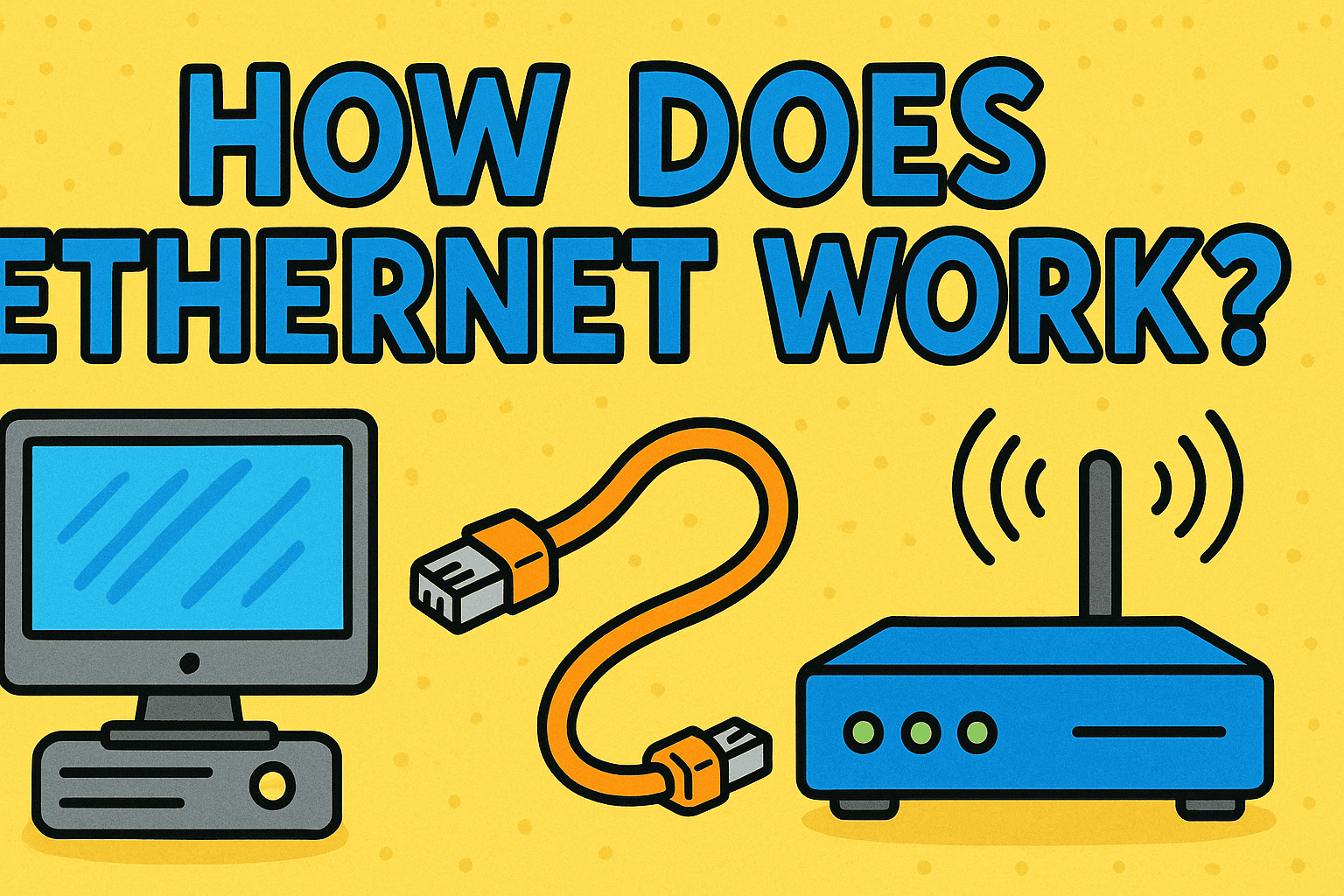
Have you ever wondered, “How does Ethernet work, and why is it still so important in today’s wireless world?” While Wi-Fi dominates conversations around connectivity, Ethernet remains the backbone of secure and reliable networking—especially in businesses where speed, stability, and security are non-negotiable.
For IT managers, cybersecurity experts, and CEOs, understanding how Ethernet works is critical. It’s not just about cables and ports—it’s about ensuring performance, protecting data, and supporting enterprise infrastructure.
What Is Ethernet?
Before answering how does Ethernet work, let’s define it.
- Ethernet is a family of wired networking technologies that connect devices in a local area network (LAN).
- It was first developed in the 1970s and remains the most common LAN technology today.
- It uses cables (like Cat5e, Cat6, Cat7) and switches/routers to transmit data between devices.
👉 Think of Ethernet as the “language” computers use to talk securely over a wire.
How Does Ethernet Work?
Ethernet works by transmitting data through physical cables using electrical signals. Devices connected to the same network follow standardized protocols to ensure reliable communication.
Step-by-Step Breakdown:
- Data Packets: Information is broken into small packets.
- MAC Addresses: Each device has a unique Media Access Control (MAC) address.
- Switching: Ethernet switches use these addresses to send packets to the correct destination.
- Collision Avoidance: Protocols like CSMA/CD (Carrier Sense Multiple Access with Collision Detection) prevent overlapping transmissions.
- Full-Duplex Communication: Modern Ethernet allows devices to send and receive data simultaneously.
👉 In short: Ethernet ensures data gets from point A to point B quickly, securely, and reliably.
Types of Ethernet
When exploring how Ethernet works, it’s important to know the different variations.
1. Standard Ethernet
- Speed: 10 Mbps
- Mostly obsolete, replaced by faster versions.
2. Fast Ethernet
- Speed: 100 Mbps
- Still used in small networks but outdated for modern enterprise.
3. Gigabit Ethernet
- Speed: 1 Gbps
- Current standard for most organizations.
4. 10 Gigabit Ethernet (10GbE)
- Speed: 10 Gbps
- Common in data centers and high-performance enterprise environments.
5. Beyond 10GbE
- Emerging standards like 40GbE and 100GbE serve large-scale businesses and cloud infrastructures.
Advantages of Ethernet
Understanding how Ethernet works highlights its major benefits:
- Speed and Reliability: Faster and more stable than Wi-Fi.
- Security: Harder for outsiders to intercept compared to wireless signals.
- Low Latency: Essential for video conferencing, VoIP, and cybersecurity monitoring.
- Scalability: Easily expanded using switches and structured cabling.
Ethernet vs. Wi-Fi
When IT leaders ask how does Ethernet work compared to Wi-Fi, here are the key differences:
- Reliability: Ethernet is wired and less prone to interference.
- Speed: Ethernet generally offers higher consistent speeds.
- Mobility: Wi-Fi provides flexibility, but Ethernet excels in performance.
- Security: Wired connections reduce attack vectors.
👉 Most businesses use a hybrid approach—Ethernet for mission-critical systems and Wi-Fi for convenience.
Ethernet in Cybersecurity
For cybersecurity experts, knowing how Ethernet works is vital.
- Controlled Access: Physical ports reduce unauthorized device connections.
- Monitoring: Easier to track network traffic through switches.
- Defense Against Attacks: Ethernet networks can integrate with firewalls, intrusion detection systems (IDS), and segmentation for security.
- Compliance: Many regulations require secure wired networks for sensitive data.
Common Problems with Ethernet
Even though Ethernet is reliable, issues can arise.
- Cable Damage: Broken or poorly terminated cables cause packet loss.
- Port Failures: Router or switch ports may malfunction.
- Configuration Errors: Incorrect VLAN or IP setups lead to connectivity problems.
- Outdated Infrastructure: Old Cat5 cables can bottleneck speeds.
Best Practices for Using Ethernet in Enterprises
- Use Modern Cabling (Cat6 or higher).
- Segment Networks with VLANs for security.
- Regularly update switch/router firmware.
- Encrypt sensitive traffic.
- Adopt Zero-Trust principles even in wired environments.
👉 For IT managers, Ethernet isn’t just about performance—it’s a foundation of network security.
FAQs on Ethernet
Q1. How does Ethernet work in simple terms?
It sends data between devices using cables, switches, and protocols that ensure reliability.
Q2. Is Ethernet faster than Wi-Fi?
Yes. Ethernet offers consistent speeds with lower latency compared to Wi-Fi.
Q3. Do I need special cables for Gigabit Ethernet?
Yes. At least Cat5e, but Cat6 or Cat6a is recommended.
Q4. Can Ethernet be hacked?
While harder than Wi-Fi, Ethernet can still be exploited if physical access is gained. That’s why encryption and monitoring are important.
Q5. Is Ethernet still relevant with modern Wi-Fi?
Absolutely. Ethernet remains critical for businesses, data centers, and cybersecurity operations.
Conclusion: Ethernet as the Backbone of Secure Networking
So, how does Ethernet work? It functions by transmitting data over cables with unique device addresses, switches, and standardized protocols that guarantee speed and reliability.
For IT managers, cybersecurity professionals, and executives, Ethernet remains a cornerstone of business networking. It ensures secure, stable, and scalable communication—critical for protecting sensitive data and maintaining performance.
👉 Ready to secure your enterprise network? Discover how Xcitium’s zero-trust solutions can safeguard your infrastructure against evolving cyber threats.