To update your billing email address, please follow these simple steps. For now, you will need to update it in both our Platform and CAM portals, but soon, you will only need to do it in one place.
Step 1: Update in the Platform
- Log into the Platform: https://platform.xcitium.com/app/login
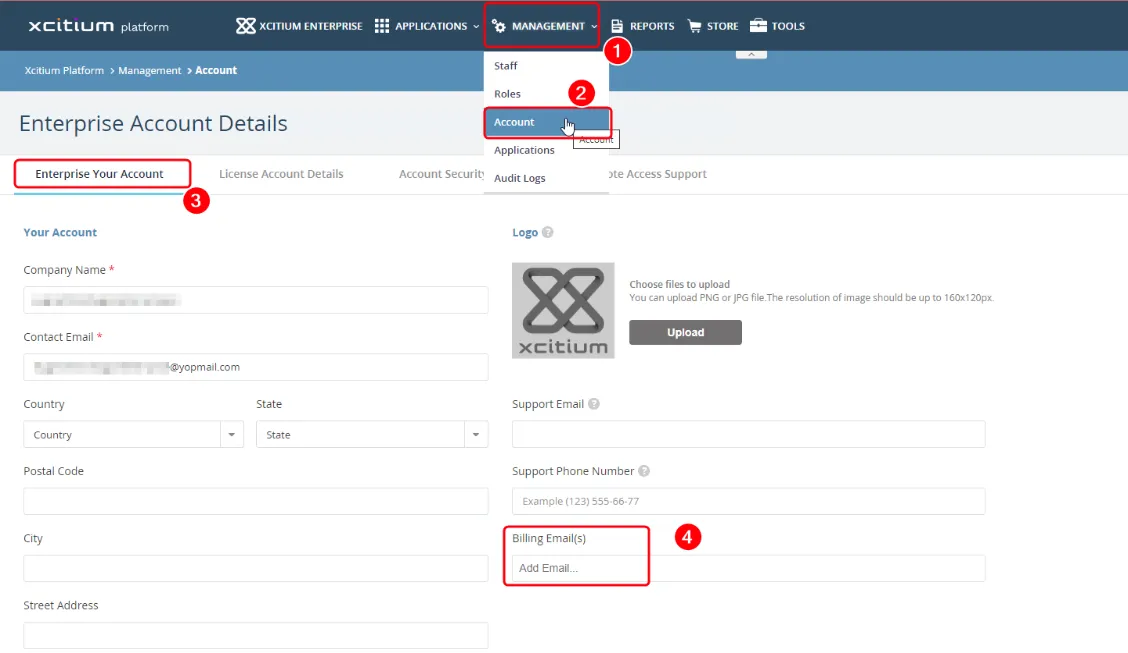
- Navigate to Management > Account > Enterprise Your Details
- In the Account Details section, update your billing email
- Click “Save Changes” to confirm
Step 2: Update in CAM
- Log into CAM: https://cam.xcitium.com/login
- Use the email address you used to purchase your prepaid license(s)
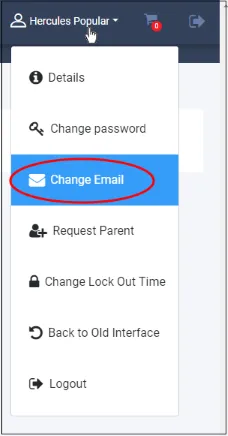
- Add your new billing email and click “Change Email”
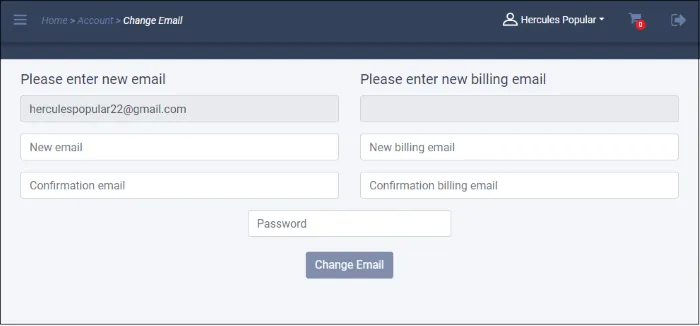
Note: If multiple CAM user accounts were used to purchase licenses, ensure you update each one as needed.
If you have any additional questions, do not hesitate to reach out to us here: support@xcitium.com