
Windows Endpoint Protection download protects enterprises’ endpoints against advanced threats. It is designed to pinpoint, investigate, and address these threats.
This solution is cloud-based, so no additional deployment or infrastructure is required. It auto-updates, ensuring that your endpoints are always safe and up to date.
If you are not sure about what windows endpoint protection download can do to your Windows environment, read on to know more about its functionalities.
Windows Endpoint Protection Download Find Potential Threats and Vulnerabilities
Windows endpoint protection download searches, assesses, and strengthens areas of vulnerabilities in real-time. It makes managing weaknesses easier. It is especially true if they have fallen through the security gaps. While your security administration, IT administration, and security operations missed those threats, endpoint protection swoops in.
Windows Endpoint Protection Download Protects Windows
Windows made a significant investment in this endpoint protection tool to help systems. It makes use of Microsoft’s cloud capabilities, big data studies, machine learning, and vulnerability resistance analysis. Those who love real-time protection capabilities will surely download this. It protects devices from viruses, blocks unwanted files, and provides updates.
Windows Endpoint Protection Download Lowers the number of attack surfaces
An attack surface is a point on your network where cyberattacks can take place. By addressing security gaps and minimizing these surface areas, you can reduce the risk of data compromise. In a variety of methods, Windows endpoint protection download can trim down your attack surface area.
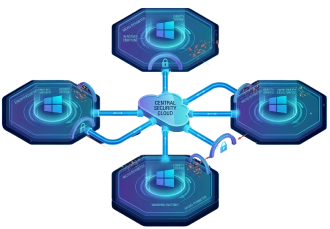
Windows Endpoint Protection Download Minimize Exposed Risk
Downloading a Windows endpoint protection tool does more than securing endpoint devices in your network. It also seeks to reduce exposed areas using network protection, app control, and network firewall. Other features it boasts are hardware isolation, exploit protection, folder access, and web protection.
Windows endpoint protection software gathers as many as six months’ worth of data. It continues to do so to filter threats that may have passed security. It uses advanced hunting features that proactively search for breaches through customized detection parameters.
Using a Windows endpoint protection download tool reduces the number of alerts your security team gets. It has automated settings that investigate and address detected threats. Instead of dispatching your team every minute or so to advanced attacks, you can let this take care of some of those breaches.
This endpoint protection software comes with a built-in Microsoft Secure Score feature. It evaluates the security condition of the devices in your network. It also zeroes in on vulnerable systems connected to your environment and suggests actions for a more secure enterprise.
The Windows endpoint protection download tool can run attack simulations.
But first, you have to set it all up at the program’s security center. Click on “Evaluation Lab,” then choose “Set Up Lab.” Opt for the configurations you want to try. It could be assessing three devices for 72 hours, investigating four for 48 hours each, or spending 24 hours looking into eight devices.
There are also three options to choose from. These are simulations by attack IQ, Microsoft, or SafeBreach. It would help to install both SafeBreach and attack IQ. Just prepare the software needed to run both on your device.
During the simulations, you will have a glimpse into what tasks you might do during an actual breach. It includes checking your network’s status or tracking the virus’ whereabouts. It also includes putting up more security measures.
You will not need to supervise every single attack that this endpoint defender might detect. You can set an automated investigation into some, reducing the time spent on hunting and investigating threats. It also redirects your resources into responding only to the most serious attacks.
To make the simulations more realistic, you can adjust the number of machines included. You can also set it up to add more alerts, attack details, and traces of the attacks. The more factors you can incorporate, the better the simulations will be for your team. This will make you more prepared once a real attack happens.
Proactive threat hunting is possible with Windows endpoint protection download. Threat hunting comes with insights and context into each vulnerability. This additional information can help the security team prioritize which threats to respond to first.
If you are looking to try endpoint protection, consider Xcitium. We protect all endpoints, from laptops and desktops to smartphones and servers.
If you want better endpoint protection management Xcitium can help. We can block threats from getting to your enterprise network. Our program provides antivirus protection, firewall, and sandbox containment. We also offer web URL filtering, file lookup services, and more. Secure your endpoints better. Contact us today for improved security!