Organizations accumulate vast amounts of data -- such as confidential business, financial, and customer records -- which may be stored across cloud storage environments and software-as-a-service applications, making it impossible for them to locate it quickly.
Robust security programs must adapt to the cloud environment. This requires implementing identity governance with policies and technology to prevent employees from viewing sensitive information while keeping passwords safe.
What is Encryption?
Encryption is an essential safeguard against cloud data theft and should be included in any cloud service provider's offering. Encrypting files scrambles them into unintelligible strings of ones and zeroes that even hackers cannot read if intercepted, so it's vital to check whether both at-rest encryptions as well as in-transit encryption, are provided - at-rest, meaning your data is stored on servers. At the same time, the latter refers to data in motion over networks.
As traditional network perimeters erode and more employees than ever work remotely, IT teams have found it increasingly challenging to protect data that travels across multiple environments and cloud services. Many organizations are turning to cloud service providers to safeguard their information against threats better while protecting it against identity theft and ensuring its confidentiality.
As part of their service offering, several cloud service providers include built-in security features that safeguard data in transit from theft or corruption and defend against internal attacks from within a company. However, for optimal use of these tools, businesses must take additional precautions and implement additional protection measures.
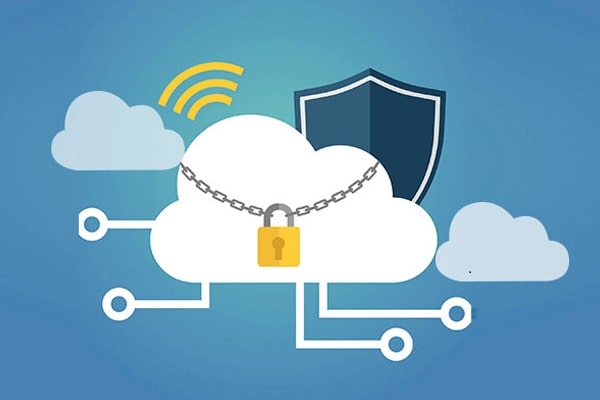
Some businesses are taking an innovative approach to protect cloud data, employing encryption at both sources before uploading any of it, as well as two-factor authentication on all employee devices that access it - this adds another layer of protection and ensures only authorized personnel can gain access.
Additionally, they've required that their cloud service providers utilize only high-security servers, which helps minimize data breaches due to compromised or lost servers or natural disasters. Finally, they ensured all their data was regularly backed up and had redundancy plans in case of natural disasters, or hackers destroying their servers.
Most people view hackers as the primary threat to cloud data security, but malicious insiders present far greater danger. Malicious insiders can gain entry by exploiting holes in systems or using easily guessed passwords. Strong password practices and multi-factor authentication can help mitigate this risk; deploying cloud solutions that enable companies to control employee activity also provides protection.
Two-Factor Authentication
As cyber-attacks against small businesses become more sophisticated, two-factor authentication (2FA) can provide another layer of defense against hackers. 2FA uses something the user knows, has, or is to verify their login attempt - typically a password. Still, it could also include text or phone code sent directly to phone/tablet devices and biometric verification such as fingerprint or retina scan scans.
Cloud data can be at risk on devices that have been compromised. One effective solution for mitigating this risk is using two-factor authentication (2FA). Duo Security's enterprise 2FA app makes this simple by allowing users to verify credentials on all their favorite cloud apps and websites using Duo's 2FA app - adding this extra step makes it more difficult for hackers to gain entry and access your servers' information.
Encrypting your cloud data is one of the best ways to ensure its safety since if someone does gain entry; they'll only see gibberish instead of anything that might reveal your true identity. Furthermore, having this feature available ensures your provider cannot gain access to your account in the event of a breach either directly or through their providers' networks.
Boxcryptor allows you to encrypt all of the folders on the cloud so you can continue working as usual while benefiting from an extra security layer of protection over existing storage solutions. Creating, editing, and sharing files as before - like they were on an ordinary drive!
As more data continues to be stored in the cloud, stronger user authentication procedures are necessary to protect against unauthorized access. Most current authentication methods rely on traditional username and password combinations; however, these systems have many vulnerabilities which could be exploited, and this solution seeks to create an authentication method that is resilient against such attacks.
Multiple Cloud Backups
At a time of increasing viruses, hackers, and phishing attacks in business environments worldwide, it is critical that data backups be performed regularly to minimize damage caused by data breaches or destroyers. By having an older copy available of your files, you can restore them if damaged - mitigating their impact can help minimize losses for any business that experiences one.
Full backups provide the most comprehensive protection, replicating the original data set. Full backups can easily restore files that have been altered or deleted; however, they take longer than other types and require more storage space than alternatives. For smaller data sets, weekly full backups coupled with daily incremental or differential backups provide the optimal balance between protection and performance.
Differential backups only track changes made since the last normal backup, saving time and storage costs while providing an approximate copy of data. Most businesses find combining weekly full backups with daily incremental or differential backups is the optimal strategy.
Backups should never replace security measures; they serve as a supplement. For backups to work effectively and safeguard data in an emergency, they must be tested frequently and evaluated frequently to ensure they function as intended.
While most cloud vendors have robust security measures, customers must also implement their measures to guard against breaches that might arise if vendor systems are compromised.
Security can deteriorate over time, so regular testing and upgrading systems are vital.
As threats become more frequent in today's business environment, having multiple backups of all your important data, whether stored online or on-premise, is essential. Guardian Computer's IT specialists offer advice on best securing cloud data storage. To learn more, reach out today.
Redundancy
Documents, photos, and videos stored on hard drives rapidly disappear as more people use cloud storage services to keep their information safe and accessible. With multiple copies of files stored on these storage servers, users can always recover their files, even in case of computer or mobile device failure.
Although cloud computing offers numerous benefits, it's still essential to protect your data. Hardware and software failures, natural disasters, and cyberattacks could all compromise the integrity of your cloud systems and lead to data loss. However, you can minimize their effect on your business by taking proactive steps to safeguard it properly.
Redundancy is one of the best ways to protect your data from threats like these. By storing it across multiple servers or locations, redundancy provides peace of mind if a server goes offline or a disaster strikes. Furthermore, configurations with multiple types of redundancy provide optimal availability and data durability.
Most major cloud providers rely on redundancy to secure your data by storing it across several geographically distributed servers. This type of protection against physical drive or rack failure is known as geographic redundancy. Furthermore, they often utilize redundant hardware in critical systems like contact center applications or customer databases.